4
1
5
6
2
3
5
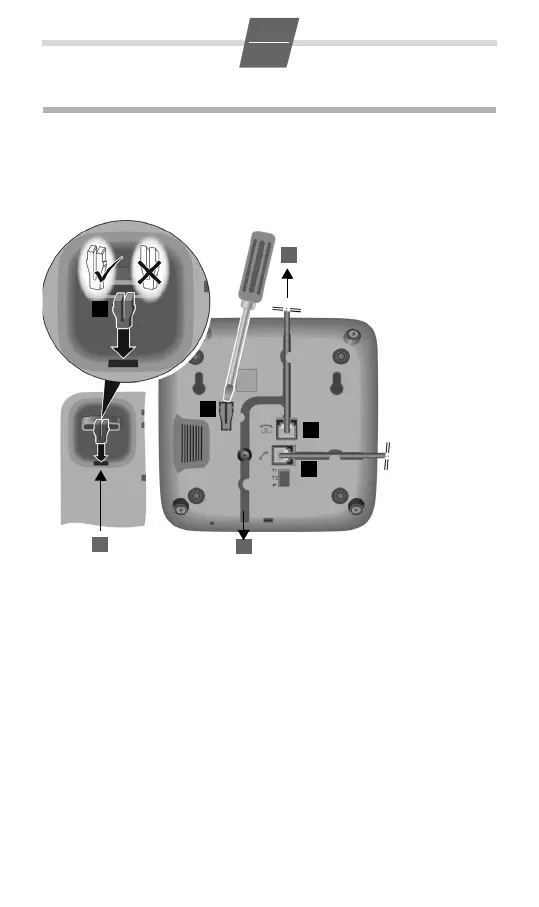
Wall mounting
¤ Drill two dowel holes into the wall at a distance of 100 mm and fix two
screws.
¤ Lift out the handset bracket (5) with a screwdriver and clip it into the hand-
set cradle (6).
¤ Hang the telephone on the projecting screw heads.
Please note: The handset bracket must be placed in the cradle with the slant-
ing edge facing forwards (see graphic), as otherwise the handset will not be
properly secured.
¤ Connect the telephone connector (1) to the main phone socket using the
supplied telephone cable and, if necessary, one of the telephone adapters
provided.
¤ Guide the cable through
the cable channel of the
handset cradle: upwards
for operating the phone
on the table (2);
downwards when mount-
ing the phone on
the wall (3).
¤ Connect the
handset to
the telephone
using the
coiled
cable (4).



 To Next Page