Template Module, Version 2, 20.02.2020
Overview
Gigaset ION / QSG DE-LU de / A31008-M2970-R101-1-X143 / overview.fm / 7/5/21
2
Overview
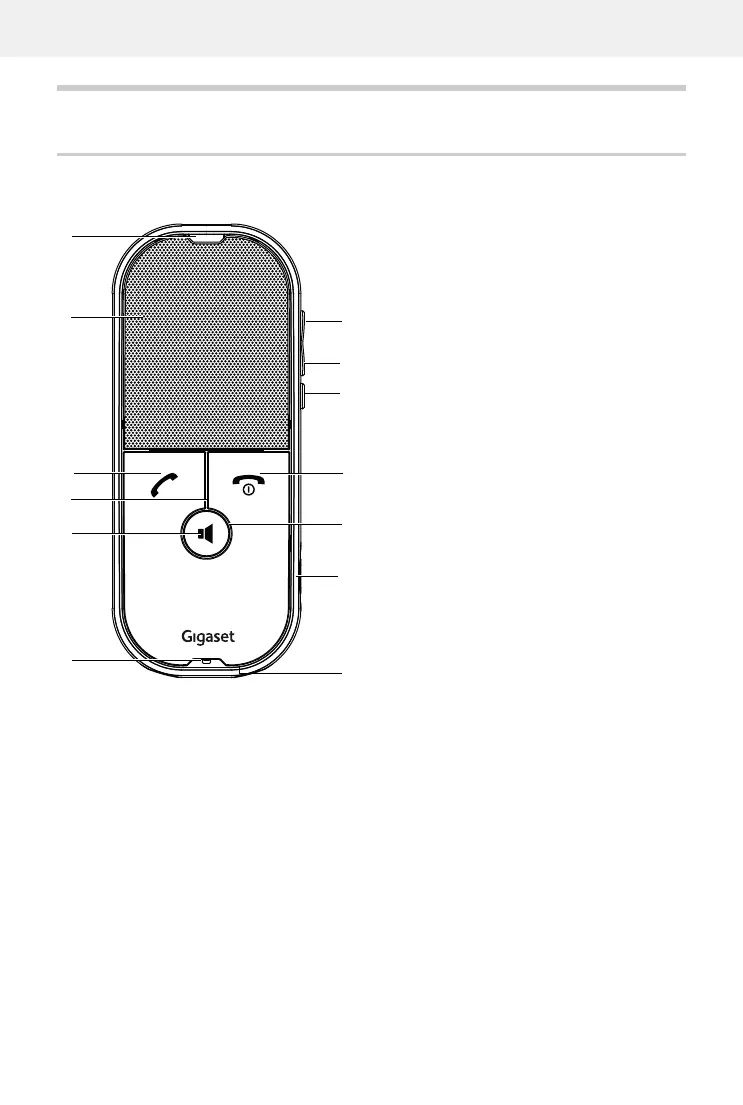
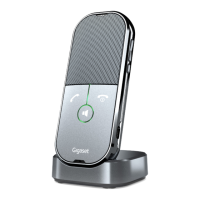
Handset
1 Proximity sensor
2 Speaker
3 Talk key
Accept call; put call on hold;
4 “Mute” LED
Mute indicator (ON or OFF)
5 Handsfree key
Accept call; switch between earpiece and
ha
ndsfree modes
6 Microphone
7 Volume +
8 Volume -
9 Muting
10 End call key, On/Off key
End call; switch phone on/off
11 Ring LED
LED status display; for functions, see “LED
displays”, p. 12
12 Micro-USB C socket
USB cable for charging or manual soft-
ware update
13 Charge contacts
Charge contacts for charger


 To Next Page