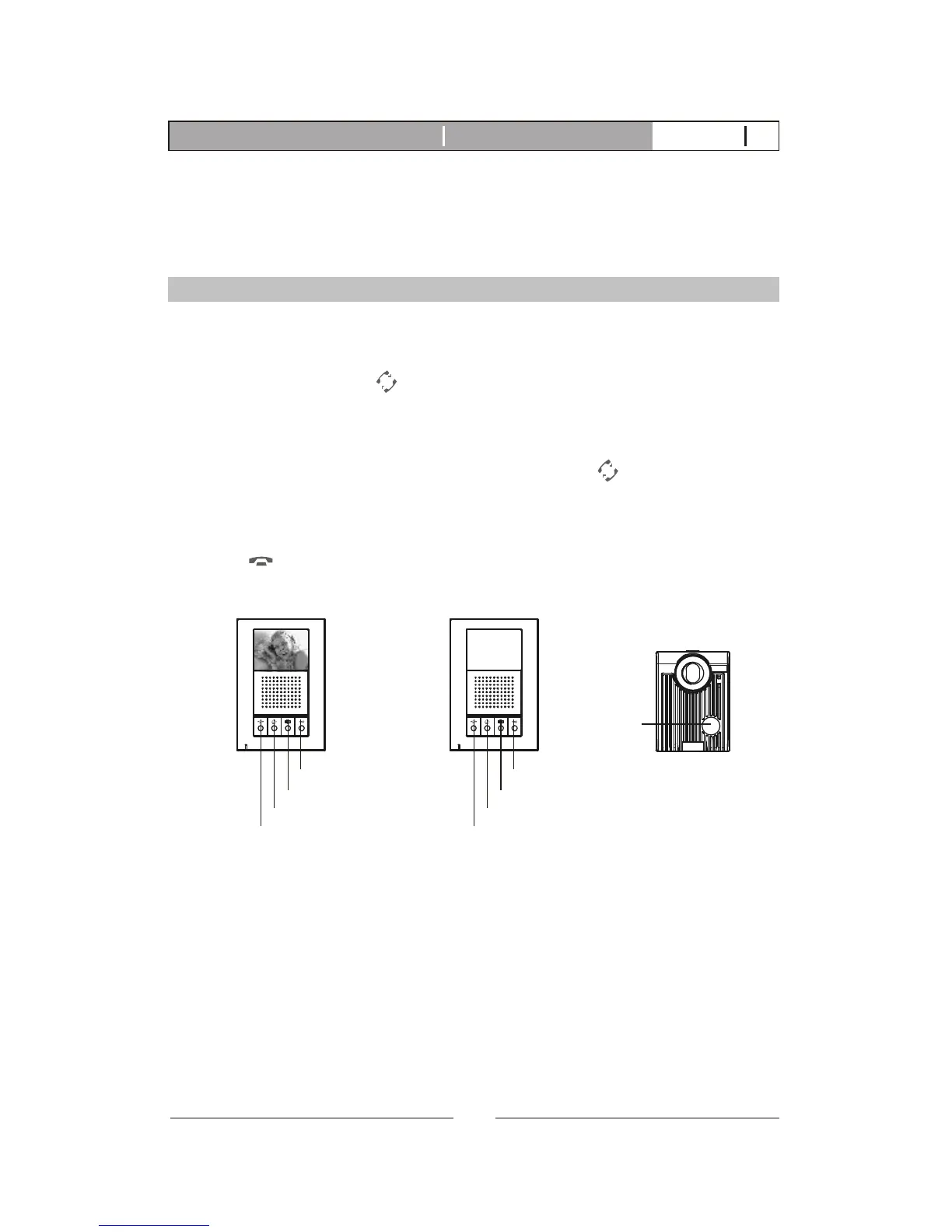
A. Operates the same as EX-350H (Refer to page 22).
B. EX-350A audio only function, no video function.
2.3. EX-350A Operation
2.3.1. and intercom functionAll-page
A. When system consists of main monitor and expansion audio monitor
and an outdoor doorbell/camera unit, the system can provide intercom
function.
B. Press intercom button from any monitor, all other monitors will react
by making bell sound. At the same time, the host can speak and
broadcast voice message to all other monitors.
C. The broadcast mode can last for 20 seconds. During the 20 seconds,
any other monitor intercom button to engage intercom
conversation with the host for maximum of 90 seconds. This function
provides only, monitors show no picture.
D. At anytime if you wish to terminate the monitoring, press the Cut-off
button to terminate the .
can press the
audio intercommunication
communication
Main monitor
Door camera
Call button
Cut-off button
Intercom button
Monitoring button
Door release button
Expansion audio monitor
Cut-off button
Intercom button
Monitoring button
Door release button
26
K-350R Video intercom systemIntroduction V12011-01



 To Next Page