3
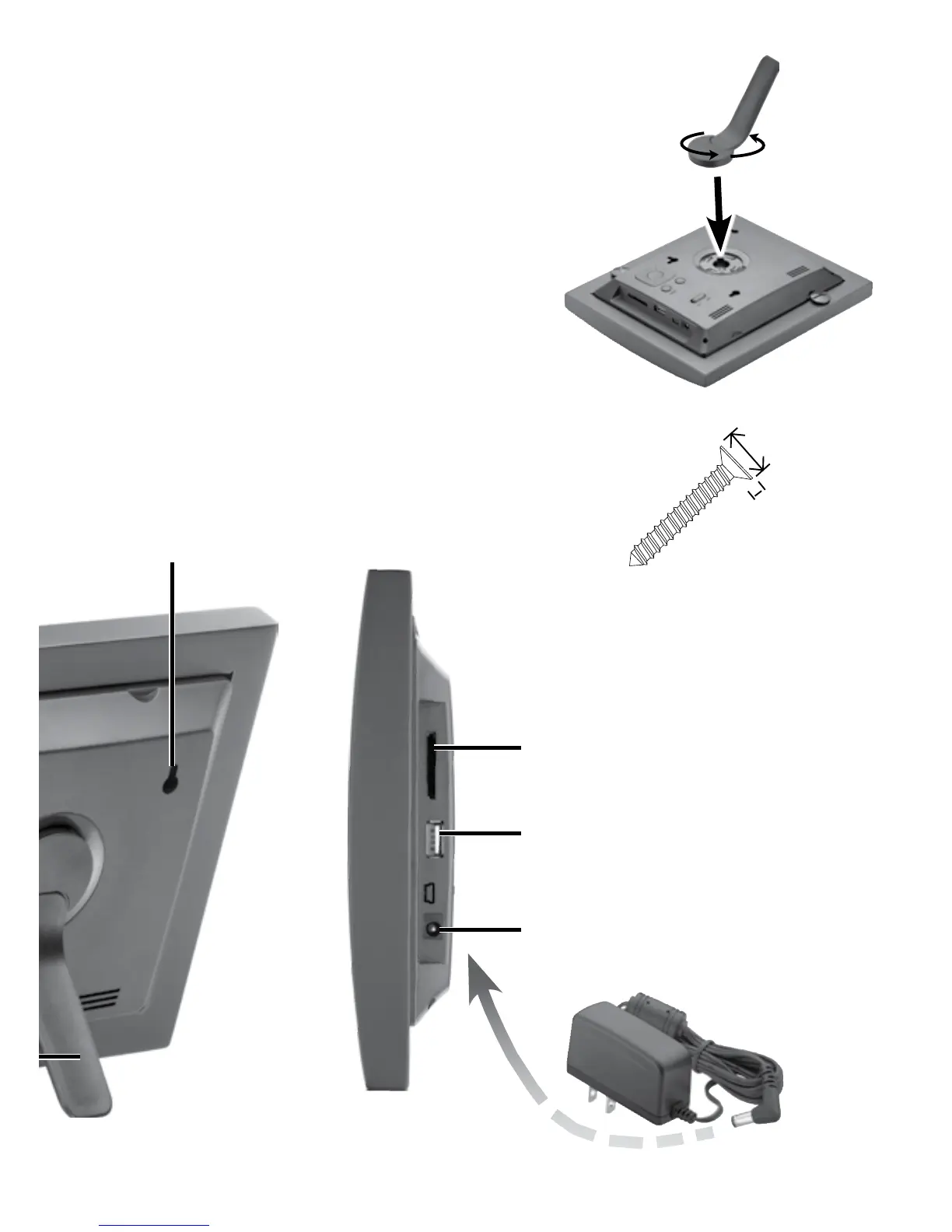
1 Attach the Stand
1. Place the frame on a flat surface, back
facing up.
2. Align the stand with the slot.
3. Turn the stand counter clockwise
45° until it locks for landscape
placement, or turn counter-
clockwise 90° for portrait
placement.
SD/MMC/MS
Insert a memory card with the
metallic contacts facing towards
the display.
USB HOST
Connect a USB device.
DC
Plug in the supplied AC adapter.
Mounting slot
Use 2 screws (not included) with heads the size
shown to hang the frame on the wall. Slide two
mounting slots over the screws to mount either
portrait or landscape.
0.23 in
(6 mm)
.04 in
(1mm)


 To Next Page