6
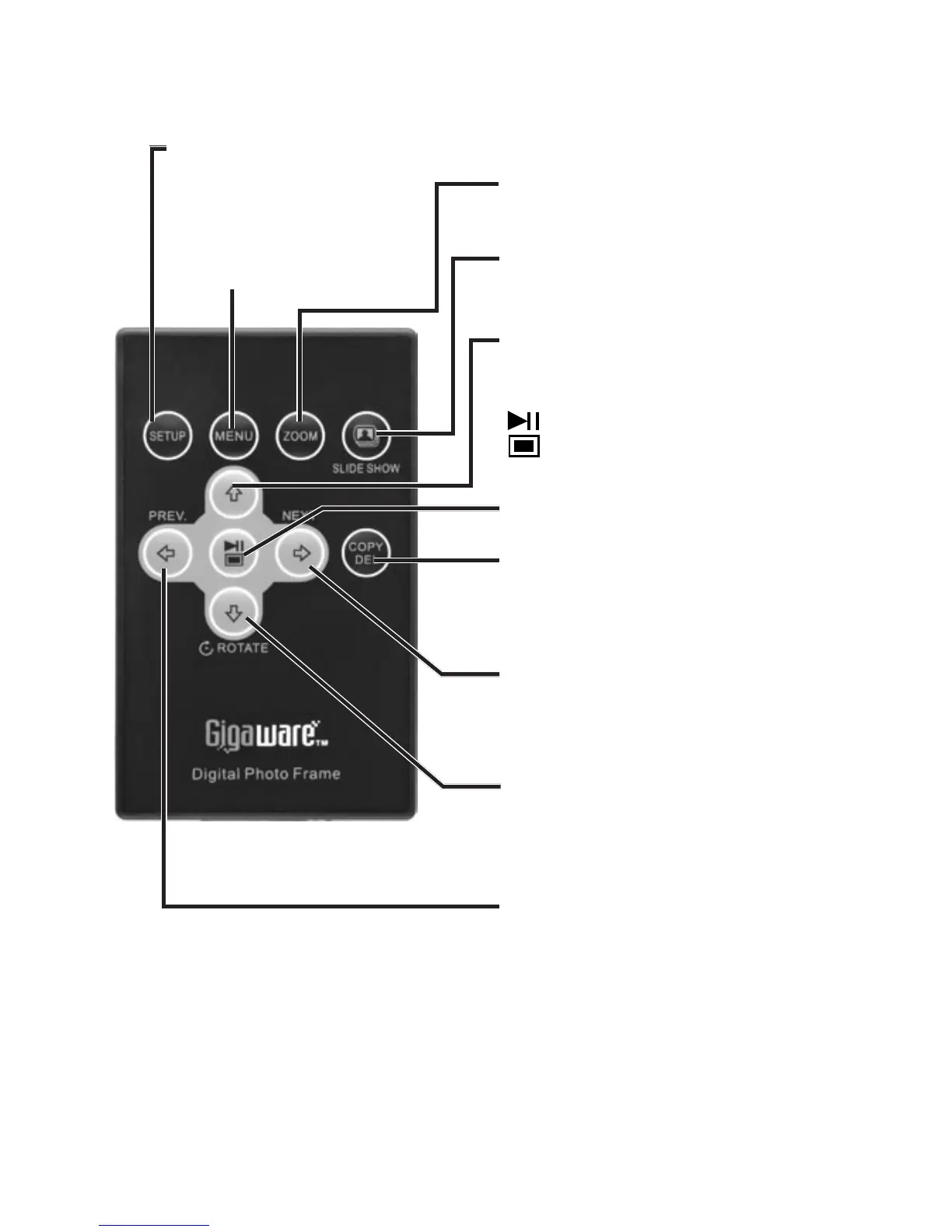
Use the Remote Control
MENU
Access the main menu.
Select functions: PLAY/PAUSE/
MODE.
DOWN/ROTATE
Navigate menus or rotate a
photo.
UP
Navigate menus or go to a photo.
NEXT
Navigate menus or view the
next photo.
PREV
Navigate menus or view the
previous photo.
COPY/DEL
Copy or delete a photo.
SLIDE SHOW
Start the slide show.
Zoom
Zoom in or out a photo.
SETUP
Access setup menu.
nNote: Your remote comes with a battery installed.
Remove the plastic tab before using the remote.



 To Next Page