8
2. Select YES when asked if you want to copy the
photo, then press PLAY/PAUSE/MODE. The frame
can copy up to 14 photos to the frame’s memory.
n Note: You can rotate photos clockwise by pressing
ROTATE repeatedly while the photo is displayed.
Rotated photos are copied in the rotated position.
Deleting Photos from your Frame
To delete a photo from your frame’s memory:
1. Remove any memory cards from your photo frame.
2. Locate the photo and press
UP/COPY/DELETE.
3. Select YES when asked if you want to delete the
photo, then press PLAY/PAUSE/MODE. The frame
deletes the photo from the frame’s memory.
n Note: The delete function only deletes photos from
the frame’s memory, not from a memory card.
Replacing the Battery in the Remote
Control
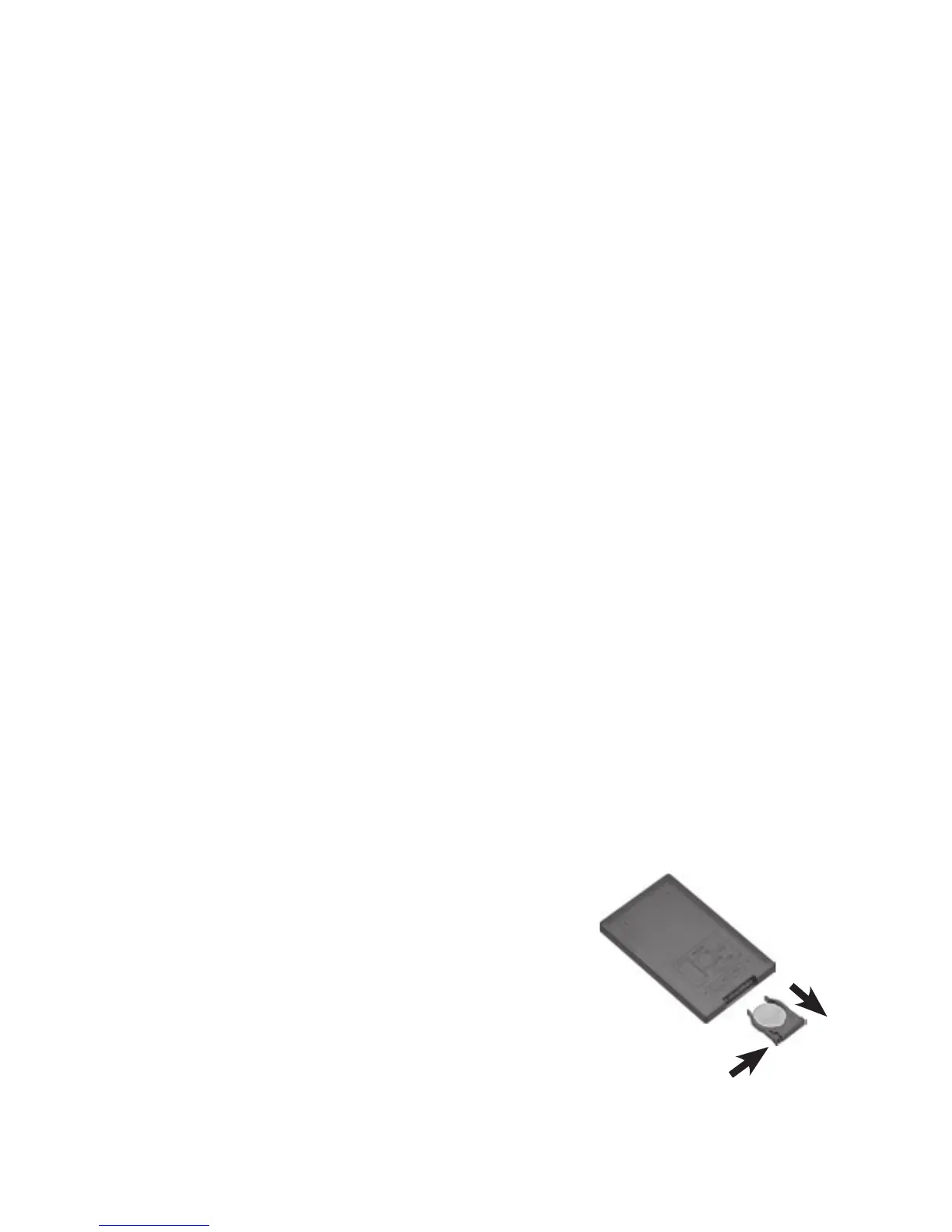
Replace the battery if the remote stops working. Press
the tab on the battery compartment tray, slide the
battery compartment tray out, and
insert a new battery (CR2025) plus
“+” side up. Then slide the tray back
until it clicks.



 To Next Page