EasyManua.ls Logo

Gilian LFS-113 - User Manual

Gilian LFS-113
20 pages
Print Icon
To Next Page IconTo Next Page
Loading...
LFS-113
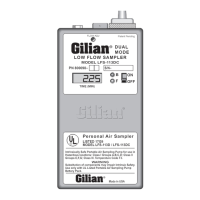
Dual Mode Low Flow Air Sampler
1–350 cc/min. Constant Pressure
5–200 cc/min. Constant Flow
LOW FLOW SAMPLER
Patent Pending
MODEL LFS-113DC
TIME (MIN)
FLOW ADJ
DUAL
MODE
S/N–
PN 800098–
ON
OFF
B
F
Made in USA
LISTED 17G9
MODEL LFS-113D / LFS-113DC
®
Personal Air Sampler
Intrinsically Safe Portable Air Sampling Pump for use in
Hazardous locations: Class I Groups A,B,C,D; Class II
Groups E,F,G; Class III. Temperature Code T3.
WARNING
Substitution of components may impair Intrinsic Safety.
Use only with UL Listed Portable Air Sampling Pump
Battery Pack.
INSTRUCTION MANUAL
© 1999, Sensidyne, Inc.
Document No. F-PRO-1725, Rev A
Sensidyne, Inc.
16333 Bay Vista Drive • Clearwater, FL 33760
800-451-9444 • 727-530-3602
FAX 727-539-0550
Question and Answer IconNeed help?

Do you have a question about the Gilian LFS-113 and is the answer not in the manual?

Summary

Introduction

Theory of Operation

Explains the sampler's two modes of operation activated by a selector dial and indicators.

Operation Set-Up

Battery Charging Procedure

Details how to charge the sampler battery, including time and modes.

Filter Check

Instructions for ensuring the inlet filter assembly is properly secured.

Sampler Operation

Mode Selection

Explains how to select between Constant Flow and Constant Pressure modes.

Constant Flow Sampling

Details the procedure for setting up and operating the sampler in Constant Flow mode.

Multiple Flow Sampling

Describes how to set up and operate the sampler in Constant Pressure (multi-flow) mode.

Performance Checks

Constant Flow Performance Check

How to verify the sampler's performance in Constant Flow mode using a calibrator.

Pressure Fault Check

Tests the sampler's response to excessive pressure, triggering the fault indicator.

Pressure Fault Clear Check

Verifies that the fault condition clears when excessive pressure is removed.

Battery Performance Check

How to check the sampler's battery performance and shut-down behavior.

Constant Pressure Checks

Details checks for the Constant Pressure mode.

Pump Maintenance

Battery Charging and Storage

Recommendations for maintaining battery life and serviceability.

Replacing the Battery

Step-by-step instructions for replacing the sampler's battery pack.

Changing the Pump Filter

Procedure for replacing the pump filter to maintain performance.

Specifications

Overview

The Gilian LFS-113 is a dual-mode low-flow air sampler designed for industrial hygiene and environmental sampling. It is capable of operating in two distinct low-flow modes: constant flow and constant pressure. This compact and lightweight sampler combines convenience with useful functions for accurate sampling of single or multiple sorbent tubes and gas sampling bags.

Function Description:

The LFS-113 offers two primary sampling modes, easily selected by turning a dial on the back of the sampler with a hex wrench. A visual indicator confirms the selected mode.

  1. Constant Flow Mode: In this mode, the unit provides externally adjustable constant flows from 5-200 cc/min. The flow rate is set using the Flow Control Valve located on the front of the sampler. This mode is suitable for single sorbent tube sampling.
  2. Constant Pressure (Multiple Flow) Mode: This mode allows for constant pressure sampling from 1-350 cc/min (combined flow rates). When used with a multiple flow controller tube holder, it offers multi-tube sampling capability, with individual adjustments at each tube position. The internal control valve is inoperative in this mode.

The sampler operates continuously until manually shut down. DC models feature an optional LCD clock that displays elapsed run time and an instant-fault function.

Important Technical Specifications:

  • Operating Range:
    • Constant Flow Mode: 5-200 cc/min, with back pressures up to 25" H₂O.
    • Constant Pressure Mode (multi-tube): 1-350 cc/min, with flows adjustable through a single or multiple tube flow controller.
  • Pressure Range: Backpressure up to 25" H₂O.
  • Flow Control: ± 5% of set point.
  • Battery System: Rechargeable, plug-in, 4.8V, 500 mAh Ni-cad battery pack. Designed to meet all UL requirements. Internal charging, with external charging via an adapter.
  • Size: 2-1/2" W x 1-3/8" H x 4-5/8" L.
  • Weight: 12 ounces.
  • Temperature:
    • Operating: -20° to 45°C.
    • Storage: -40° to 45°C.
    • Charging: 5° to 45°C.
  • Approvals:
    • Intrinsic Safety: UL® (Underwriters Laboratories, Inc.) approved intrinsically safe for use in hazardous locations Class I, Groups A, B, C, & D; Class II, Groups E, F, & G; and Class III. UL listed 17G9, Temperature Code T3C.
    • MSHA® (Mine Safety and Health Administration): Approved as permissible for use in gassy mines when used with a specified Gilian Battery pack.
    • SCS® (SIRA Certification Service), Europe: Certificate No. Ex90C2011X, Coding: EEx iB IIC T4.
    • ISO 9002 Quality Assurance Standard: Designed, manufactured, and produced in accordance with and complying with the ISO 9002 international quality assurance standard.

Usage Features:

  • Mode Selection: A Mode Selector Switch (4) on the back of the sampler, adjacent to the belt clip, unlocks, indexes, and re-locks the Mode Selector Valve. A hex wrench is used to rotate the key counter-clockwise to unlock, continue rotating approximately half a turn until it clicks, and then clockwise to lock.
  • Mode Indicator: A visual indicator (3) through a hole in the side of the case shows the current mode: black for "Constant-Flow" and light or white for "Constant-Pressure."
  • Flow Adjustment: An external Flow Adjust (9) knob allows for precise setting of the air flow rate using a small blade screwdriver.
  • Battery Check Indicator: A green LED (6) illuminates to indicate sufficient battery power for at least 8 hours of operation under normal load conditions.
  • Fault Indicator: A red LED (7) activates to signal a flow fault due to excessive pressure or insufficient battery voltage. On DC models, the clock display will lock in the sample time upon fault indication.
  • Clock Display (DC Models Only): Indicates continuous run-time in minutes, locking the sample time upon fault. Resets to zero when the power switch is turned OFF and back ON.
  • Inlet Boss (10): Located on the clear filter housing, it provides a built-in means for attaching tubing for suction sampling.
  • Outlet Port (11): A receptacle for discharge air boss accessories, covered by a cap screw when not in use.
  • Discharge Boss (12): An accessory that, when installed into the discharge outlet, allows for filling air sampling bags.
  • Belt Clip (13): Built-in for attaching the sampler to a worker's belt.
  • Sampling with Tube Holders:
    • For Constant Flow mode, a single sorbent tube cassette can be used. The manual recommends connecting 1/8" ID tubing from the Pump Inlet Boss (10) to the inlet boss of the Flow Controller Tube Holder Assembly.
    • For Constant Pressure mode, the unit is designed to work with a Dual Manifold Tube Holder Kit (B-800148) for sampling two standard 6mm x 70mm sorbent tubes. Individual flow adjustments are made at each tube position.
  • Fault System Check: In Constant Flow mode, blocking the inlet to the pump should activate the Fault Indicator (7) within 3-5 seconds. Maintaining the blockage for 20-40 seconds will cause the pump to cease and the time to latch.
  • Calibration: The device can be calibrated using Gilian's Low Flow Industrial Hygiene Calibrator Pack (LIHCP) or a similar setup, involving a rotameter or film flowmeter and pressure gauges.

Maintenance Features:

  • Battery Charging:
    • Use a Gilian dual-rate charger. Plug into a grounded AC outlet.
    • Set the charging rate to "Normal" for a minimum of 16 hours. The "Normal" rate LED on the charger will light.
    • For charging longer than 16 hours, switch the charger to "Trickle" charge mode to prolong battery life and prevent damage from overcharging.
    • Do not leave the unit charging for more than 16 hours in "Normal" mode to avoid overheating and decreased battery life.
  • Battery Storage: For long-term storage (more than 2 months), run pumps until they shut down on low battery, then recharge overnight (16 hours) before storing.
  • Battery Replacement:
    • Place the sampler face down on a soft, level surface.
    • Remove the four corner case screws.
    • Support the pump by the front half, turn it face up, and remove the top half to access the internal mechanism.
    • Disengage the Battery Connector from the receptacle on the Control Board.
    • Lift the battery pack (9) from the base.
    • Install a new battery by reversing the procedure, ensuring the polarized connector is properly oriented.
  • Pump Filter Check and Replacement:
    • The 10 Micron Nylon filter (2) protects the pump from dirt. Discoloration indicates the need for replacement.
    • The filter should be changed after approximately 250 hours of operation or when needed.
    • To replace, blow dust and debris from around the Filter Housing (2).
    • Grasp the knurled edge of the filter housing assembly and rotate counter-clockwise to remove.
    • Check for the sealing "O" ring on the internal boss of the new filter housing assembly.
    • Install the new Filter Housing Assembly by rotating the knurled edge clockwise. Do not overtighten.
    • Check the filter's performance using the Constant Pressure Check (Section 4.2.1).
  • General Battery Maintenance: Avoid shorting battery connectors. Do not overcharge battery packs at the "Normal" rate for more than 24 hours. "Trickle" (pulse current) mode is recommended for longer charging periods.

Gilian LFS-113 Specifications

General IconGeneral
BrandGilian
ModelLFS-113
CategoryRecording Equipment
LanguageEnglish