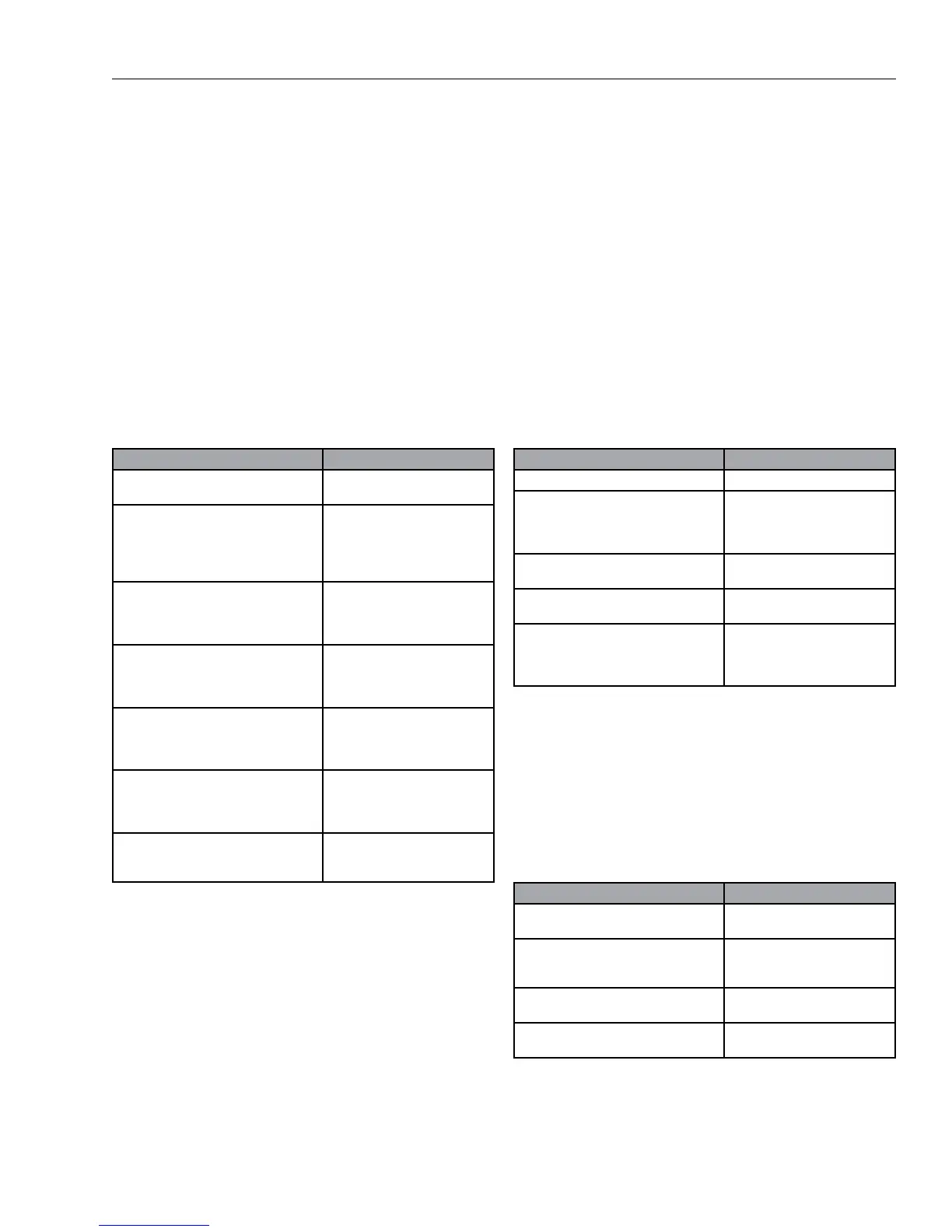
Gilson Company, Inc. Gilson Binder Ignition System: HM-378
Page 6
Binder Ignition Programming Sequence:
• Furnace must be plugged in and the toggle switch
must be in the "ON" position.
• All programming starts from the IdLE display. Press
<ANY> key except <STOP> to obtain the IdLE display.
• Insure the °C indicator in the display is lit. If not, press
<ENTER>, then <°F/°C>. "CHG" will display. Press
<ENTER> again and °C will be lit.
• Displays noted with “/” alternate between the two
displays shown.
• Program #1 may be confirmed, reprogrammed, or
altered by the following steps:
• After completing the Programming sequence as
shown, the furnace is ready to run using Program
#1.
• The fan-on temperature (CFN) is set at or below the
Afterburner temperature setting (CAb) to allow faster
preheating. DO NOT attempt to test samples if the
fan is not on.
• To review the program last used or just programmed,
start from IdLE, press <ENTER>, then press <PRO-
GRAM REVIEW>. Programmed values will display
in sequence.
Action Display
Starting display.
IdLE/XXX - Current main
chamber temperature.
Press <PROGRAM>
Press <ENTER>. Press <ENTER>
again to accept displayed value, or
input new main chamber preheat tem-
perature, then press <ENTER>.
Pro/1 (for Program 1)
CPR/500 - Indicates 500°C is
set as main chamber preheat
temperature.
Press <ENTER>. Press <ENTER>
again to accept displayed value, or
input new main chamber burnout tem-
perature, then press <ENTER>.
Cbo/538 - Indicates 538°C is
set as main chamber burnout
temperature.
Press <ENTER>. Press <ENTER>
again to accept displayed value,
or input new hold time, then press
<ENTER>.
HOLd/00.15 - Indicates 15
minutes hold time for decok-
ing.
Press <ENTER>. Press <ENTER>
again to accept displayed value, or in-
put new Afterburner setpoint tempera-
ture, then press <ENTER>.
CAb/850 - Indicates 850°C
is setpoint for Afterburner
chamber.
Press <ENTER>. Press <ENTER>
again to accept displayed value, or
input new exhaust fan activation tem-
perature, then press <ENTER>.
CFN/850 - Indicates exhaust
fan will activate at 850°C After-
burner temperature.
Ending display.
IdLE - Programming sequence
is complete, ready for contin-
ued operation.
Action Display
Starting display.
IdLE
Press <DELAY>.
DELA/XX.XX - Indicates
hh.mm until furnace starts
pre-heating. Maximum time is
99hr, 99min.
Input desired delay time, for example:
12 hrs, 30 min.
DELA/12.30
Press <ENTER>.
IdLE - Programming is com-
plete.
Press <START>. Initiates Delay
Countdown.
DELA/XX.XX - Counts down
time remaining. Furnace will
begin preheating in 12 hrs,
30 min.
Action Display
Starting display.
IdLE/XXXX - Main chamber
temperature is indicated.
Press <ENTER>.
-ON- - Controller runs a self-
diagnostic routine for 5—10
seconds.
No action required.
PRHT/XXXX - Main chamber
temperature.
No action required.
dELA/XX.XX - Time remaining
if delayed firing is active.
• To confirm the active program during firing, press
<PROGRAM REVIEW> at any time after -ON- has
been displayed (as described below).
• To recall a program from memory or review, proceed
from IdLE as in the above sequence until the desired
program number is displayed (PRO/1, etc.). Press
<ENTER>, then press <STOP>. The desired program
is then ready for review as described above.
Delayed Firing:
In cases where the furnace must be ready for testing at
the beginning of a shift, it can be programmed to begin
the preheat cycle at a delayed time. Follow this procedure
to initiate a Delayed Firing:
• Press <STOP> at any time to cancel the delayed
firing sequence or if a programming error is made.
The display will return to IdLE.
• Delayed Firing programming must be repeated for
each use. Program is not retained in memory.
Preheating the Furnace:
• Red lights on the front of the furnace will be lit when
main chamber and after-burner heating elements are
active.


 To Next Page