GET TO KNOW THE GIMBAL
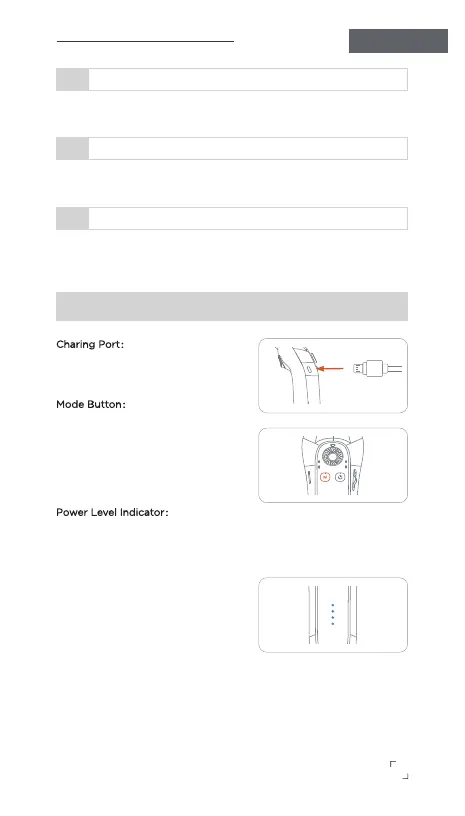
Charing Port:
Connect the USB Type-C cable to the
charging port of the gimbal.
Mode Button:
• Single press
—— Switch across four modes.
• Double press
——Turn the smartphone back to the
center.
Power Level Indicator:
• Four lights on
—— 100% power level.
• Three lights on and the fourth light
flashes
—— 76%-99% power level.
• The first and second lights are on,
and the third light is flashing
—— 50%-75% power level.
• Two lights on
—— 26%-49% power level.
• One light on
—— 0%-25% power level.
The Roll and Tilt axis are locked, Only the Pan axis (left/right) will
follow the movement of the handle.
Half Follow (HF):
2
The Roll, Pan, and Tilt axes are all locked in position, and the phone
camera direction remains fixed.
All Lock (LF) Mode:
3
In this mode, the gimbal follows the handle's movement in all three
axes (Roll, Pan, and Tilt) and keeps the camera pointed in the
direction of the handle.
First Person View (FPV) Mode :
4
GIMBAL PRO
Operation Instructions
2


 To Next Page