POWER OFF
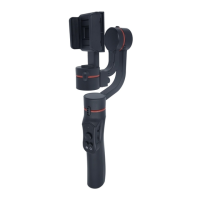
Press the power button for 1 second. The gimbal will make a shutdown
sound, and all lights will turn o.
※ The gimbal will return to the folded position for convenient quick
folding.
ABOUT THE APP
This gimbal supports the native camera app and can be used for
basic stable shooting. However, to access more advanced
features such as zoom, panoramic, tracking, and time-lapse, it is
required to download and use the accompanying app — Gimbal Pro
GIMBAL PRO
Operation Instructions
This gimbal supports fast charging, and it is recommended that users
use a 5V/2A adapter to ensure fast and ecient charging.
※ This gimbal supports charging while in use.
CHARGING
4
OTHER FEATURES
• Combination button: Press both the power button and shutter
button simultaneously to reset the Bluetooth, disconnect from the
previously counected phone, and enable quick connection with a new
phone.
• Working mode: The gimbal can be used in both landscape and
portrait modes.
• Underslung mode: Hold the gimbal upside down to capture images
from a low position.
• Side grip mode: Rotate the gimbal 90 degrees to the right or left to
switch from upright to side grip mode, which works in both landscape
and portrait modes.
DOWNLOAD THE GIMBAL PRO APP
Scan this QR code or search for "Gimbal Pro" on Google Play or App
Store.


 To Next Page