EasyManua.ls Logo

Ginlong SOLIS S5-GC50K - User Manual

Ginlong SOLIS S5-GC50K
36 pages
Print Icon
To Next Page IconTo Next Page
Loading...
Installation and Operation Manual
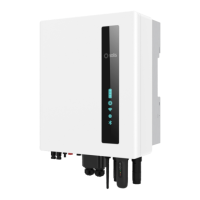
Solis Three Phase Inverter
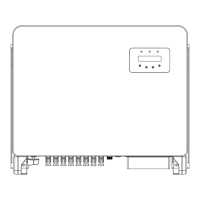
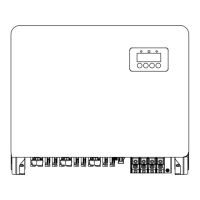
S5-GC(50-70)K
Ginlong Technologies Co., Ltd.
No. 57 Jintong Road, Binhai Industrial Park, Xiangshan, Ningbo,
Zhejiang, 315712, P.R.China.
Tel: +86 (0)574 6578 1806
Fax: +86 (0)574 6578 1606
If you encounter any problem on the inverter, please find out the inverter S/N
and contact us, we will try to respond to your question ASAP.
Please adhere to the actual products in case of any discrepancies in this user manual.
Ver1.2

Table of Contents

Questions and Answers

  • K
    Kelli GreenAug 14, 2025
    How to troubleshoot a Ginlong SOLIS S5-GC50K Inverter with no power?
    • J
      jgoodwinAug 14, 2025
      If your Ginlong Inverter has no power, start by checking the PV input connections and ensuring they are secure. Next, verify the DC input voltage, which should be greater than 120V for single-phase systems or greater than 350V for three-phase systems. Finally, check if the PV positive and negative connections are reversed.
  • G
    Gabriella MaciasAug 17, 2025
    What to do if my Ginlong Inverter shows a NO-GRID OV-DC01/02/03/04 error?
    • R
      Robert DunlapAug 17, 2025
      If your Ginlong Inverter displays a NO-GRID OV-DC01/02/03/04 error, first check the connections and grid switch to ensure they are properly configured. Then, verify the grid voltage inside the inverter terminal. You may also need to reduce the number of modules connected in series.
  • T
    Timothy FriedmanAug 20, 2025
    What causes ILeak-PRO 01/02/03/04 error on Ginlong SOLIS S5-GC50K and how to fix it?
    • T
      Thomas ByrdAug 20, 2025
      The ILeak-PRO 01/02/03/04 error on a Ginlong Inverter can be caused by connection issues. To resolve this, check both the AC and DC connections to ensure they are properly connected. Additionally, inspect the internal cable connections within the inverter.
  • L
    lisa23Aug 25, 2025
    How to fix OV-G-V01/02/03/04 error on Ginlong SOLIS S5-GC50K Inverter?
    • P
      Peter WatsonAug 25, 2025
      The OV-G-V01/02/03/04 error on your Ginlong Inverter may be due to a high resistance in the AC cable. Try changing to a grid cable with a larger size. If allowed by your electrical company, you can also adjust the protection limit.
  • E
    Emily LamAug 27, 2025
    Why does my Ginlong Inverter LCD show initializing all the time?
    • S
      Samuel HaneyAug 27, 2025
      If the LCD on your Ginlong Inverter continuously displays 'initializing', check whether the connectors on the main board or power board are securely fixed. Also, verify that the DSP connector to the power board is properly connected.
  • R
    Ryan Payne DVMAug 30, 2025
    What should I do if my Ginlong SOLIS S5-GC50K displays OV-BUS UN-BUS01/02 GRID-INTF01/02 error?
    • M
      Mary GrayAug 30, 2025
      If your Ginlong Inverter shows an OV-BUS UN-BUS01/02 GRID-INTF01/02 error, check the inverter inductor connection and the driver connection. You can also try restarting the inverter or changing the power board.
  • G
    ghoustonSep 2, 2025
    What to do if Ginlong SOLIS S5-GC50K shows DC-INTF OV-DCA-I error?
    • N
      Nancy NovakSep 2, 2025
      If your Ginlong Inverter displays the error DC-INTF OV-DCA-I, try restarting the inverter. If the issue persists, identify and remove the string associated with the fault MPPT. As a last resort, consider changing the power board.
  • D
    Donald HernandezSep 6, 2025
    What does Reve-DC error mean on Ginlong Inverter?
    • R
      Renee NelsonSep 6, 2025
      The Reve-DC error indicates a reversed polarity in the PV string of your Ginlong inverter. Wait for low solar irradiance (night) when the PV string current is below 0.5A. Turn off the two DC switches and correct the polarity issue.
  • C
    curtis17Sep 9, 2025
    What to do if Ginlong SOLIS S5-GC50K screen is OFF with DC applied?
    • S
      Shawn DouglasSep 9, 2025
      If the screen of your Ginlong Inverter is off while DC is applied, do not turn off the DC switches, as this can damage the inverter. Wait for the solar irradiance to reduce, confirm the string current is less than 0.5A with a clip-on ammeter, and then turn off the DC switches. Note that damages due to wrong operations are not covered by the warranty.

Summary

1. Introduction

1.1 Product Description

Details the Solis three-phase inverters' function and capabilities for converting DC to AC power.

1.2 Unpacking and storage

Lists included parts and provides instructions for unpacking and storing the inverter safely.

1.3 Storage

Provides environmental conditions and guidelines for storing the inverter before installation.

2. Safety Instructions

2.1 Safety symbols

Defines safety symbols like WARNING, NOTE, and CAUTION, explaining their importance.

2.2 General safety instructions

Outlines crucial safety precautions, including electrical connections and fire prevention.

2.3 Notice for use

Lists requirements for inverter installation and provides start-up/shutdown sequence.

2.4 Notice for Disposal

Guides proper disposal of the product to minimize environmental impact.

3. Installation

3.1 Environmental considerations

Details requirements for selecting an installation location, including temperature, ventilation, and clearances.

3.2 Product handling

Provides instructions and safety warnings for physically handling the inverter during installation.

3.3 Mounting the Inverter

Describes the process of mounting the inverter, including wall and rack installation methods.

3.4 Electrical Connections

Details how to connect the inverter's DC and AC electrical sides, including grounding.

4. Comm. & Monitoring

4.1 Inverter monitoring connection

Explains how to connect monitoring accessories for single and multiple inverter setups.

4.2 DRM Connection; Logic Interface Connection

Covers connection procedures for Demand Response Modes (DRM) and logic interface control.

4.3 Meter Connection

Describes how to connect a smart meter for export power management and consumption monitoring.

5. Commissioning

5.1 Selecting the appropriate grid standard

Guides on verifying and selecting the correct grid standard for the installation country.

5.2 Changing the grid standard

Provides the procedure for changing the inverter's grid standard settings.

5.3 Setting a custom grid standard

Explains how to create and set a custom grid configuration for the inverter.

5.4 Preliminary checks

Lists essential checks for DC and AC connections and configurations before starting the inverter.

6. Start and Shutdown

6.1 Start-up procedure

Details the step-by-step process for starting up the inverter and its operational status indicators.

6.2 Shutdown procedure

Provides the mandatory sequence for safely shutting down the inverter and its components.

7. Normal operation

7.1 Main Menu

Introduces the inverter's main menu structure and navigation using the LCD screen.

7.2 Information

Explains how to access and view operational data and inverter status information.

7.3 Settings

Outlines available settings, including time, date, and address configuration.

7.4 Advanced Info - Technicians Only

Details advanced information accessible to technicians, including alarms, version, and energy data.

7.5 Advanced Settings - Technicians Only

Covers advanced settings for technicians, including grid standards, power control, and updates.

7.6 AFCI function

Explains the Arc Fault Circuit Interrupter (AFCI) function for detecting and preventing arc faults.

8. Maintenance

8.1 Night Time PID-Recovery Function

Describes the optional module that recovers PID effects at night to protect the PV system.

8.2 Fan Maintenance

Provides instructions for cleaning or replacing the inverter's fan assembly for effective cooling.

9. Troubleshooting

10. Specifications

11. Appendix

11.1 Grid standard selection guide

Provides a guide to selecting the correct grid code for different countries and regions.

Ginlong SOLIS S5-GC50K Specifications

General IconGeneral
ModelS5-GC50K
TypeString Inverter
Rated Power50 kW
Max. DC Input Power75 kW
Max DC Input Voltage1100 V
Start Voltage200 V
Number of MPPT4
Max DC Input Current per MPPT26 A
Number of DC Inputs per MPPT2
Rated AC Output Power50 kW
Max. AC Apparent Power55 kVA
Rated Grid Voltage400 V
Grid Frequency50 Hz / 60 Hz
Total Harmonic Distortion (THD)< 3%
DC SwitchYes
Protection ClassIP65
Maximum Efficiency98.6%
AC Output Frequency50 Hz / 60 Hz
MPPT Voltage Range450 V - 850 V
AC Voltage Range310 V - 480 V
Operating Temperature Range-25 °C to +60 °C
AC Output Voltage400 V
Power Factor> 0.99

Related product manuals