EasyManua.ls Logo

Ginlong Solis-30K-5G - User Manual

Default Icon
31 pages
Print Icon
To Next Page IconTo Next Page
Loading...
Installation and Operation Manual
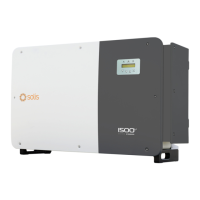
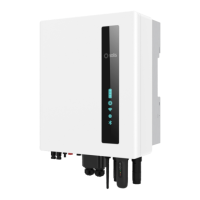
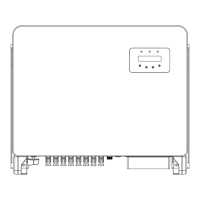
Solis Three Phase Inverter
(25-50)K
Ver1.7
Ginlong Technologies Co., Ltd.
No. 57 Jintong Road, Binhai Industrial Park, Xiangshan, Ningbo,
Zhejiang, 315712, P.R.China.
Tel: +86 (0)574 6578 1806
Fax: +86 (0)574 6578 1606
If you encounter any problem on the inverter, please find out the inverter S/N
and contact us, we will try to respond to your question ASAP.
Please adhere to the actual products in case of any discrepancies in this user manual.

Questions and Answers

  • R
    Rachel BoyleAug 19, 2025
    How to troubleshoot Over Temperature error on Ginlong Solis-30K-5G?
    • M
      Matthew BrownAug 20, 2025
      To address an over-temperature error on your Ginlong inverter: * Check the ventilation around the inverter to ensure it's not obstructed. * Also, verify that the inverter is not exposed to direct sunlight during hot weather.
  • P
    Penny SmithAug 21, 2025
    What to do if there is no grid voltage on Ginlong Solis-30K-5G?
    • C
      Catherine PayneAug 21, 2025
      If your Ginlong inverter shows no grid voltage, take these steps: * First, check all connections and the grid switch. * Then, check the grid voltage inside the inverter terminal.
  • L
    Laura HoustonAug 25, 2025
    How to fix no power on LCD of Ginlong Solis-30K-5G Inverter?
    • Y
      yolanda51Aug 25, 2025
      If there is no power on the LCD of your Ginlong inverter, follow these steps: 1. Check the PV input connections. 2. Check the DC input voltage (single phase >120V, three phase >350V). 3. Check if PV+/- is reversed.
  • A
    annericksonAug 26, 2025
    How to solve leakage current protection issue on Ginlong Inverter?
    • L
      Lisa GreenAug 26, 2025
      To resolve a leakage current protection issue on your Ginlong inverter: 1. Check the AC and DC connections. 2. Check the cable connections inside the inverter.
  • J
    Jody DrakeAug 27, 2025
    What to do for over grid voltage on Ginlong Solis-30K-5G?
    • T
      Travis PerryAug 27, 2025
      If your Ginlong inverter is showing an over grid voltage error: * The resistance of the AC cable might be too high; try changing to a larger size grid cable. * If allowed by the electrical company, adjust the protection limit.
  • T
    tgalvanAug 29, 2025
    How to fix under grid voltage on Ginlong Solis-30K-5G Inverter?
    • K
      Kristen ZimmermanAug 29, 2025
      To address an under grid voltage issue on your Ginlong inverter, use the user-defined function to adjust the protection limit, if allowed by the electrical company.
  • M
    misty86Aug 31, 2025
    Why Ginlong Solis-30K-5G Inverter can not start-up?
    • P
      Patricia HernandezSep 1, 2025
      If your Ginlong inverter fails to start up: 1. Check if the connectors on the main board or power board are securely fixed. 2. Check if the DSP connector to the power board is also securely fixed.
  • C
    Corey WardSep 2, 2025
    How to resolve over DC voltage on Ginlong Solis-30K-5G?
    • J
      John ShawSep 3, 2025
      To resolve an over DC voltage issue on your Ginlong inverter, reduce the number of modules in series.
  • S
    sbenderSep 4, 2025
    How to troubleshoot PV isolation protection fault on Ginlong Solis-30K-5G Inverter?
    • C
      Christina NicholsSep 4, 2025
      To troubleshoot a PV isolation protection fault on your Ginlong inverter: 1. Remove all DC inputs, then reconnect and restart the inverter one by one. 2. Identify which string is causing the fault and check the isolation of that string.
  • J
    Jeffrey BriggsSep 6, 2025
    What to do if Ginlong Solis-30K-5G Inverter has grid interference?
    • N
      Nicole PachecoSep 6, 2025
      If your Ginlong inverter is experiencing grid interference: 1. Restart the inverter. 2. Consider changing the power board.

Summary

Introduction to Solis Inverters

Solis 5 G Inverter Product Details

Details the Solis 5G three-phase inverter models covered in this manual.

Inverter Package Contents

Solis Inverter Safety Guidelines

Understanding Safety Symbols

Explains the meaning of various safety symbols used in the manual.

General Safety Precautions

Provides essential safety guidelines for electrical installations and inverter use.

Inverter Usage Notice

Outlines specifications for safe and compliant inverter installation.

Inverter Overview

Inverter User Interface Details

Details the front panel display, LEDs, keypad, and LCD screen.

Inverter Handling and Storage

Safe Inverter Handling Procedures

Provides instructions on how to safely move and handle the inverter.

Inverter Storage Recommendations

Offers instructions for storing the inverter when not immediately installed.

Solis Inverter Installation Guide

Inverter Installation Location Selection

Lists criteria for choosing an appropriate installation location for the inverter.

Inverter Mounting Instructions

Inverter Electrical Connection Guide

Inverter Grounding Procedure

Provides detailed instructions for grounding the inverter for protection.

Connecting the PV Array

Guides on connecting the photovoltaic (PV) array to the inverter.

Connecting to the Grid

Details how to connect the inverter to the electrical grid.

Inverter Monitoring Setup

Explains how to connect communication devices for monitoring.

Overcurrent Protection Device (OCPD) Ratings

Defines OCPD ratings for overcurrent protection.

Optional Smart Meter Connection

Describes how to connect smart meters for power management.

Logic Interface Connection

Details how to establish a logic interface connection for control.

Starting and Stopping the Inverter

Procedure to Start the Inverter

Step-by-step guide on how to safely start the inverter.

Procedure to Stop the Inverter

Step-by-step guide on how to safely stop the inverter.

Operating the Solis Inverter

Inverter Main Menu Navigation

Outlines the main menu options available on the inverter's interface.

Accessing Inverter Information

Accesses operational data and status information of the inverter.

LCD Screen Lock;Unlock Function

Inverter Settings Menu

Setting Inverter Time and Date

Allows setting the inverter's internal time and date.

Setting Inverter Address

Sets the address for multi-inverter monitoring configurations.

Advanced Information for Technicians

Viewing Alarm Messages

Displays the latest alarm messages for fault diagnosis.

Accessing Running Messages

Provides maintenance-related running messages and internal status.

Inverter Model and Software Version

Shows the inverter model and software version details.

Checking Daily Energy Generation

Checking Monthly Energy Generation

Checking Yearly Energy Generation

Reviewing Daily Records

Viewing Communication Data

Viewing Warning Messages

Advanced Settings for Technicians

Selecting Grid Standard

Selects the appropriate grid reference standard for compliance.

Controlling Grid Power

Enabling 24 H Consumption Monitoring

Resetting Energy Data

Resetting Access Password

Adjusting Power Control Settings

Calibrating Energy Readings

Accessing Special Settings

Configuring Standard Mode Settings

Enabling Logic Interface

Restoring Default Settings

Updating HMI Software

Internal Export Power Management Setup

Smart Meter Mode Selection

Setting Grid Backflow Power Limit

Configuring Fail-Safe Function

Setting Backflow Work Mode

External EPM Device Configuration

Restarting HMI Interface

Manufacturer Debug Parameters

Updating DSP Firmware

Adjusting Compensation Settings

PV String I;V Curve Analysis

Configuring I;V Curve Scan Parameters

Sets voltage parameters for I/V curve scanning.

Performing I;V Curve Scan

Initiates the I/V curve scanning process.

Inverter Maintenance Procedures

Cleaning and Care

Instructions for cleaning the inverter and its components.

Troubleshooting Inverter Issues

Inverter Fault Diagnosis Guide

Lists common alarm messages, failure descriptions, and solutions.

Solis Inverter Technical Specifications

Detailed Model Specifications

Lists detailed technical specifications for various Solis inverter models.

Detailed Model Specifications

Detailed Model Specifications

Detailed Model Specifications

Detailed Model Specifications

Detailed Model Specifications

Detailed Model Specifications

Detailed Model Specifications

Detailed Model Specifications

Detailed Model Specifications

Detailed Model Specifications

Detailed Model Specifications

Detailed Model Specifications

Detailed Model Specifications

Detailed Model Specifications

Detailed Model Specifications

Detailed Model Specifications

Detailed Model Specifications

Detailed Model Specifications

Detailed Model Specifications

Detailed Model Specifications

Detailed Model Specifications

Detailed Model Specifications

Detailed Model Specifications

Document Appendix

Grid Standard Selection Guide

Guides on selecting the correct grid code for different regions.

Grid Standard Selection Guide

Ginlong Solis-30K-5G Specifications

General IconGeneral
ModelSolis-30K-5G
Rated Power30 kW
Max DC Input Voltage1100 V
Start Voltage200 V
Number of DC Inputs per MPPT2
Rated AC Output Power30 kW
Max. AC Apparent Power33 kVA
Total Harmonic Distortion (THD)< 3%
TopologyTransformerless
DC SwitchYes
AC Voltage Range310 V - 480 V
Grid Frequency Range50 Hz / 60 Hz
DC Injection Current<0.5% of rated output current
Operating Ambient Temperature Range-25°C to +60°C
CommunicationEthernet
AC Output Voltage Range310 V - 480 V
AC Output Frequency50 Hz / 60 Hz

Related product manuals