The Display Screen
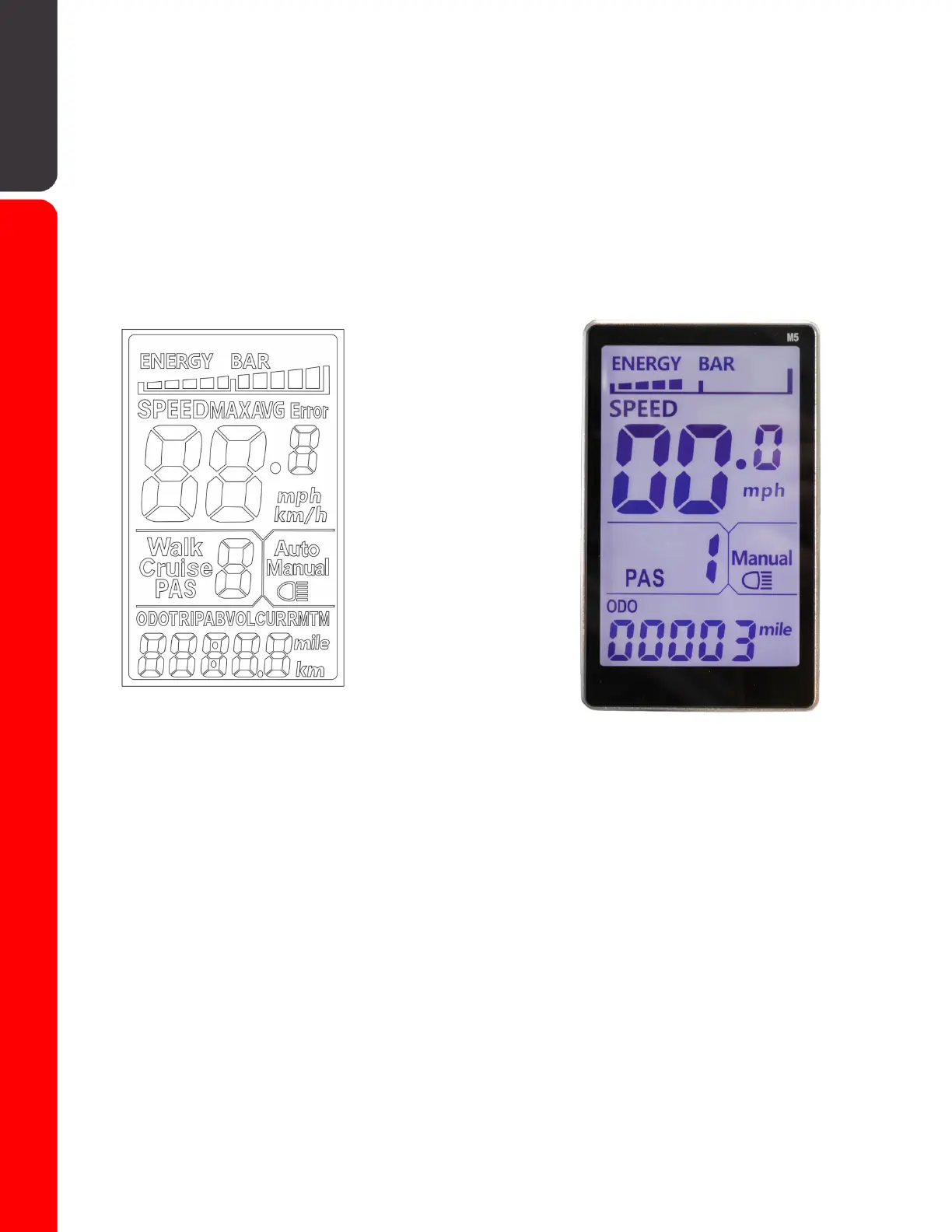
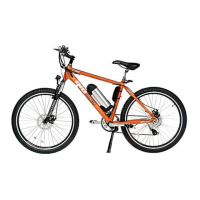
Your GIO Electric Peak e-bike features a backlit LCD screen on the center
of the handlebars. This screen displays key information such as battery
level, speed, powered drive mode/level, mileage, etc while the e-bike is in
use. It is used in tandem with the function buttons on the left handlebar to
change/set various settings within the e-bikes programming. Lastly it also
functions as a display for e-bike system status and will indicate specific
errors if they arise.
-Drive Mode / Light-
Display
Display Sections
Battery: Shows current battery level.
Speed/Status: Shows calculated speed and displays vehicle status (see
status message code list), max speed and average speed.
Drive Mode / Light: Shows the current vehicle mode: Walk, Cruise, or Power
Assist (PAS) and light status.
Odometer/Multi: Shows total mileage(ODO), mileage by trip (TRIPA, TRIPB),
battery current voltage(VOL), current battery current(CUR), mileage
remaining(RM), power on time(TM).
11


 To Next Page