2
2. Learn about the phone
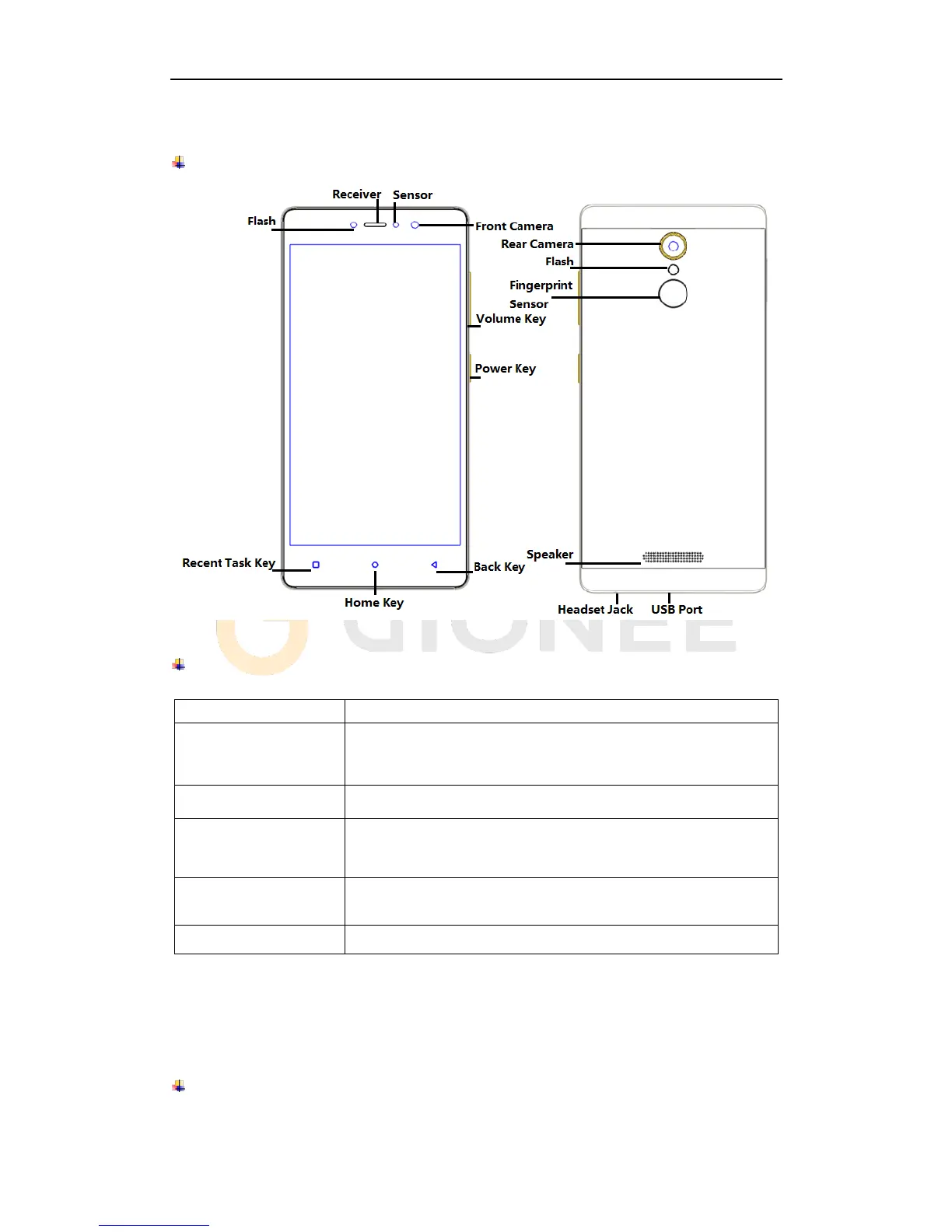
Overview
Function Keys
Press to turn on/off the screen.
Press and hold to power off the phone, reboot, and turn on
airplane mode or silent.
Press to adjust the volume of device.
Tap to open the list of recently used apps.
Shake the phone to clean all of recently used apps.
Click the circle button to clean all of recently used apps.
Tap to return to Home screen.
Long press to access Google™ search.
Tap to return to the previous screen.
3. Before using
The phone is a Dual SIM mobile that allows you to use two mobile networks.
Insert SIM cards and SD card
1) Stick into the pin hole with eject tool, and then card tray will be out of phone.



 To Next Page