EasyManua.ls Logo

Gira X1 - User Manual

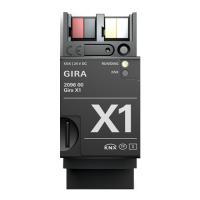
Gira X1
48 pages
Print Icon
To Next Page IconTo Next Page
Loading...
Gira X1
2096 00
Operating instructions
for the
Gira Smart Home App

Table of Contents

Question and Answer IconNeed help?

Do you have a question about the Gira X1 and is the answer not in the manual?

Summary

User interface

User Interface Structure

Describes the overall layout and four main areas of the user interface.

Status Bar

Details the functions and symbols present in the status bar.

Navigation Bar

Explains the buttons and their functions in the navigation bar.

Action Area

Describes the main working area for operating and adjusting settings.

Tile View

Explains the tile view option of the action area.

Detail View

Explains the detail view option of the action area.

Function Timer Overview

Explains how to use the timer to control functions at specific times.

Creating Timer Switching Times

Provides steps to create a new switching time for a function.

Configuring Action Times

Details how to configure the specific time for an action in the timer.

Sunrise-Based Activation

Explains how to activate switching times based on sunrise.

Sunset-Based Activation

Explains how to activate switching times based on sunset.

Random Time Adjustment

Explains how to use a random component to adjust switching times.

Deleting Timer Switching Times

Provides steps to delete an existing switching time.

Activating;Deactivating Timer Times

Explains how to activate or deactivate all switching times for a function.

Heating Mode Settings

Describes how to switch between different operating modes for heating.

Operating the Alarm Connect security system

Alarm System Controls

Explains the buttons and displays related to the alarm system.

External Security Area Activation

Details the procedure for activating a security area from outside.

Internal Security Area Activation

Details the procedure for activating a security area from inside.

Security Area Deactivation

Explains the steps to deactivate the security area.

Alarms and Message Management

Describes how to view and confirm active alarms and messages.

Remote access

Remote Access (Detail View)

Explains how to view remote access in detail mode.

Remote Access (Tile View)

Explains how to view remote access in tile mode.

Settings in the system menu

System Configuration

Covers basic system settings like device connection and demo mode.

Gira Device Connection

Details the process of connecting the app to a Gira device.

Demo Mode

Explains how to activate and use the demo mode.

Remote Access Configuration

Guides on setting up remote access for the Gira X1.

OpenVPN Connection

Provides instructions for connecting via OpenVPN.

Password Management

Explains how to change the user password for the system.

PIN Protection Setup

Details how to set up PIN protection for system settings.

View Configuration

Allows setting displayed functions and their order in the action area.

Home View Selection

Lets you choose between tile or detail view for the Home button.

Favourites Management

Covers defining and sorting favourite functions.

Defining Favourites

Selects functions to be displayed directly in the action area.

Sorting Favourite Functions

Defines the order of favourite functions.

Restoring Default View

Restores the action area view to its original state.

Favourites Display Settings

Determines if favourites are displayed on the home view.

Trades Tile Display

Controls whether the "Trades" tile is hidden in the home view.

Occupancy Simulation

Records and plays back building functions to simulate occupancy.

Recording Simulation

Steps to record building functions for occupancy simulation.

Playback Simulation

Procedure to play back recorded occupancy simulations.

Room Management

Allows managing rooms, renaming, and changing symbols.

Function Management

Covers creating and managing functions.

Creating New Functions

Provides steps to create a new function.

Managing Existing Functions

Details how to rename and change the symbol of a function.

Sorting Rooms and Functions

Defines the desired order of rooms and functions.

Subsection Management

Allows managing subsections, renaming, and changing symbols.

User Management

Allows issuing or withdrawing function authorizations for individual users.

Authorising Functions

Guides on selecting functions to authorize by building or trade.

Applying Function Authorisations

Explains how to apply another user's authorization settings.

Sonos Audio Control

Describes controlling Sonos sound systems via the app.

Setting Up Sonos Audio

Provides steps to set up Sonos audio integration in the app.

Changing Sonos Loudspeaker

Details how to change the selected Sonos loudspeaker.

Configuring Sonos Favourites

Explains how to create and manage Sonos favourites.

Sonos Favourite Behaviour

Explains how Sonos favourites behave after editing on the device website.

Sonos Favourite Error Handling

Lists potential errors related to Sonos favourites and their resolution.

Appendix

Usage Statistics

Details the firmware version and device type transmitted daily.

Warranty

Warranty Process

Explains the warranty process and how to submit faulty devices.

Summary

User interface

User Interface Structure

Describes the overall layout and four main areas of the user interface.

Status Bar

Details the functions and symbols present in the status bar.

Navigation Bar

Explains the buttons and their functions in the navigation bar.

Action Area

Describes the main working area for operating and adjusting settings.

Tile View

Explains the tile view option of the action area.

Detail View

Explains the detail view option of the action area.

Function Timer Overview

Explains how to use the timer to control functions at specific times.

Creating Timer Switching Times

Provides steps to create a new switching time for a function.

Configuring Action Times

Details how to configure the specific time for an action in the timer.

Sunrise-Based Activation

Explains how to activate switching times based on sunrise.

Sunset-Based Activation

Explains how to activate switching times based on sunset.

Random Time Adjustment

Explains how to use a random component to adjust switching times.

Deleting Timer Switching Times

Provides steps to delete an existing switching time.

Activating;Deactivating Timer Times

Explains how to activate or deactivate all switching times for a function.

Heating Mode Settings

Describes how to switch between different operating modes for heating.

Operating the Alarm Connect security system

Alarm System Controls

Explains the buttons and displays related to the alarm system.

External Security Area Activation

Details the procedure for activating a security area from outside.

Internal Security Area Activation

Details the procedure for activating a security area from inside.

Security Area Deactivation

Explains the steps to deactivate the security area.

Alarms and Message Management

Describes how to view and confirm active alarms and messages.

Remote access

Remote Access (Detail View)

Explains how to view remote access in detail mode.

Remote Access (Tile View)

Explains how to view remote access in tile mode.

Settings in the system menu

System Configuration

Covers basic system settings like device connection and demo mode.

Gira Device Connection

Details the process of connecting the app to a Gira device.

Demo Mode

Explains how to activate and use the demo mode.

Remote Access Configuration

Guides on setting up remote access for the Gira X1.

OpenVPN Connection

Provides instructions for connecting via OpenVPN.

Password Management

Explains how to change the user password for the system.

PIN Protection Setup

Details how to set up PIN protection for system settings.

View Configuration

Allows setting displayed functions and their order in the action area.

Home View Selection

Lets you choose between tile or detail view for the Home button.

Favourites Management

Covers defining and sorting favourite functions.

Defining Favourites

Selects functions to be displayed directly in the action area.

Sorting Favourite Functions

Defines the order of favourite functions.

Restoring Default View

Restores the action area view to its original state.

Favourites Display Settings

Determines if favourites are displayed on the home view.

Trades Tile Display

Controls whether the "Trades" tile is hidden in the home view.

Occupancy Simulation

Records and plays back building functions to simulate occupancy.

Recording Simulation

Steps to record building functions for occupancy simulation.

Playback Simulation

Procedure to play back recorded occupancy simulations.

Room Management

Allows managing rooms, renaming, and changing symbols.

Function Management

Covers creating and managing functions.

Creating New Functions

Provides steps to create a new function.

Managing Existing Functions

Details how to rename and change the symbol of a function.

Sorting Rooms and Functions

Defines the desired order of rooms and functions.

Subsection Management

Allows managing subsections, renaming, and changing symbols.

User Management

Allows issuing or withdrawing function authorizations for individual users.

Authorising Functions

Guides on selecting functions to authorize by building or trade.

Applying Function Authorisations

Explains how to apply another user's authorization settings.

Sonos Audio Control

Describes controlling Sonos sound systems via the app.

Setting Up Sonos Audio

Provides steps to set up Sonos audio integration in the app.

Changing Sonos Loudspeaker

Details how to change the selected Sonos loudspeaker.

Configuring Sonos Favourites

Explains how to create and manage Sonos favourites.

Sonos Favourite Behaviour

Explains how Sonos favourites behave after editing on the device website.

Sonos Favourite Error Handling

Lists potential errors related to Sonos favourites and their resolution.

Appendix

Usage Statistics

Details the firmware version and device type transmitted daily.

Warranty

Warranty Process

Explains the warranty process and how to submit faulty devices.

Gira X1 Specifications

General IconGeneral
Operating Temperature-5 °C to +45 °C
Bus SystemKNX
CategoryHome Automation
TypeLogic Module
MountingDIN rail
Operating voltage24 V DC
KNX Data InterfaceYes
IP InterfaceYes
Protection classIP20
CommunicationKNX, IP
Power Supply24 V DC
Width4 TE (modules)
FunctionLogic functions
NetworkEthernet 10/100 Mbit/s

Related product manuals