Executing Programs 16
Code 429159
Rev. 15/0717
4.3. Information about functions. Description of the screens
During the course of the wash program, a series of informative screens about functions that the washing
machine is executing will appear on the screen.
Information about functions is displayed through icons. To know the meaning of each icon, consult
Programming a program phase (section 7.3).
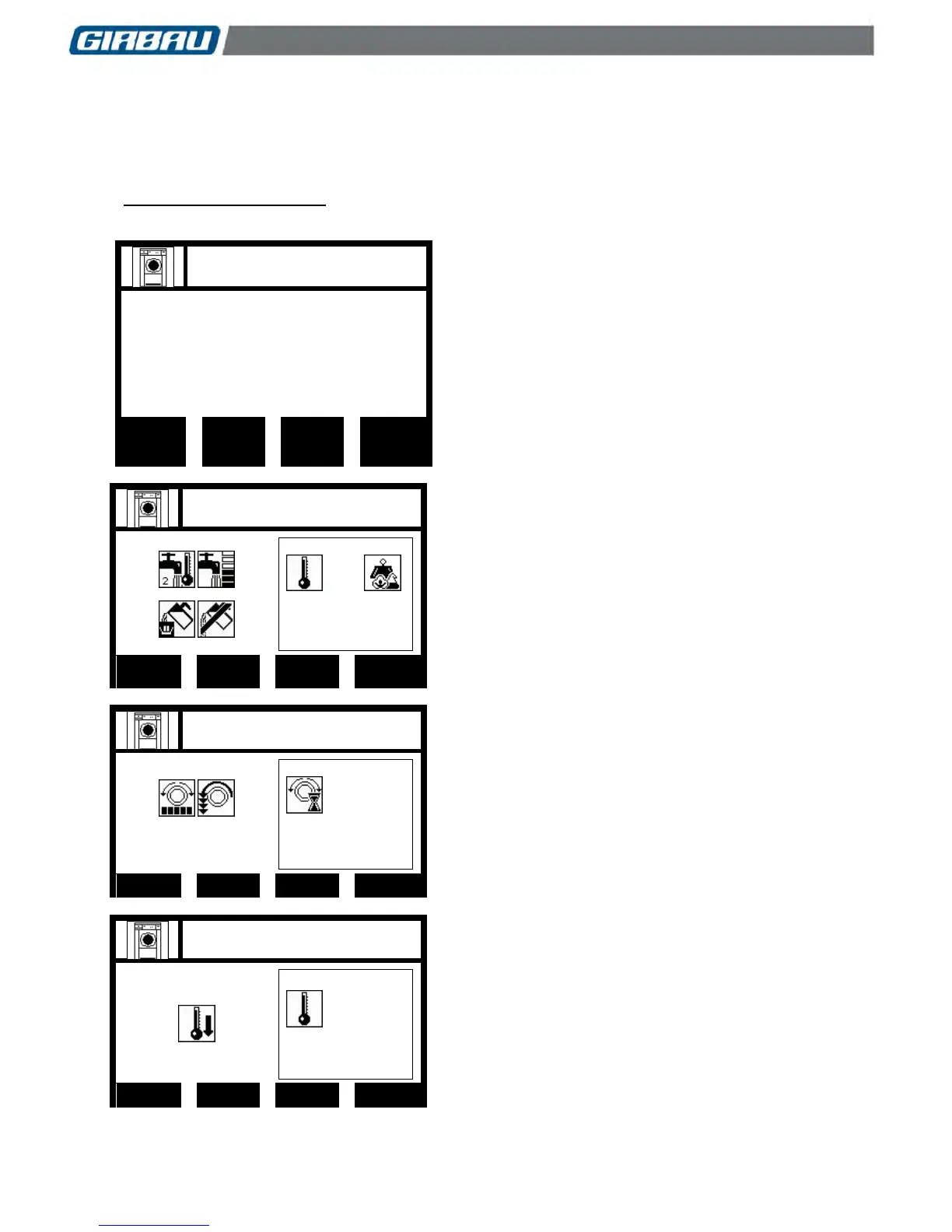
Below, the most frequent screens and their meaning are shown.
Load selection screen
Information about:
The linen load fed in.
The default displayed is the machine’s nominal linen
capacity load ratio 1:10. There is the possibility of
working in a 1:8 load ratio, and it is therefore possible
to feed in 20% more than the nominal load.
This function is only available if LOAD DETECTION is
activated in Manual mode or in Loading cells mode
(Section 10.2.1 in this manual).
PROG. 36
PHAS. 1 2 3 4 5 6 7 8
Bath management screen
Information about:
Type of water
Bath level
Dosings
Programmed temperature (example: 80 ºC)
Bath temperature (example 65 ºC)
Load auto-detection
(Consult the meaning of icons in sections
7.3.1...7.3.5)
Function of the multi-function keyboard: refer to
section 2.3.
PROG. 36
PHAS. 1 2 3 4 5 6 7 8
Rotation screen
Information about:
Type of rotation
Drum speed
Rotation time
(Consult the meaning of icons in sections
7.3.9...7.3.11)
PROG. 36
PHAS. 1 2 3 4 5 6 7 8
Progressive cooling screen
Information about:
Temperature of the bath
(Consult the meaning of icons in sections 7.3.12)


 To Next Page