F1. Note Mode
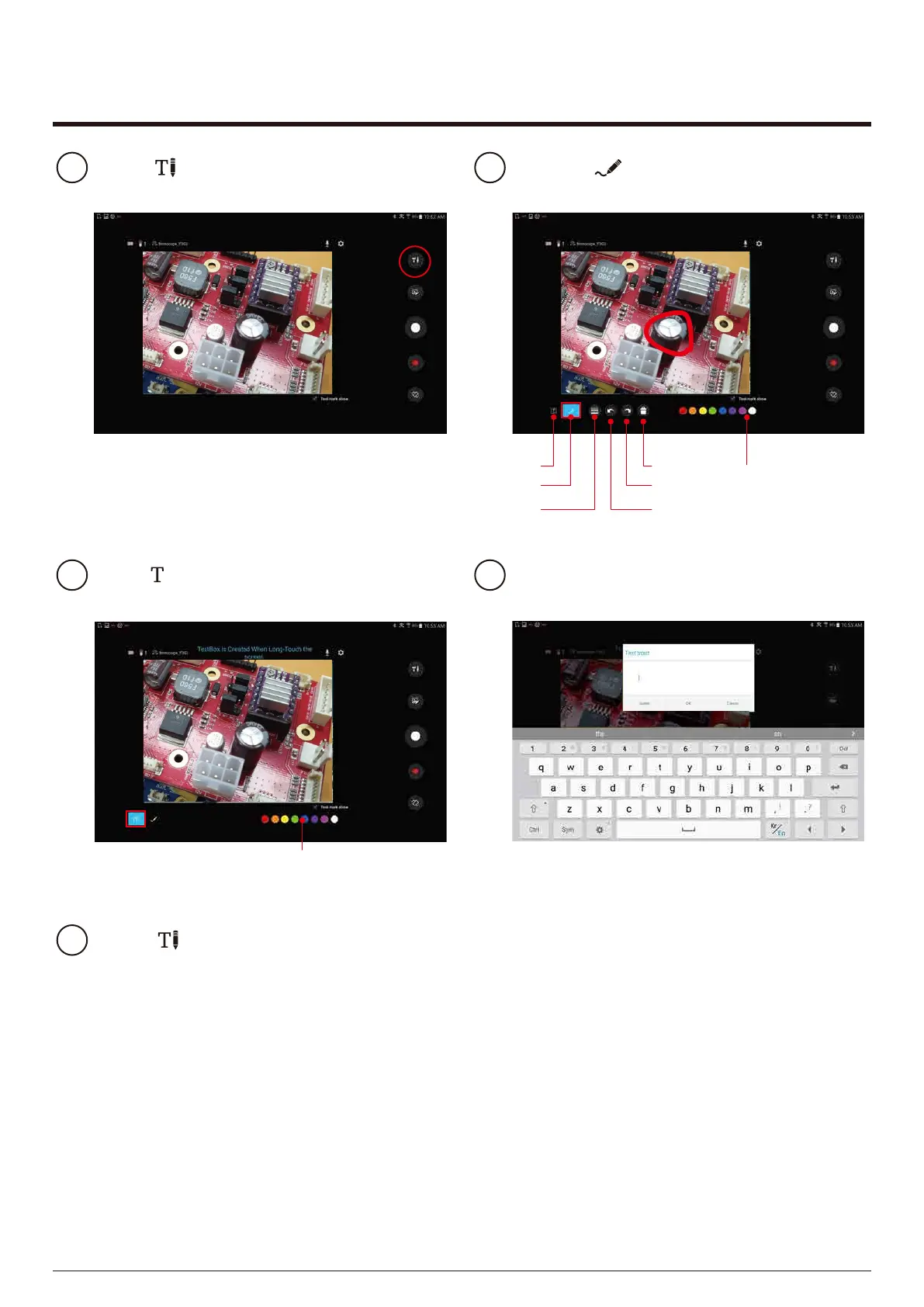
Select button on the shooting screen.
1
Once the Mode at the bottom is activated,
you can draw on the photo.
2
KA981121312449231
12/08/2019
KA981121312449231
12/08/2019
Pen color
Pen thickness
Text box
Pen mode
Undo
Delete all
Redo
When mode is activated as below, you
can display the text on the photo
3
KA981121312449231
12/08/2019
Text color
If you rotate the preview screen before saving,
the text box contents disappear.
Press button again to finish writing.
5
You can delete and edit by selecting the text box
above the photo.
Long press on the photo to enter
text in the textbox.
4
14


 To Next Page