KA981121312449231
12/08/2019
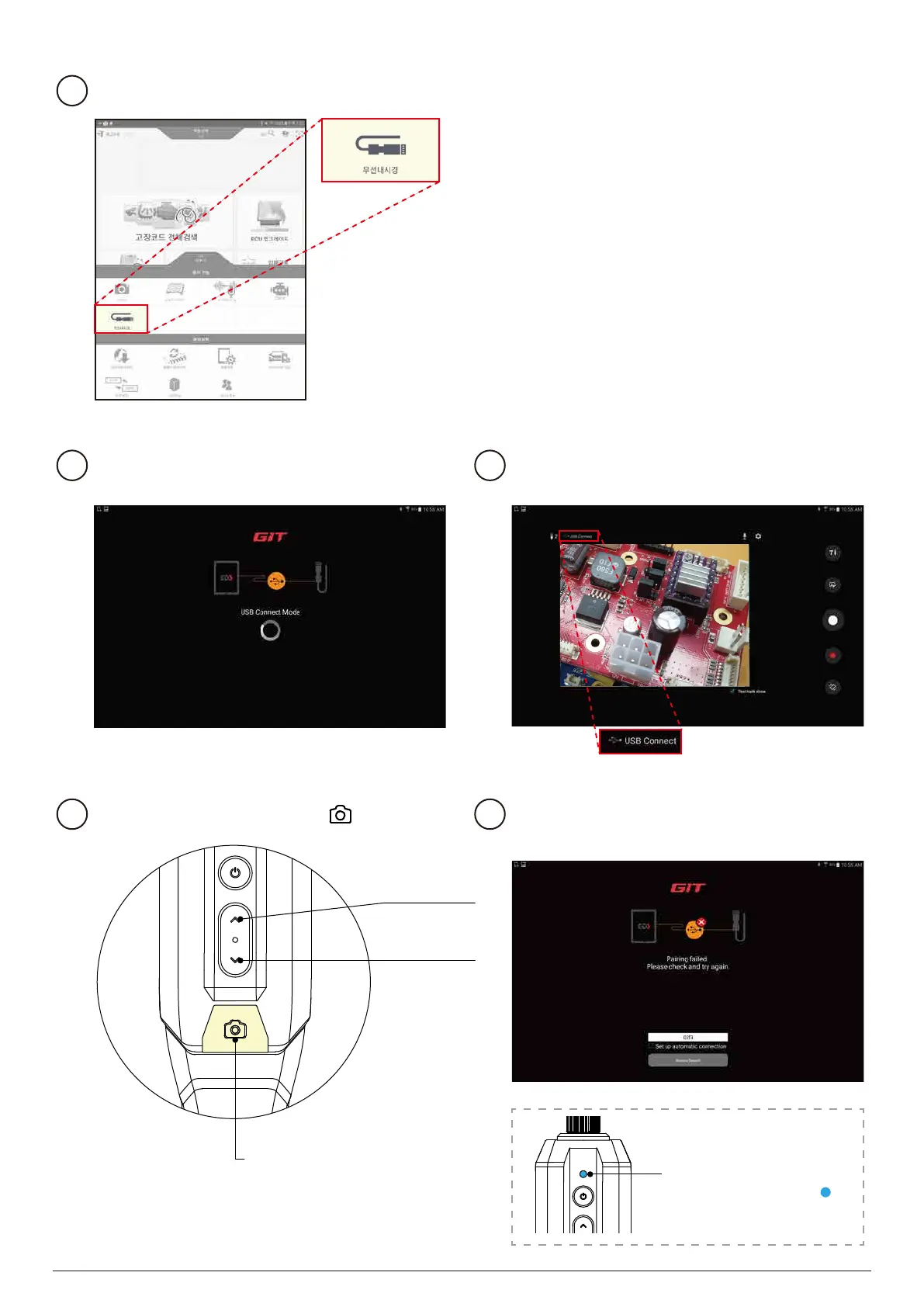
상단에 USB 접속 중임을 표시하고 있습니다.
LED brightness
adjustment
Preview screen
rotation
Run the GDSM / KDS app on your tablet.
4
Automatically try to connect to USB.
5
When USB is connected, it moves to the
shooting screen.
6
If the USB connection fails, reconnect
the USB cable.
8
Capture button
Long press: Start / stop video recording
Short press: Take a picture
Start shooting with the button.
7
The LED lights up blue( ).
USB connection status
10


 To Next Page