10
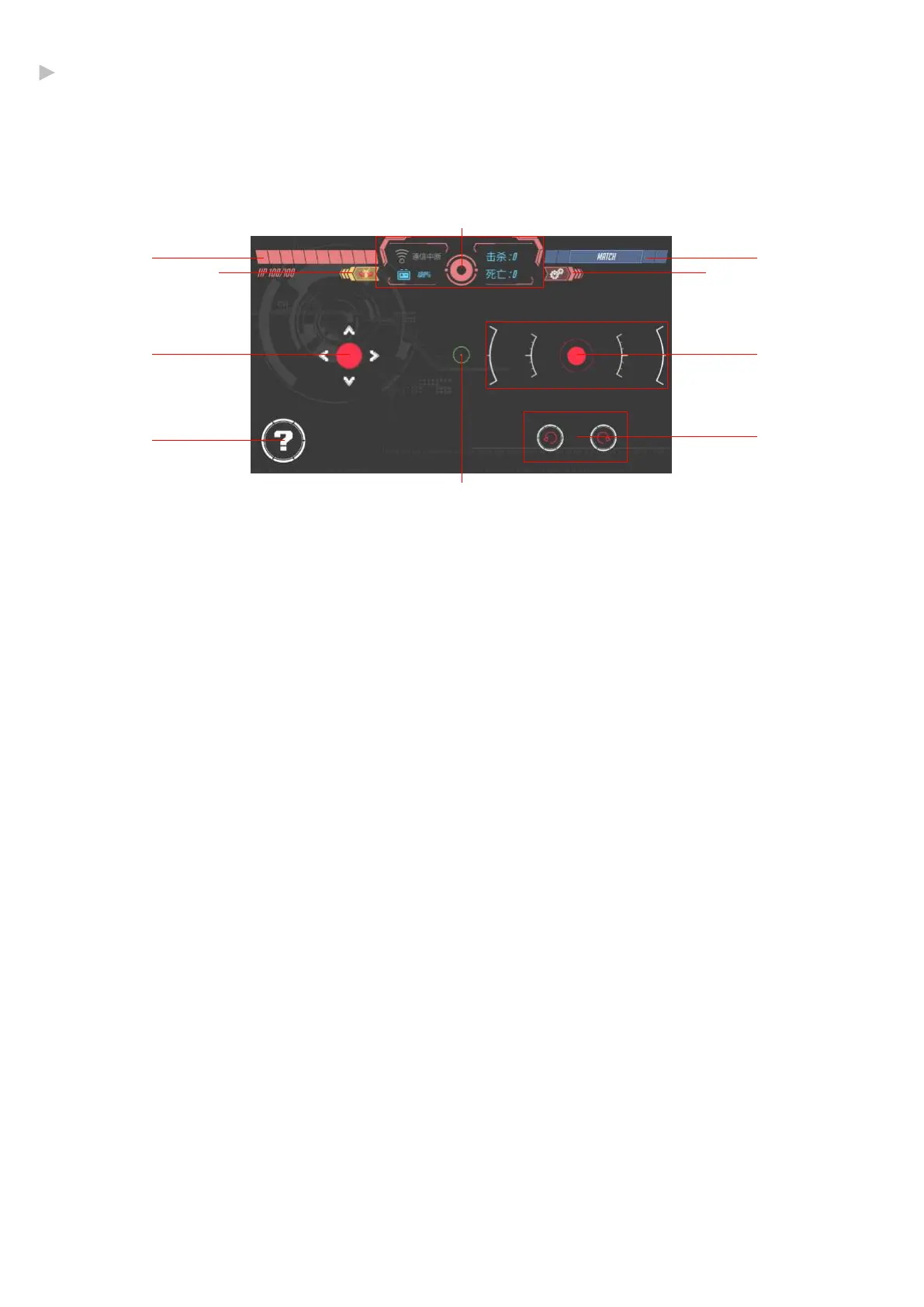
Control Interface introduction
1、Health
2、FPV switch & Status Ba
Wi-Fi connection, remaining battery, toggling first-person view on and off.
3、Quickly search for nearby friends to battle with.
4、Movement Control Stick
5、Attack Control Stick
6、Special Button
has different effects depending on the mode
7、Rotate Buttons
8、Crosshair(In first-person view)
9、Exit
10、Settings
1
9 10
4
6
5
7
3
2
8
·Control Interface
* Different game modes are slightly different
@Shenzhen GJS Technology Co., Ltd.


 To Next Page