11
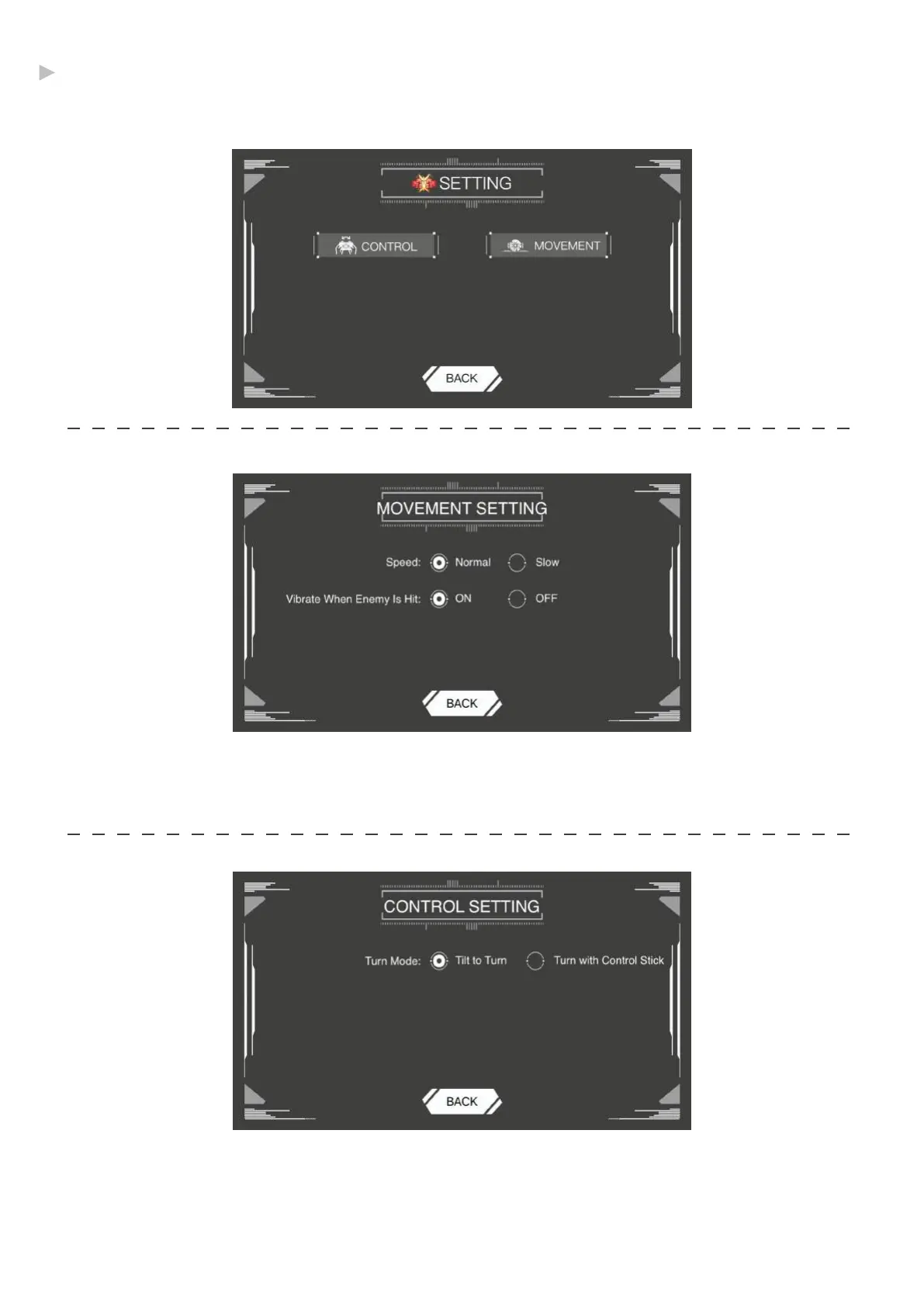
Mode Settings
Adjust your GEIO’s speed, motion control and other things for every mode.
SPEED: The default speed is Normal, you can change into Slow.
Vibrate When Enemy Is Hit: Your phone will vibrate when GEIO hit an enemy during battle.
You can turn off the vibration here.
·Movement
The default Turning Mode is Rotate Device to Turn. It means you can rotate your phone to control
the movement of your GEIO.
If you change the mode in to Control Knob to turn, you can control GEIO by click the movement
button only.
·Controls
@Shenzhen GJS Technology Co., Ltd.


 To Next Page