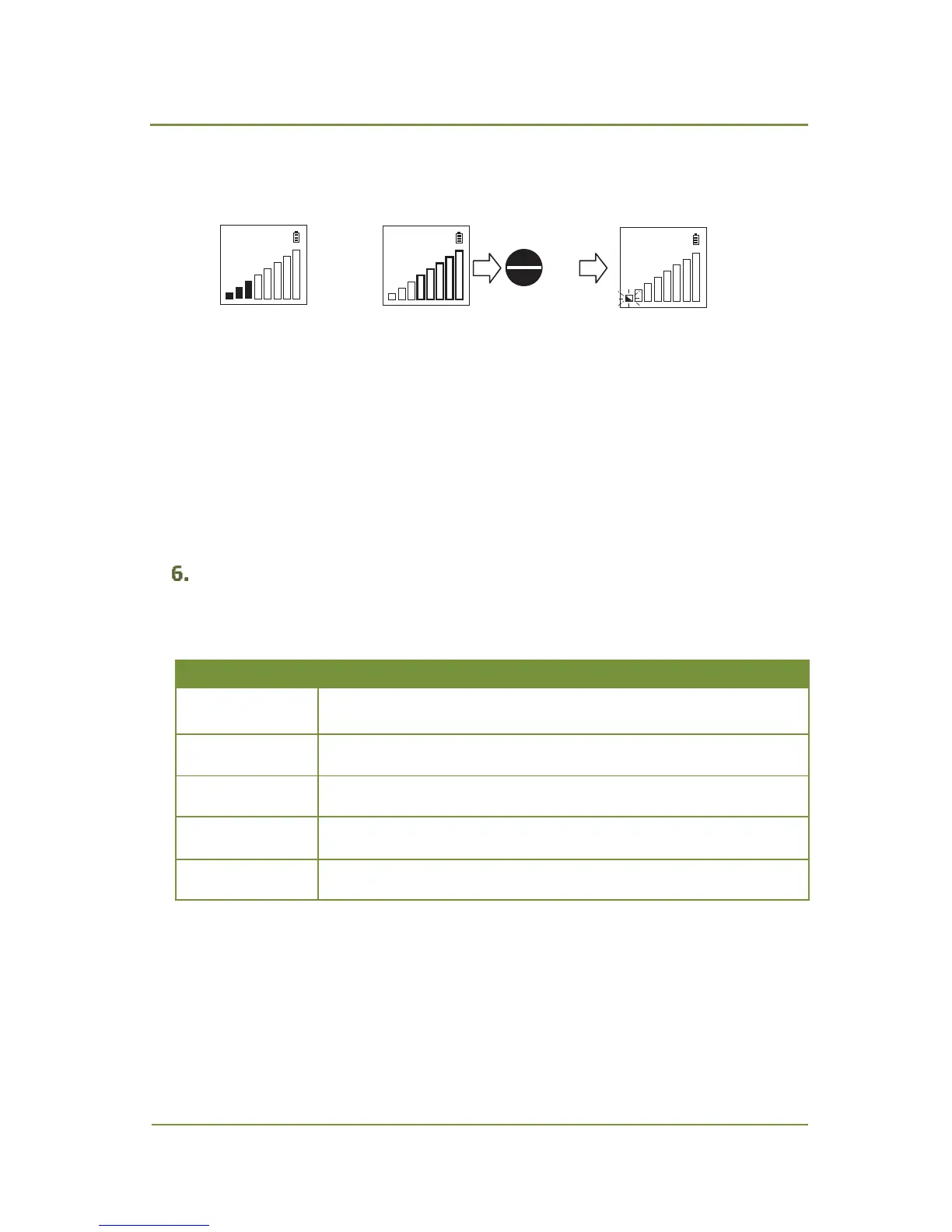
zeroed between uses. Press ZERO/ENTER key to adjust the zero balance (Fig. 5.3).
Out of zero point ZERO
adjust
R_Std
R_Std R_Std
or
ZERO
ENTER
Fig. 5.3 Zero Point Adjustment Procedure
4. Place the sample probe tip near the suspected gas connection to check it for leak. If there is
a leak, the LCD bar display will indicate it
and the audible alarm will sound if
the buzzer
function
is enabled
(refer to chapter 6 “Setting Configuration Parameters”). Move the probe
away from the leak and let the instrument return to zero point. Place the probe slowly back
to the leak to confirm its location.
Switch off LD239 when it is not in use. The unit’s power can be turned off either manually or
automatically depending on the configuration settings (refer to chapter 6 “Setting
Configuration Parameters”).
Setting Configuration Parameters
The LD239 configuration parameters are listed in a table below.


 To Next Page