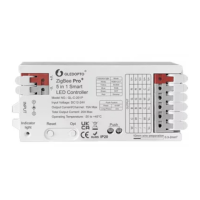
Need help?
Do you have a question about the Gledopto GL-C-009P and is the answer not in the manual?
Synchronize lights with movies, music, and games for an immersive lighting experience.
Information on integrating Gledopto controllers with Home Assistant and HomeKit.
Detailed explanations for the 9 different lighting modes of the remote control.
Instructions for pairing and unpairing the remote control with LED products.
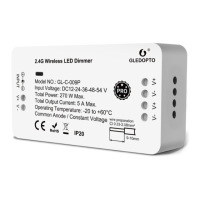
The GLEDOPTO LED Dimmer Controller Pro is a versatile device designed to manage LED lighting, offering seamless integration with various smart home ecosystems. This controller allows users to dim and control single-color LED products, enhancing the ambiance of any space. Its primary function is to act as an intermediary between your LED lights and a ZigBee Light Link/ZigBee 3.0 Gateway, enabling smart control capabilities.
The core function of the GLEDOPTO LED Dimmer Controller Pro is to provide smart control over LED lighting. It operates by connecting directly to your LED product and then linking with a compatible ZigBee gateway. Once connected, users can control their lights through the gateway's interface, which typically includes a smartphone app or voice commands. This allows for remote dimming, turning lights on/off, and assigning lights to different rooms or zones within a smart home setup.
The device is compatible with a wide range of popular ZigBee Light Link/ZigBee 3.0 Gateways, including Philips Hue, Amazon Echo Plus, SmartThings, Osram Lightify, and Homee. This broad compatibility ensures that the controller can be integrated into existing smart home systems without the need for additional hubs or complex configurations. For users with a Hue gateway, the controller can also be managed through various Hue-compatible apps such as Hue, Hueparty, Hue Disco, iConnectHue, Hue Widget, and Light DJ, expanding the range of control options and creative lighting effects.
Beyond basic control, the GLEDOPTO LED Dimmer Controller Pro supports advanced functionalities like synchronization with screenbloom. This feature allows your lights to synchronize with movies, music, and games, creating an immersive lighting effect that follows the plot or rhythm of the media. This synchronization is achieved through a Gledopto HDMI SYNC Box, which works in conjunction with the controller to deliver a more dynamic and engaging lighting experience. The ability to synchronize lighting with media adds a significant layer of interactivity and atmosphere to entertainment setups.
The device also supports integration with Home Assistant, providing an open-source platform for advanced users to customize and automate their lighting. This allows for more complex routines and integrations with other smart home devices, offering a high degree of flexibility and control. For Apple users, the controller can work with Homekit, further expanding its compatibility and ease of use within the Apple ecosystem.
Using the GLEDOPTO LED Dimmer Controller Pro involves a straightforward setup process. First, the physical connection of the LED product to the controller requires preparing the cable by stripping the insulation to 9-10 mm. The cable cross-section should be between 0.33 and 2.08mm² (AWG22-14). The cable is then secured by pushing down the terminal with a screwdriver and inserting the cable, ensuring a firm connection. This process is designed to be simple and accessible for most users.
Once the physical connection is established, the controller needs to be connected to a ZigBee gateway. This involves initiating a device search on the gateway, which may take some time. If the gateway does not immediately find the device, users can try plugging the power off/on or performing a reset. Once found, the device can be assigned to specific rooms, zones, or groups within the gateway's interface, allowing for organized and intuitive control.
The controller also features a manual reset function, which is useful for troubleshooting or re-pairing the device. To perform a reset, the user needs to switch the device on, then switch it off and on within 2 seconds. This off/on cycle must be repeated five times. The reset is confirmed when the device switches on for the fifth time and the light stays on after blinking four times, indicating a successful reset. This clear feedback mechanism helps users confirm the reset status.
For more advanced control, the manual describes an RGB+CCT Remote Control (GL-RC-006Z) that can be used with RGB+CCT products. This remote allows for controlling up to six different zones, changing color, dimming/brightening lights, adjusting warm/cool white tones, and selecting different programs. The remote offers nine distinct modes, including static warm light, static white light, static cold light, static red/green/blue light, RGB fade in/fade out, RGB flash, and color breathing. These modes provide a wide array of lighting options to suit various moods and occasions.
Linking the remote control to the LED lights is also a simple process. Within 3 seconds of powering on the LED, clicking the "on" button of the group on the remote initiates code matching, with a green light indicating success. The remote also includes functions for a night light mode (long press "off" button), a 60-second delay shutdown (long press small moon key), and an automatic mode (long press M key).
Unlinking the remote control from the LED lights depends on whether the LED is still connected to a ZigBee gateway. If connected, long pressing the "on" button on the remote within 3 seconds after power on, or pressing it five times continuously, will make the light flash three times in the current color. If the LED is not connected to a ZigBee gateway, the same action will make the LED light fully bright and flash four times. These distinct visual cues help users understand the status of the unlinking process.
The GLEDOPTO LED Dimmer Controller Pro is designed for durability and ease of maintenance. The robust construction and straightforward wiring process minimize the need for frequent intervention. The device's compatibility with various gateways means that software updates and new features are often managed through the gateway's ecosystem, reducing the need for direct firmware updates on the controller itself.
In terms of troubleshooting, the manual provides clear instructions for resetting the device, which is a common first step in resolving connectivity or functionality issues. The visual feedback (blinking lights) during the reset process helps users confirm that the action has been performed correctly.
For users experiencing interference, the FCC Warning Statement provides guidance on how to mitigate potential issues. This includes reorienting or relocating the receiving antenna, increasing the separation between the equipment and receiver, connecting the equipment into a different circuit, or consulting a dealer or experienced radio/TV technician. These steps are standard practices for resolving electromagnetic interference and help ensure the device operates optimally without disrupting other electronics.
The device's design, with its simple terminal connections, allows for easy inspection and re-connection of wires if needed. The specified cable cross-section and stripping length ensure that proper electrical connections are made, contributing to the longevity and reliable performance of the device.
Overall, the GLEDOPTO LED Dimmer Controller Pro is a user-friendly and versatile device that integrates well into modern smart home environments, offering extensive control over LED lighting with minimal maintenance requirements.
 General
| Brand | Gledopto |
|---|---|
| Model | GL-C-009P |
| Category | Controller |
| Output Voltage | DC 12-24V |
| Working Frequency | 2.4GHz |
| Transmission Distance | 30m |
| Dimming Range | 0-100% |
| Color Temperature Range | 2700K-6500K |
| Max. Load | 6A |
| Output Power | 144W (12V), 288W (24V) |
| Control Channels | RGBW |
| Connectivity Protocol | Zigbee |
| Control Method | Wireless |
| Operating Temperature | -20°C to 60°C |
| Working Temperature | -20°C to 60°C |
| Humidity | 0-85% RH |
| Total Output Max. | 144W |

 To Next Page