www.dimplex.eu 2007/A EN-7
Operating panel English
3. Operating panel
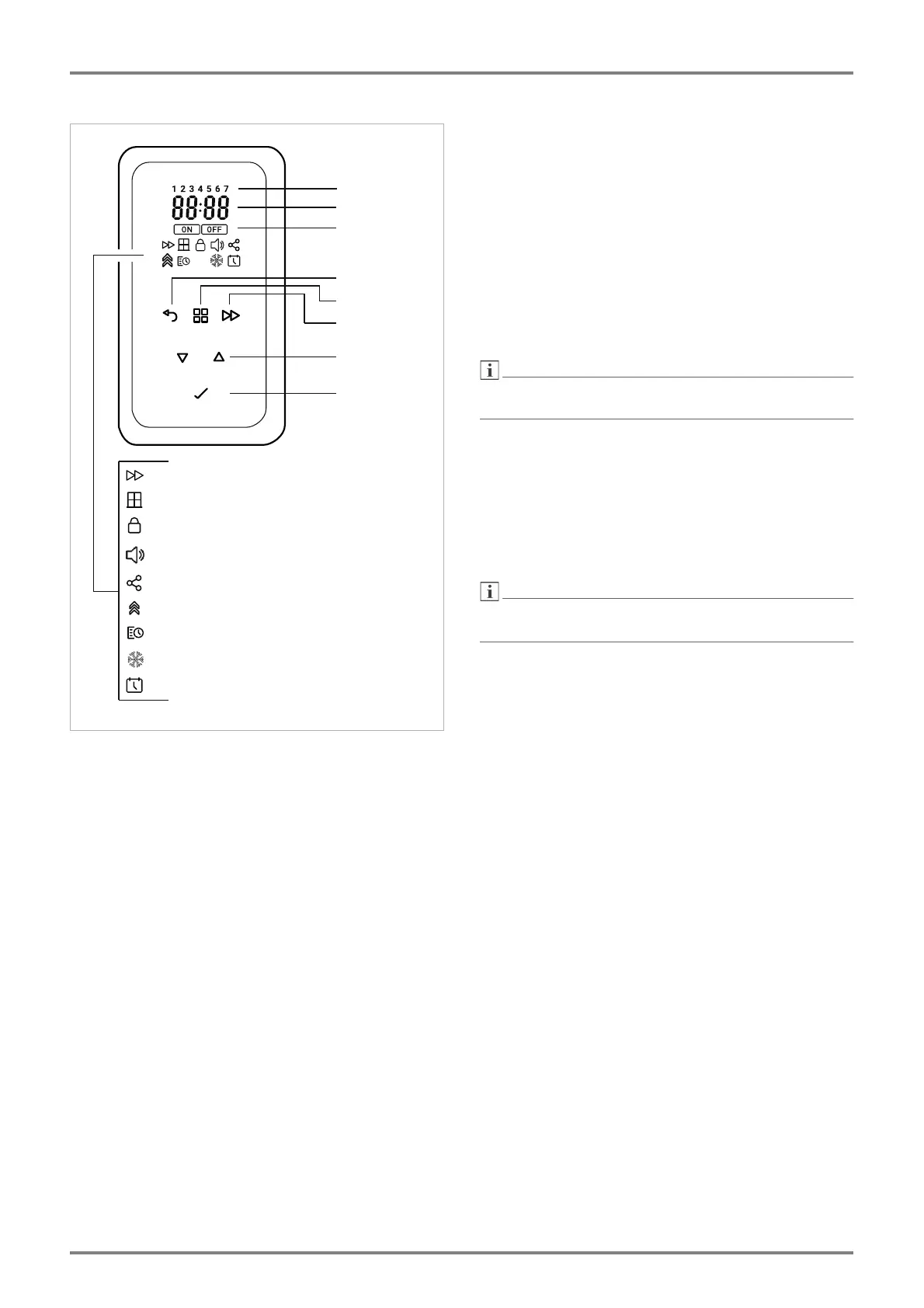
3.1. Key functions
MENU
Supplementary heating on/off
Timer (week program)
Frost protection temperature 7° C
Set the time and date
BACK
Return to the previous program item
Keys
Used to navigate through the menu and to change the
setting values.
ENTER
Saving settings.
EXTENDED
Call up the extended menu.
For the functions, see the description for the ex-
tended menu.
3.2. Display
The display lights up automatically when you approach
the operating panel. If no changes are made for a pro-
longed period, the display switches off.
The user main menu is always shown first.
3.3. Menu types
User main menu
Basic settings such as:
specification of the room temperature,
adjustment of the charge quantity,
room-dependent charging.
Only the MENU and
keys are shown in the user
main menu
Main menu
Setting such as:
activating an (optional) supplementary heating,
timer week program,
frost protection setting 7° C,
setting the clock (time and date).
In the main menu, the ENTER, BACK and
keys are
also shown.
Extended menu
Optional settings, such as:
window monitoring,
key tone,
wireless connection (currently without function),
adaptive startup,
reset to factory settings.
Installer menu
System-specific settings, such as:
operation via central charge control,
operation with external room temperature con-
troller,
integrating an optional supplementary heating,
other options.
Wochentag
Einstellwert
Ein/Aus
Zurück
Menü
Erweitert
Einstelltasten
Taste Enter
Zusatzheizung
Fenster-Überwachung
Gesperrt
Verbindung
Timer / Wochenprogramm
Frostschutz
Uhrzeit/Datum
Tastenton
Erweitert


 To Next Page