EasyManua.ls Logo

Global M A730F - User Manual

Global M A730F
40 pages
Print Icon
To Next Page IconTo Next Page
Loading...
110-013-079 REV E
ECO 202802 Date Effective: JUNE 2017
A-Series
TM
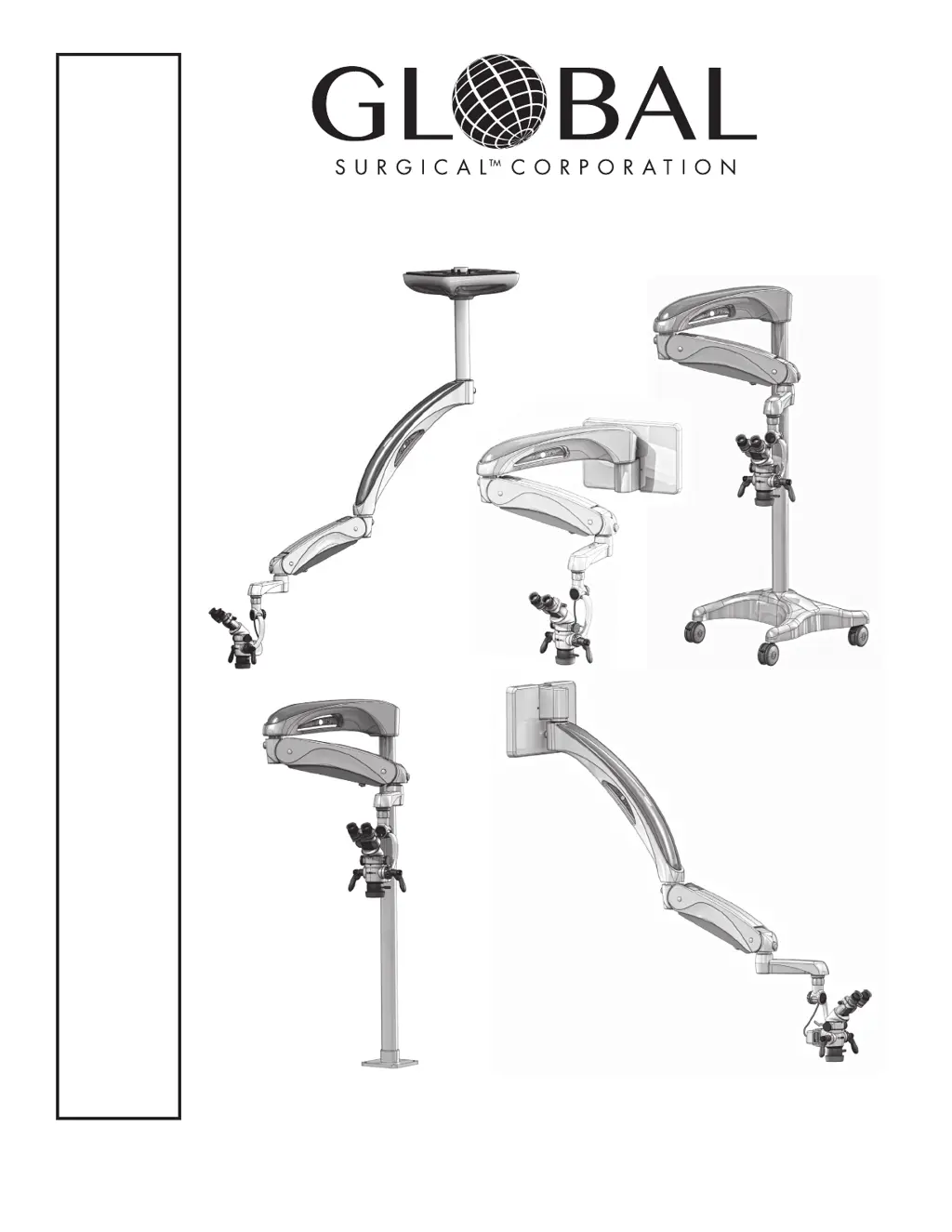
Surgical Operating
Microscope System
OWNER’S MANUAL
M A730 Series
Controlled Document
Not To Be Reproduced

Questions and Answers

  • A
    Angela GarciaAug 12, 2025
    What to do if the LED light source on my Global M A730F Microscope does not turn on?
    • V
      Virginia NewtonAug 12, 2025
      If the LED light source on your Global Microscope doesn't turn on, first, remove the horizontal arm, spring arm, or 45-degree arm, and extension arm covers to check for any damaged or pinched cables. Next, make sure the filter lever is in one of the three correct positions. Finally, remove the horizontal or 45° arm cover and ensure the LED power cord is securely plugged into one of the plugs on the multiple socket outlet located in the horizontal or 45° arm.
  • M
    Morgan Scott MDAug 16, 2025
    How to troubleshoot a Global M A730F with no power?
    • S
      samantharobersonAug 16, 2025
      If your Global Microscope has no power, ensure the AC power cord is properly connected. Also, verify that the building circuit breaker hasn't tripped, or test the outlet with another device. Finally, check the system’s fuses and replace them if necessary, replacing both fuses if either is blown.
  • J
    James JacksonAug 19, 2025
    Why does the Global Microscope floorstand seem unstable?
    • J
      Jonathan MitchellAug 19, 2025
      If the floorstand of your Global Microscope seems unstable, ensure that both weights are installed in the base, under the plastic cover.
  • T
    tranjefferyAug 23, 2025
    What to do if Global M A730F Microscope system arms drift horizontally?
    • C
      Carrie WalkerAug 23, 2025
      If the system arms of your Global Microscope drift horizontally on their own, apply slight tension to the spring arm tension adjustment. If the drifting continues, make sure the wall, floor mount, or ceiling mount is installed level and plumb. If using a floor stand, try moving it to a different location and ensure the column screws are tight.
  • E
    Elizabeth CollinsAug 27, 2025
    Why are the system arms on my Global Microscope hard to rotate?
    • A
      Amanda MarquezAug 27, 2025
      If the system arms on your Global Microscope are hard to rotate from right to left, it may be because the spring arm tension adjustment knob is adjusted too tight.
  • T
    timothyrodriguezAug 31, 2025
    How to fix a Global Microscope floorstand that is difficult to roll?
    • M
      markmartinezAug 31, 2025
      If your Global Microscope floorstand is difficult to roll, make sure that all the casters are unlocked.
  • C
    Christopher RushSep 3, 2025
    What causes the vertical position of the Global Microscope arms to not stay in place?
    • P
      Patricia LynchSep 3, 2025
      If the vertical position of the arms or microscope on your Global Microscope doesn’t stay in position when released, adjust the counterbalance as described in Section 5.3.
  • J
    John HarrisSep 7, 2025
    Why is the vertical movement of my Global M A730F difficult?
    • A
      Aimee RyanSep 7, 2025
      If the vertical movement of your Global Microscope is difficult, adjust the counterbalance as described in Section 5.3.

Summary

Section 1 Important Safety Instructions

Symbol Definitions

Defines symbols used in the manual for important installation, operation, and safety information.

Warnings and Cautions

Details crucial safety warnings and cautions for operating the microscope system safely.

Section 2 Unpacking Instructions

Unpacking Safety Guidelines

Provides critical warnings and cautions to follow during the unpacking process.

Section 3 Product Information

A-Series Surgical Operating Microscope Systems

Overview of the A-Series Surgical Operating Microscope Systems and their modular components.

Microscope Support Systems Configurations

Details the four available support system configurations for the A-Series Microscope.

Section 4 Accessories

Microscope Components and Accessories

Lists and describes key microscope components and various available accessories.

Installation of Optical Accessories

Provides step-by-step instructions for installing various optical accessories onto the microscope.

Installation of the Multi Focal Objective Lens

Detailed guide on how to install the Multi Focal Objective Lens to the microscope body.

Section 5 Operating Instructions

Turning On The System

Guides the user on how to safely power on the microscope system.

Description and Location of Controls

Identifies and explains the location of various controls on the microscope system.

Counterbalancing Adjustment

Explains how to adjust the counterbalance for optimal microscope head movement.

Spring Arm Tension Adjustment

Details how to adjust the spring arm tension for vertical movement control.

Arm and Movement Adjustments

Covers pivot, roll, pitch, casters, and maneuvering handle adjustments for system operation.

Microscope Components and Magnification

Details microscope components and explains how to select magnification levels.

Focusing The Microscope

Provides instructions for coarse and fine focusing, including parfocal adjustment.

MA801-LED Light Source Operation

Guides the user on how to safely power on and operate the MA801-LED light source.

Brightness Settings and Filters

Details light source brightness adjustments and the use of amber and green filters.

Binocular and Diopter Adjustments

Covers binocular adjustment, eyepieces, and diopter settings for optimal user vision.

Fuse Replacement Procedure

Provides step-by-step instructions for safely replacing system fuses.

Section 6 Care and Maintenance

Cleaning and Disinfecting Procedures

Instructions for cleaning and disinfecting the microscope system and its components.

Microscope Optics Cleaning

Guidance on how to properly clean the delicate optical surfaces of the microscope.

Section 7 Troubleshooting

Troubleshooting Guide and Solutions

Provides a guide to common symptoms, their possible causes, and solutions for troubleshooting.

Section 8 Service and Warranty

Warranty Information

Details the warranty terms, including money-back guarantee and limited lifetime warranty.

Technical Services Department Contact

Provides contact information and procedures for obtaining technical support and service.

Section 9 Technical Information

Microscope Support System Specifications

Presents technical specifications for various microscope support systems, including weight and electrical requirements.

Binocular Focal Lengths

Lists the focal lengths for different A-Series binocular models.

MA801-LED Storage and Operation Specifications

Provides detailed storage and operation specifications for the MA801-LED light source.

Microscope Total Magnification Chart

A comprehensive chart showing total magnification values based on component combinations.

Finding Total Magnification

Explains the formula and method for calculating the total magnification of the microscope system.

Effects of Changing Components

Details how changing microscope components affects magnification, field of view, and other parameters.

Global M A730F Specifications

General IconGeneral
BrandGlobal
ModelM A730F
CategoryMicroscope
LanguageEnglish

Related product manuals