6
ENGLISH
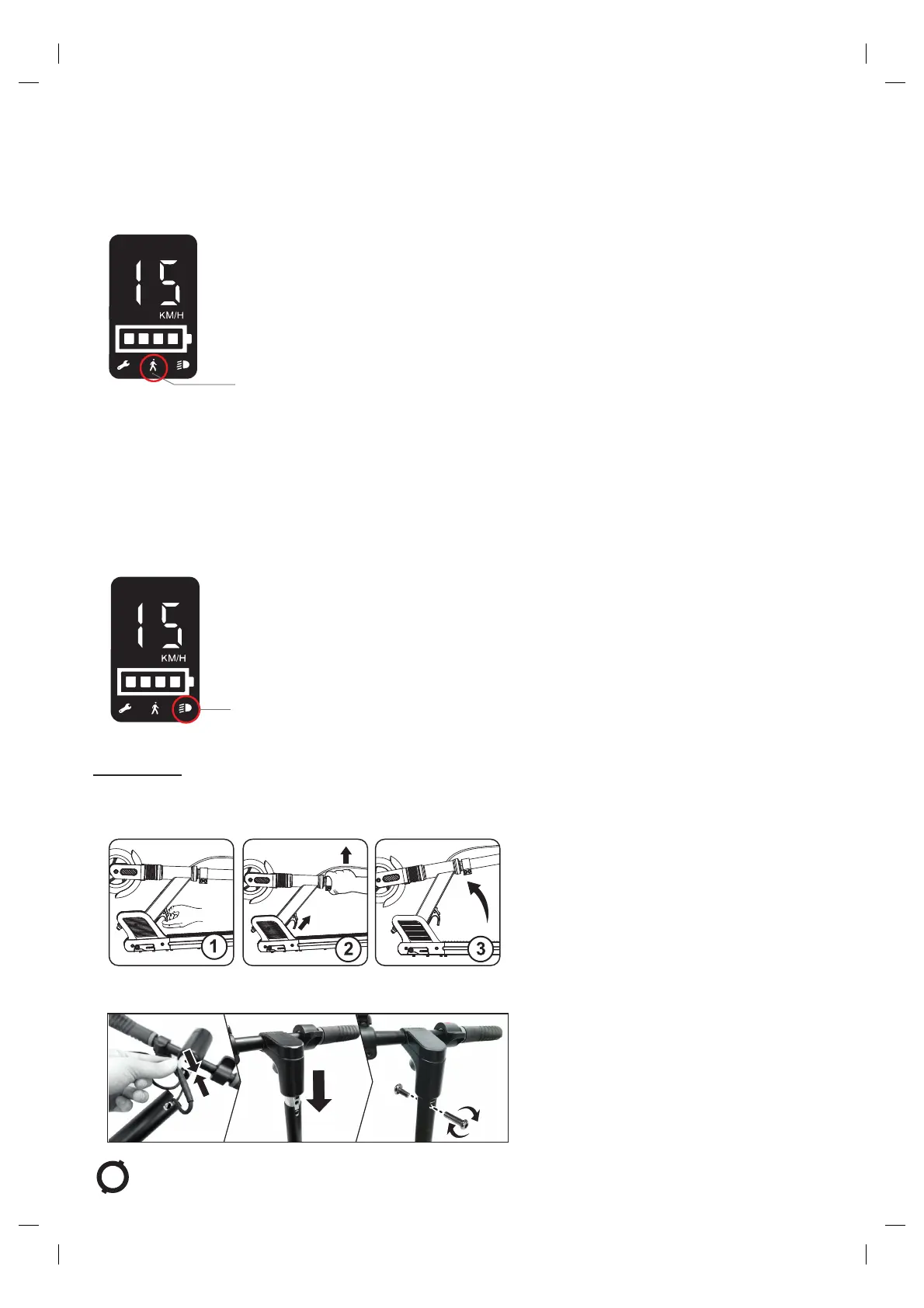
SPEED MODE SELECTION
WhenyourstpresstheON/OFFbutton,thescooterisbydefaultin“speedmode2”.Whenthescooterisin“ON”mode,butthe
motor is not engaged, the scooter is in “standby mode”.
In standby mode, you can switch between the 2 speed modes by double-clicking the ON/OFF button.
Speed mode 1
1. Speed mode 2 (default mode): max speed is 15km/h. The
LCD screen and taillight will continuously light up, while the
sideLEDlightswillashslowly.
2. Speed mode 1: max speed is 6km/h. The taillight and side
LEDlightswillash.TheLCDscreenwillshowthepedestrian
symbol.
To sw itc h fro m “sp ee d m od e 2” to “s pe ed mo de 1” , d ou ble -c lic k the O N/O FF bu tt on. Th e L CD sc re en wi ll sh ow th e ped es tri an
symbol.Thetaillightwillstartashinginred,andtheLEDlightsonbothsidesofthedeckwillash,showingthatthescooterisnow
in “speed mode 1”. The max speed in this mode is 6km/h.
To sw itc h bac k to “s pee d mo de 2” fr om “s pe ed mo de 1” , d ou ble -c lic k the O N/O FF bu tt on ag ain . T he LC D scr ee n w il l n ot sh ow th e
pedestriansymbol.Thetaillightwillstopashing,andtheLEDlightsonbothsidesofthedeckwillashslowly,showingthatthe
scooter is now back in “speed mode 2”. The max speed in this mode is 15km/h.
HEADLIGHTS
Light mode
- Short press the ON/OFF button to turn on the front light. The
LCD screen will show the light mode symbol.
- To t ur n o ff the h ead li ght s, sh or t pre ss th e ON/ OF F b ut ton a gai n.
4 - ASSEMBLY
UNFOLD THE SCOOTER
1. Simultaneously press down the red button on the front of the deck and pull the clamp up, then
raise the t-bar until the folding mechanism is engaged; make sure you hear a “click” sound.
2. Connect the main cable. Then, insert the T-bar into the stem and tighten the bolts. The required clamping/tightening force is
between 5 to 7 N/m.




 To Next Page