3
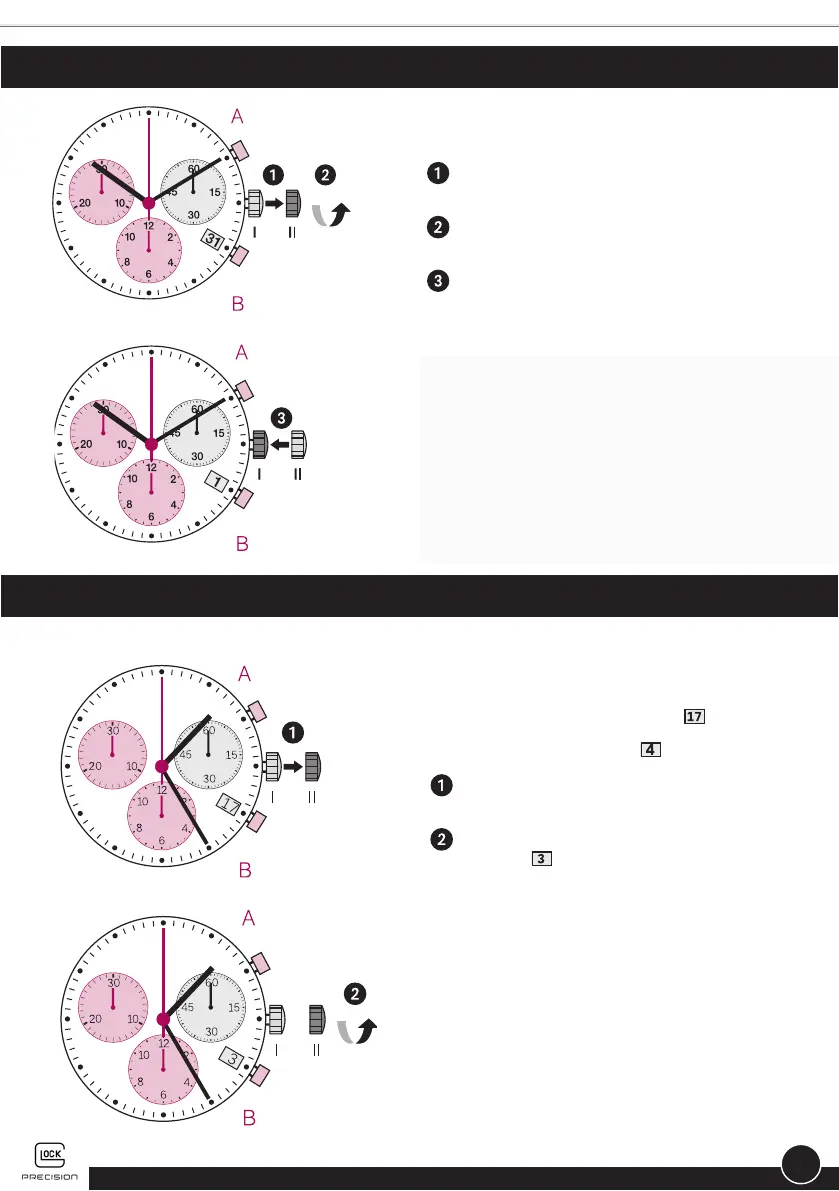
SETTING THE DATE (QUICK MODE)
SETTING THE DATE/TIME FOLLOWING A BATTERY CHANGE
Example:
• Date/time on the watch: /1:25 AM
• Present date/time: /8:30 PM
Pull out the crown to position II (the
watch continues to run).
Turn the crown until yesterday’s date
appears
.
Example:
Pull out the crown to position II (the watch
continues to run).
Turn the crown until the correct date
appears.
Push the crown back into position I.
Please note: During the date-changing
phase between approx. 9 PM and midnight,
the date must be set to the date of the
following day.


 To Next Page