weBBoat 4G
20
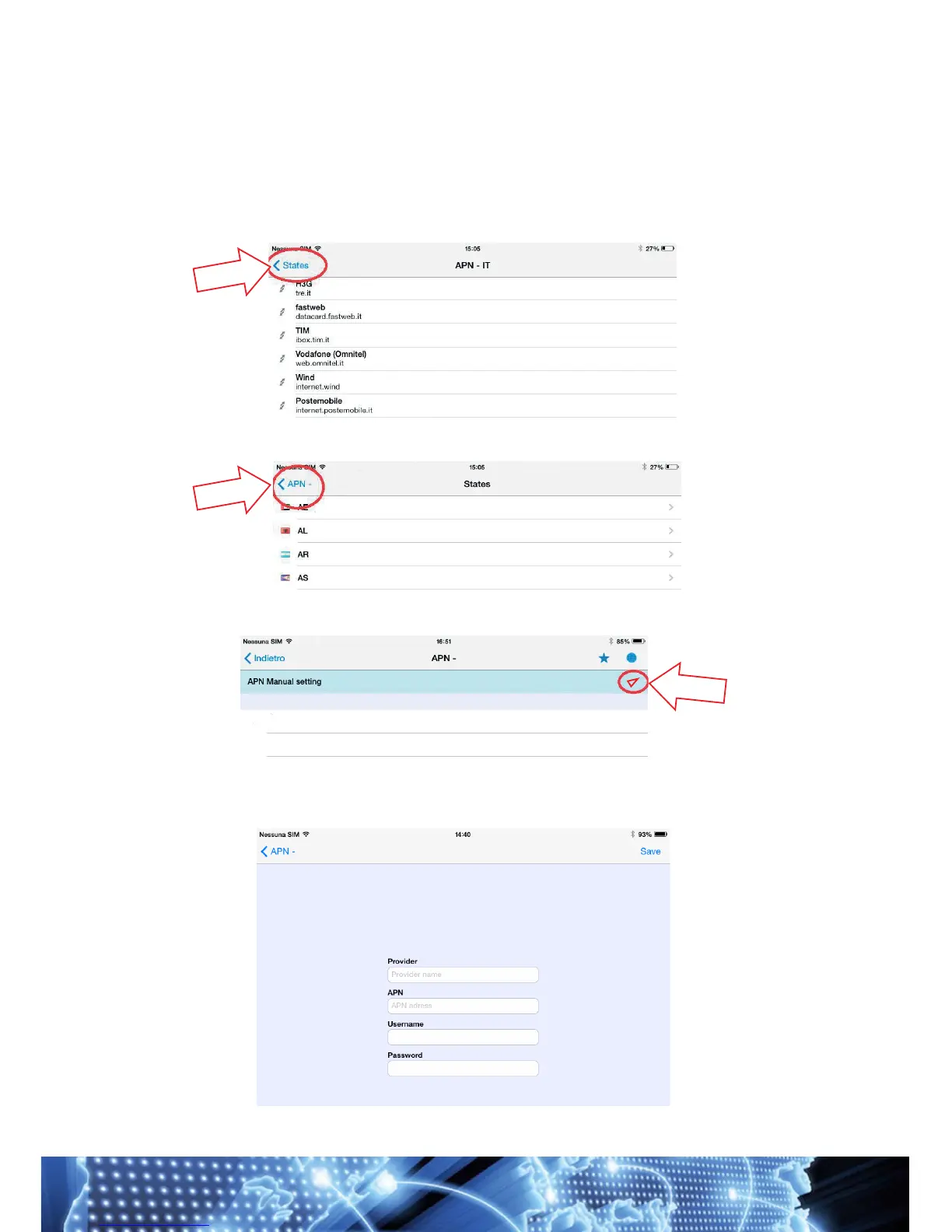
NOTE If your compatible APN is not in the list, click States to go back (Fig.
26) and click APN- (Fig. 27). At this point you will see the "Manual APN set-
ting" screen; click the "arrow" at the top (Fig. 28) and fill in the information
requested on the form. Once this is done, click Salva [Save] (Fig. 29). If you
do not know the APN of your device, contact your service provider.


 To Next Page