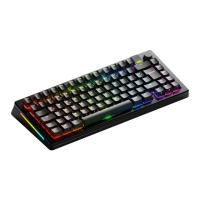
Plug & Play: Connect the keyboard to an available USB port and it will
automatically install all required drivers.
It is important that you update your GMMK PRO to the latest firmware before first
use. To do this, install Glorious Core, which will detect the keyboard plugged into
the system and automatically update it. If an update does not automatically occur,
click the gear icon in the lower left to go to App Settings and click "Retry firmware
update." Select GMMK Pro.
For customization of lighting and other options, you can use the hot keys listed below
or download the Glorious Core (Beta) software for an even wider array of options,
including the ability to remap each key on the keyboard to a function of your choice.
SETTING UP
01


 To Next Page