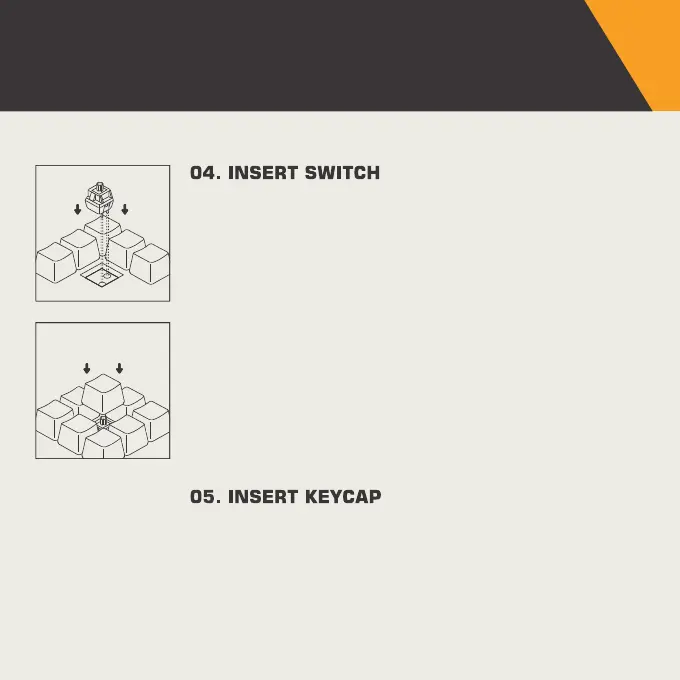
Align switch to holes on the keyboard (Note: the GMMK PRO
PCB is south-facing). There should be minimal resistance and
the switch should pop into the frame of the keyboard. It is
recommended at this time that you have a text editor or a
keyboard testing tool open on the PC with the keyboard
connected in order to ensure the switch works when you
press it.
Once you have confirmed the switch was properly inserted,
snap back in the appropriate keycap.
CHANGING SWITCHES
AND KEYCAPS
07
It is safe to swap switches when your keyboard is
connected to your PC.
If the switch does not work on insertion, the most likely cause is
that it was not inserted properly. In this case, remove the switch,
realign the pins to ensure they are straight, and try again.


 To Next Page