How to unlock STAROS?
I. Please tap on the lower right corner 10 times until it pops-up instruction for passwords
II. Put “0000” to unlock
III. You can change the password going to “Security” and “Set Password”
How to remotely control tablets?
I. Please contact sales@glorystargroup.com to purchase STARCONTROL license
How to auto-run APK / Media / Website?
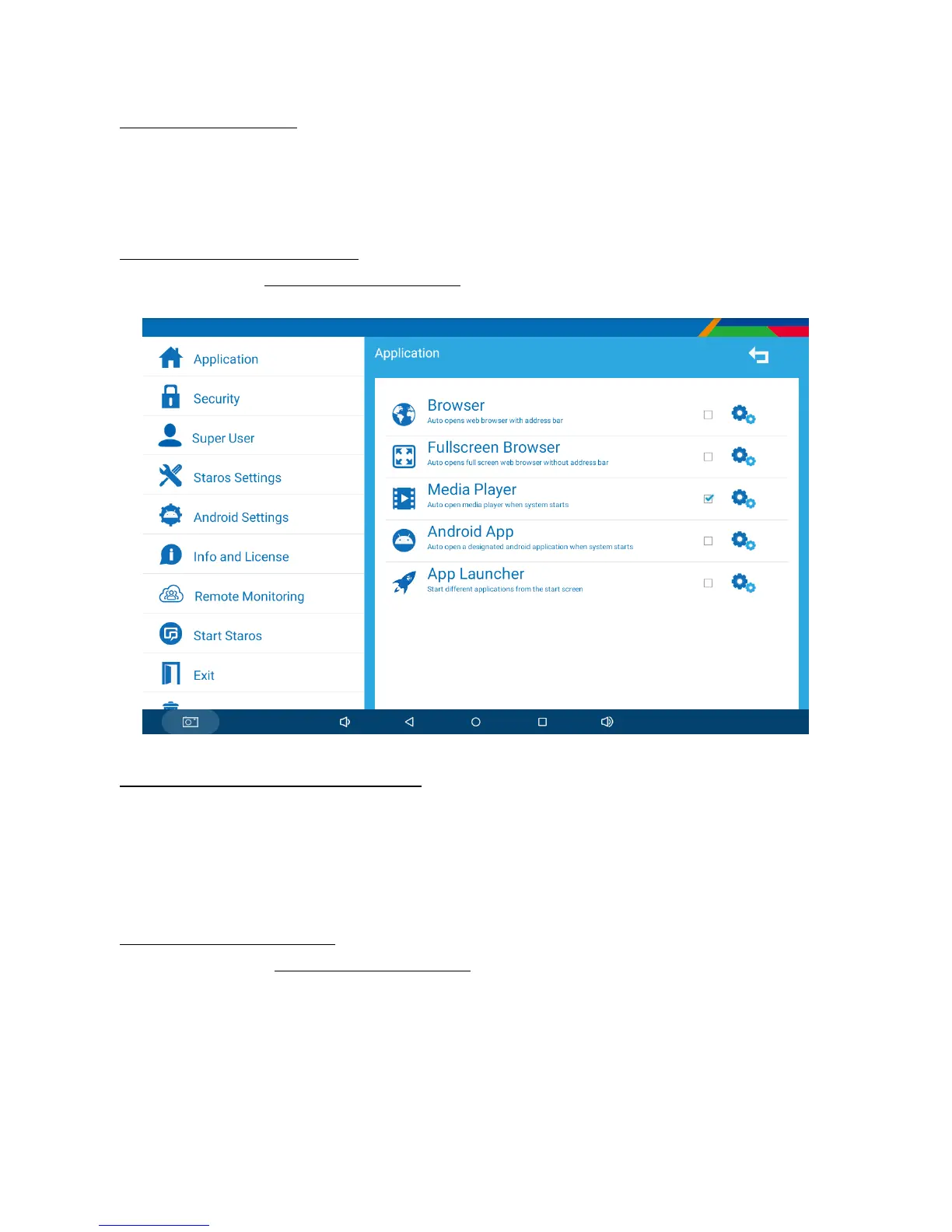
I. Tap on “STAROS 5.1” as pre-installed in NEBULA
II. Select “Application” and select “Android App”
III. Select the APK that you would like to auto-start
IV. Select “Start STAROS”
What if I uninstalled STAROS?
Please send email to sales@glorystargroup.com with serial number and customer name to
retrieve STAROS APP


 To Next Page