Quick start user guide
This section describes how to set up and use NEBULA for the first time. The tablet runs Glory Star
Group Limited’s STAROS software by default, which runs on an Android operating system
installed in the player to play the desired contact.
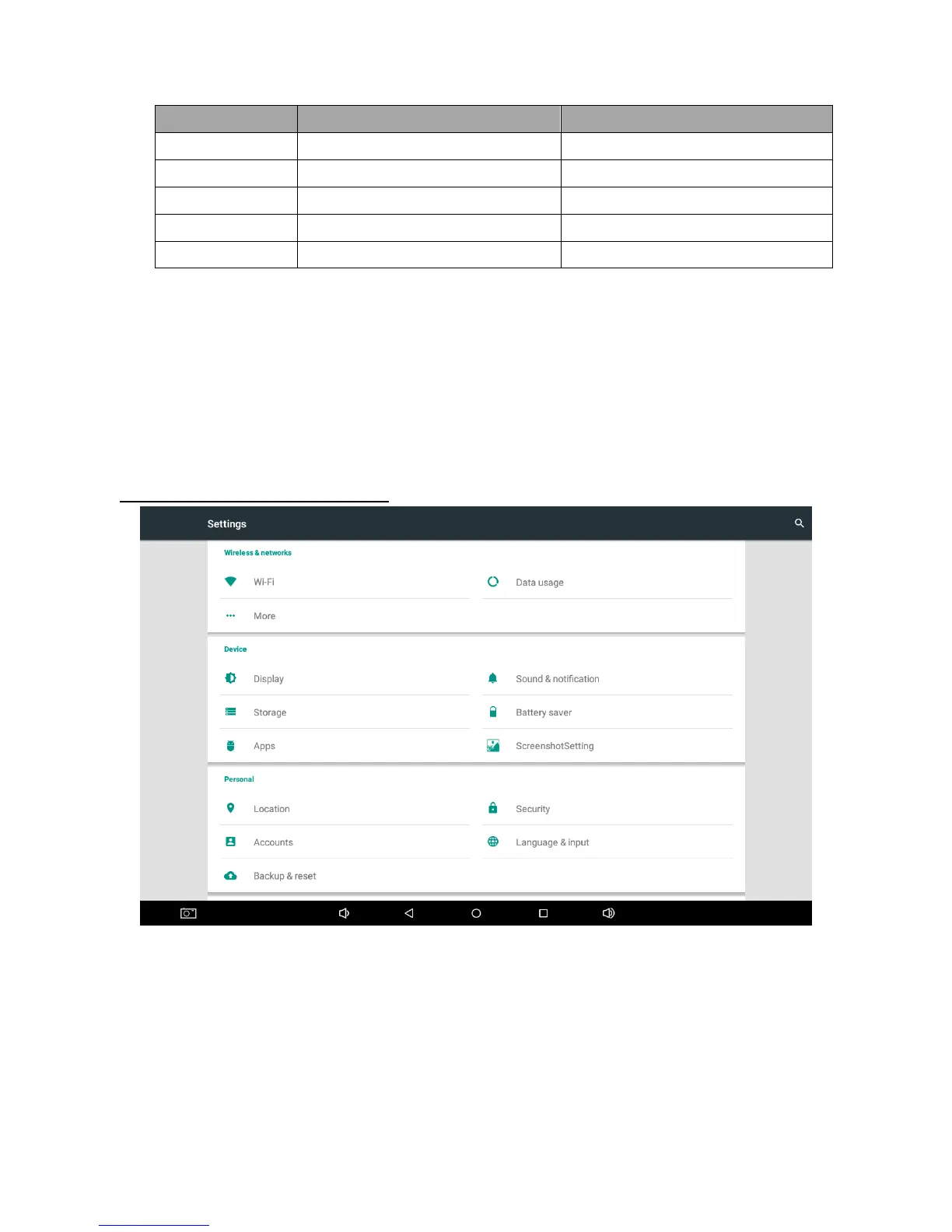
How to run WI-FI / LAN / Bluetooth?
WI-FI System
I. Go to home
II. Select Wi-Fi and turn it on
III. Select your network


 To Next Page