8
4000123923-2
Programmer Instructions for Use
Analogue Programmer (30ci Only)
Part
No. A20086. Fitted as standard.
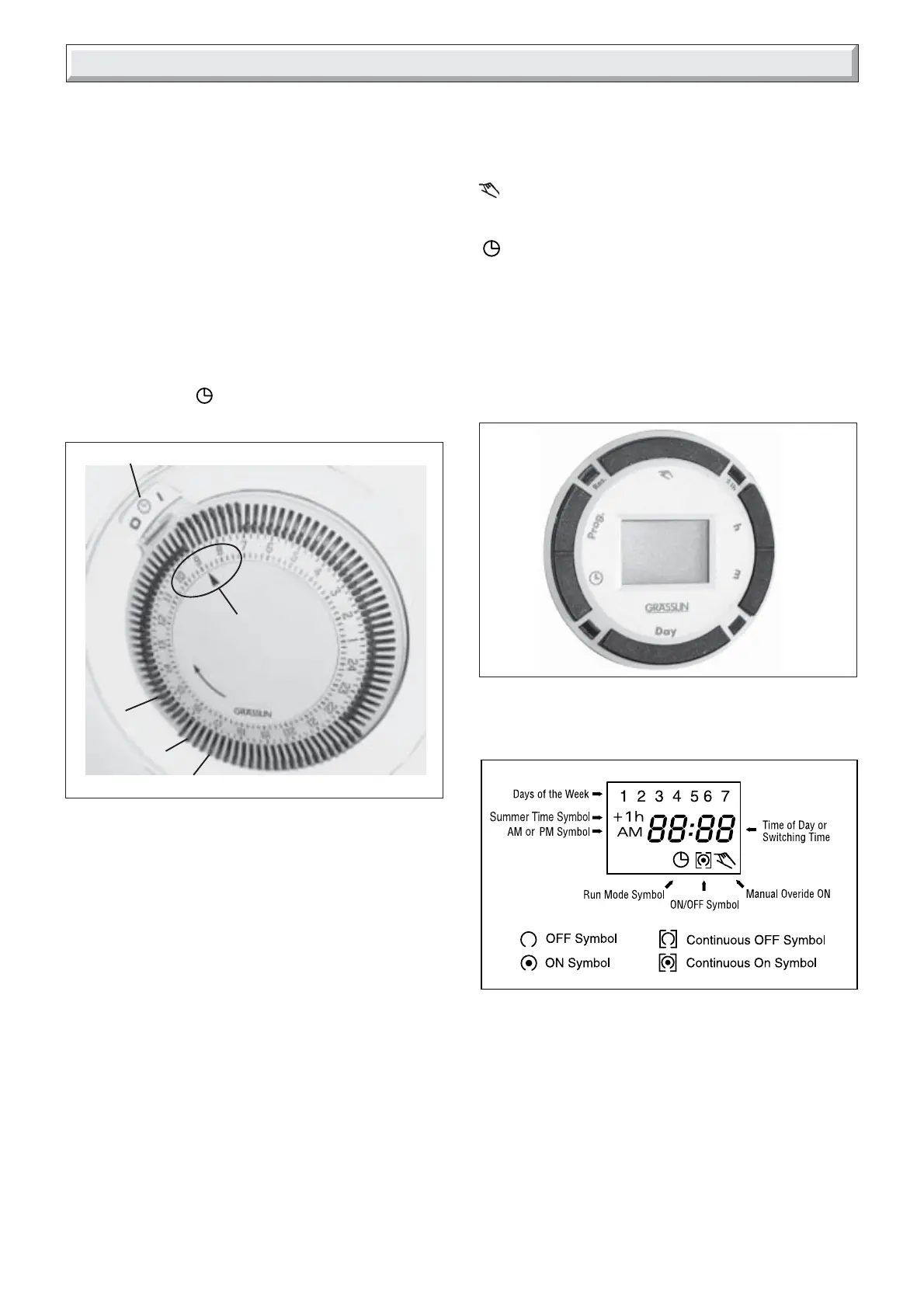
Setting the time, see diagram 3
• Rotate the dial clockwise, by hand, until the indicator arrow
is pointing to the current time.
Note: The time is set in 24 hour format.
Setting the programme “on and off” times, see diagram 3
• Select the on times by pushing the black tappets to the
outside.
• Select the off times by pushing the black tappets to the
inside.
To override or advance the programmer
The clock has a manual on/off switch which operates as
follows:
Upper position I : Heating on continuously
Middle position
: Heating on timed
Lower position 0 : Heating off
Digital Programmer Kit. (30ci Only)
Part No. A20087. Not fitted as standard.
KEYPAD DESCRIPTION
See diagram 4 for position of keypads as described below,
Time/Automatic Run Mode selection
Prog. Programme selection
Res.* Reset clears all settings
ON/OFF selector in Prog. Mode, Manual Override selector
in Run Mode
±1h* Summer/Winter time setting
h Sets the Hour (12: - - AM)
m Sets the Minute (- -: 01 AM)
Day Sets Day(s) for time and programmes
*Recessed keys; use a pen point to press
11460
Diagram 3
To override or advance the programmer
BLACK TAPPETS
INDICATOR
ARROW
OFF
TIMES
ON TIMES
Diagram 4
LCD Display
The LCD incorporates a number of different elements to
display various data and information.
Programmes
The Digital Programmer will accept up to 20 events
Each event consists of:
1. An ON or OFF command
2. Time of day (Hour and Minute)
3. Single day or multiple days
An event is required for each ON and OFF.



 To Next Page