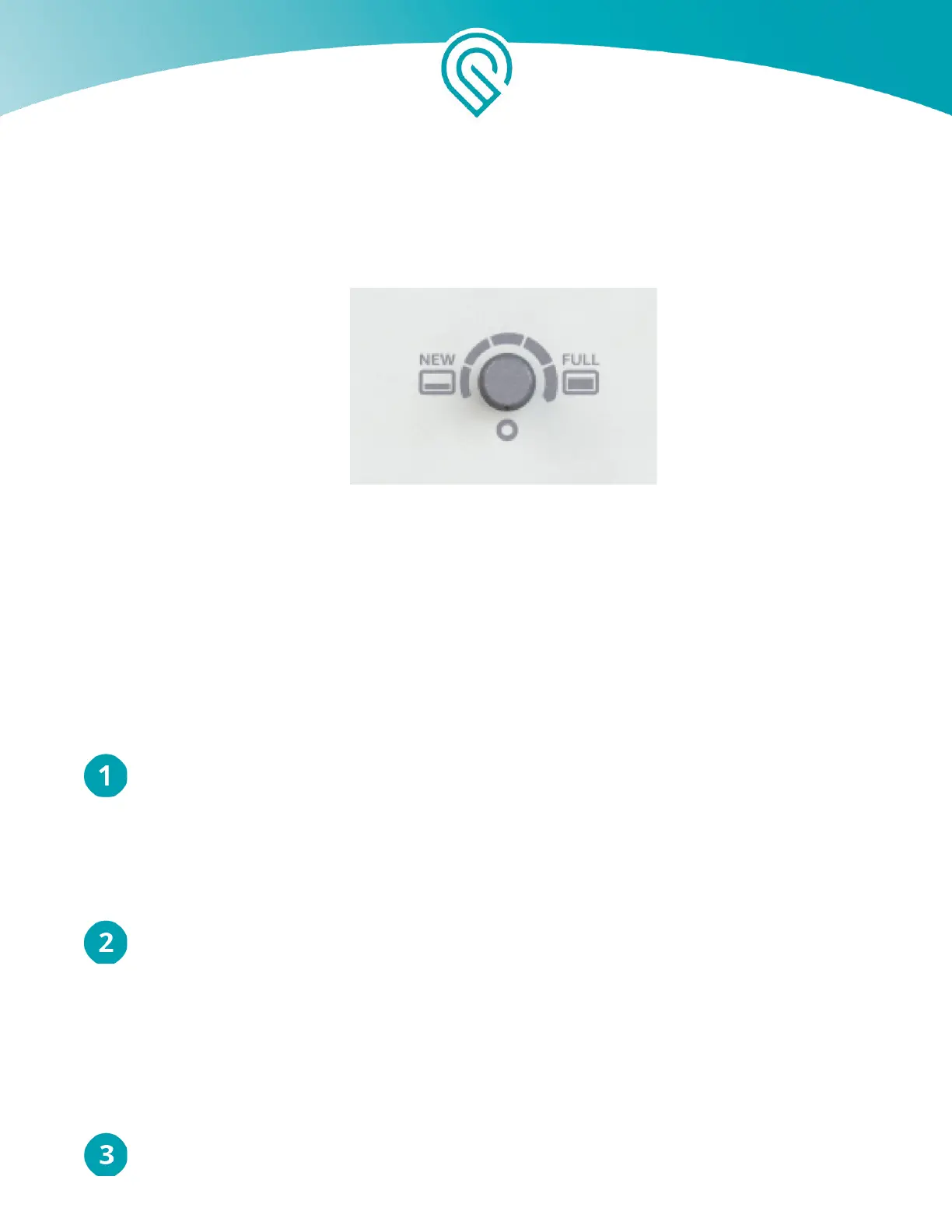
longer reduce smoke and fumes. If you find there are still smoke and fumes on the lowest setting,
use the middle setting, halfway between “New” and “Full”.
Finally, when the filter cartridge is almost full, it will again stop reducing smoke and fumes,
and more power will be required to fully eliminate smoke and fumes.. Turn the knob to “Full”.
The bottom setting is off; the knob
turns clockwise.
To begin, set your Glowforge Air Filter knob to “New”.
Your Glowforge Air Filter is now ready for use, with the fan off.
Print something amazing
Perform the following steps for each print.
Choose your materials.
Your Glowforge Air Filter has been tested with a wide variety of Proofgrade materials, and
designed to work with all laser-compatible materials. However, some materials, like Proofgrade
Draftboard or MDF, will cause your filter cartridge to fill up and require replacement much more
quickly than others.
Turn on your Glowforge Air Filter.
Use the switch next to the power cord to turn your Glowforge Air Filter on before each
print.
Run your print.
Copyright Glowforge, Inc. 2020 16



 To Next Page