Remove the Crumb Tray and Exhaust
Remove the crumb tray and exhaust vent following the instructions below. The crumb tray,
exhaust hose, and lens tool are packed in the Accessories Box.
Lower the Front Door and Remove the Crumb Tray
Lift the lid, then lower the front door. Lift the crumb tray slightly and slide it towards you.
Be careful not to tilt the crumb tray up, or it will knock into the laser arm and rails.
Empty Your Crumb Tray
Lower the front lip of the crumb tray and dump the contents of the crumb tray catch area.
Afterwards, you may invert the crumb tray to remove anything that may be left.
Wipe the Floor of Your Glowforge
Wipe the metal floor of the Glowforge unit with a soft cloth to sweep away any bits.
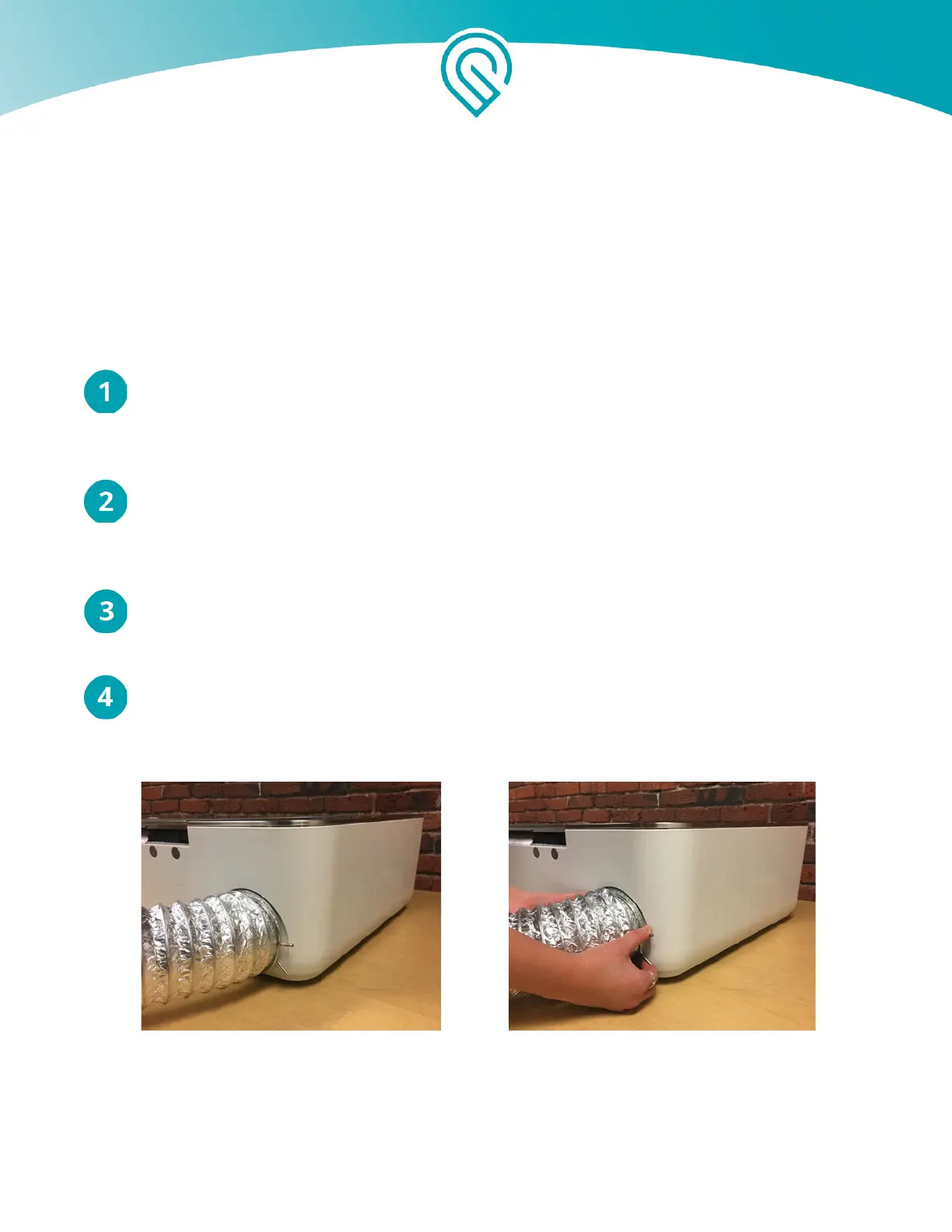
Remove the Exhaust
Squeeze the ends of the ring clamp together and pull it and the hose off the exhaust vent
with a gentle tug.
Copyright Glowforge, Inc. 2020 53



 To Next Page