How to create and customize your Snap and Store box
Sign In
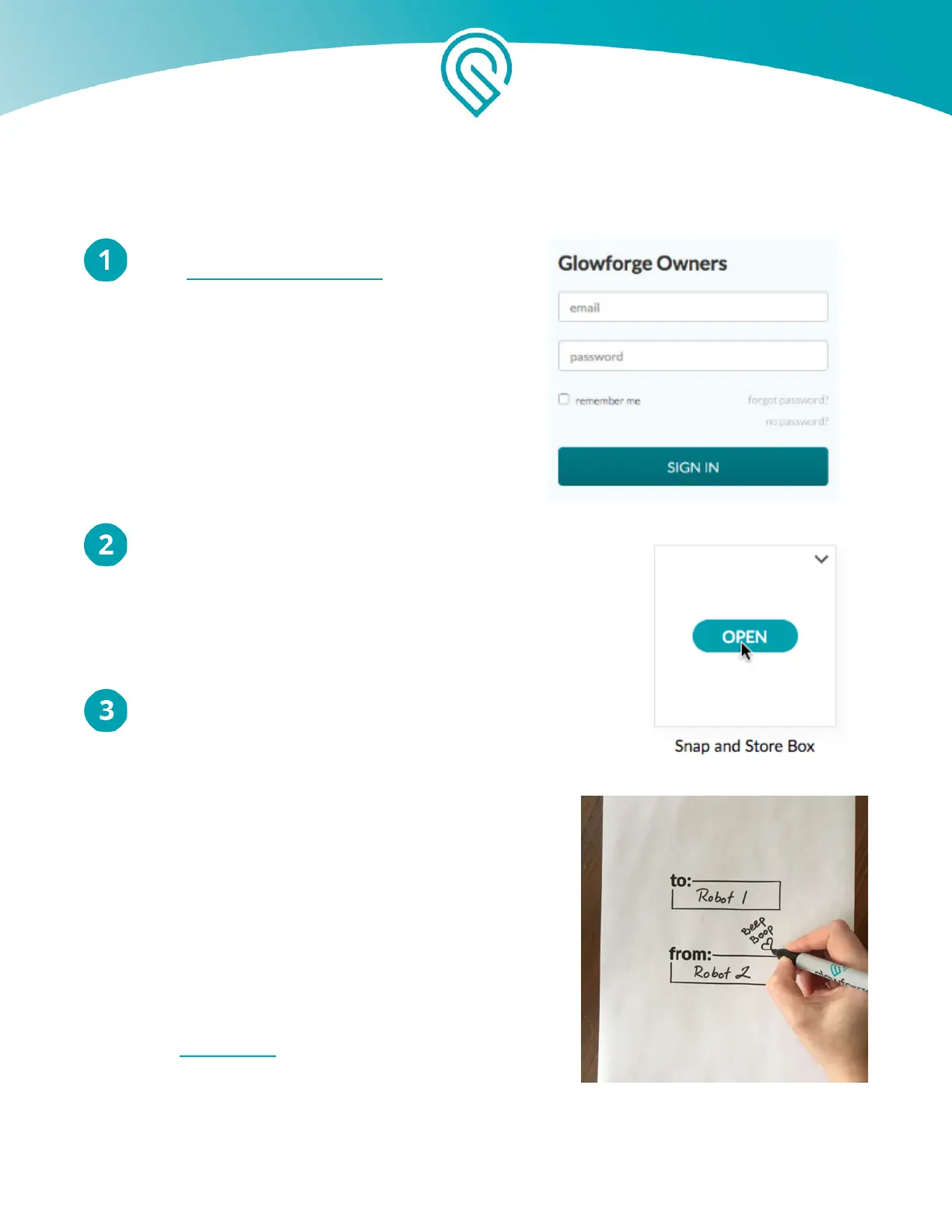
Go to https://app.glowforge.com and sign in.
Hover over the the design named “Snap and Store Box”
and click “Open”
Create your art
You have a host of options to create your unique box lid.
Pick whichever one inspires you - or try all of them!
Option 1: The Artist
Draw a picture with a black marker on a white piece of
paper. Stay away from the edges so there’s some white
on every side of your drawing. Tip: Leave room for the
handle in the middle of your drawing.
Option 2: The Poet
Using a black marker, write a favorite quote or song
lyric, or sign your name on a blank white piece of paper.
Option 3: The Good Friend
Print this template out on an inkjet printer (not your
Glowforge!) and use a black marker to fill in the blanks.
Option 4: The Shadow Master
Grab something nearby: a shoe, a leaf, a doll, your other hand - and plunk it on a blank white
piece of paper. Trace around the edges with a black marker.
Copyright Glowforge, Inc. 2020 63



 To Next Page