Put Your Art in Your Glowforge
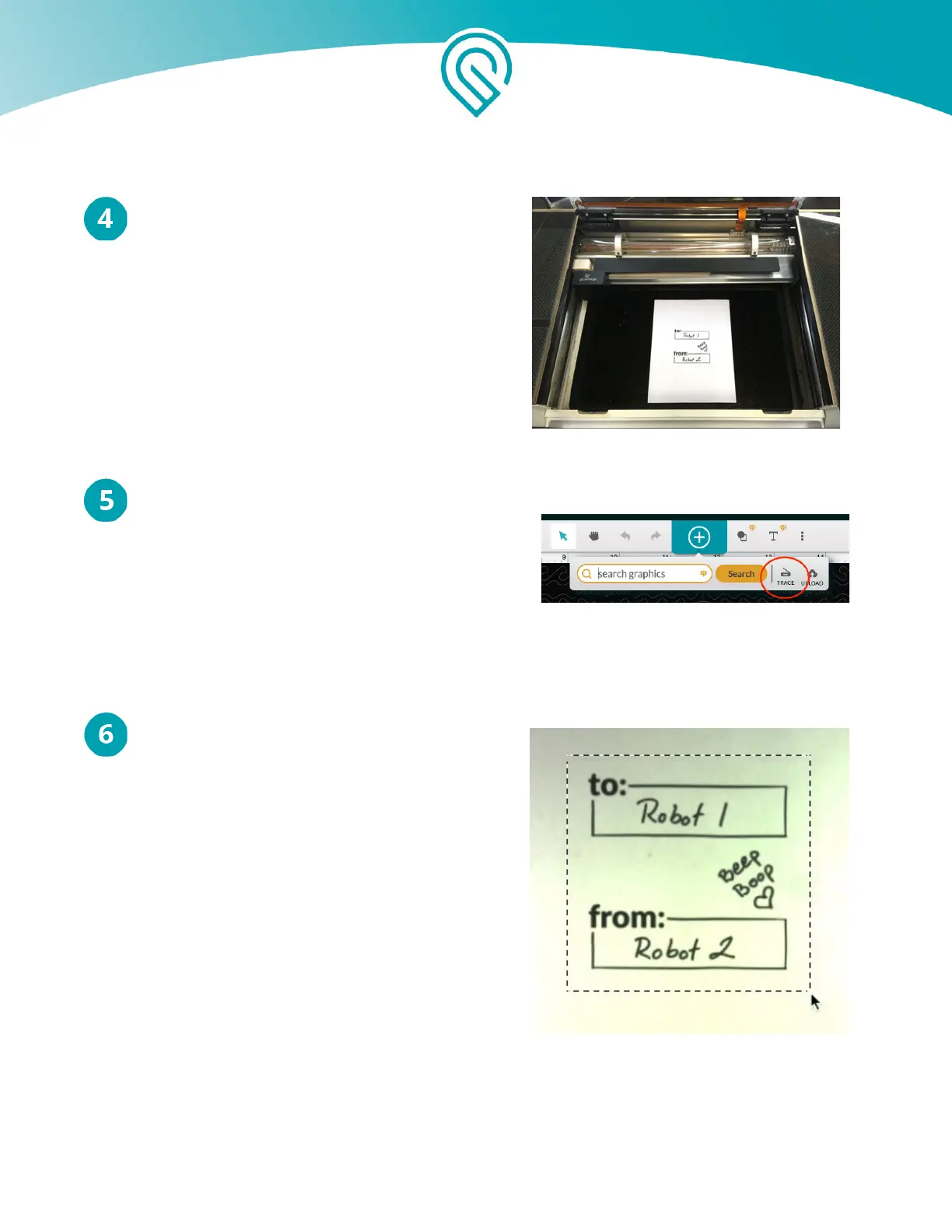
Lift the lid of your Glowforge, place your
artwork in the center of the bed, and close
the lid.
Add Artwork
Look at the app. When the Workspace loads, you’ll
see the box design and a picture of the bed of your
Glowforge, including your drawing. Click the "+"
icon in the center of the toolbar at the top of the
app and then click Trace.
Select Your Artwork
The app will load an image of your drawing.
Click and drag a square around the artwork
that you want to trace. You’ll see a preview of
what your Glowforge will engrave. Anything in
black will be engraved, and nothing else will be.
If you’re not happy with your selection, click
the “Back” button in the app and try again.
Copyright Glowforge, Inc. 2020 64



 To Next Page