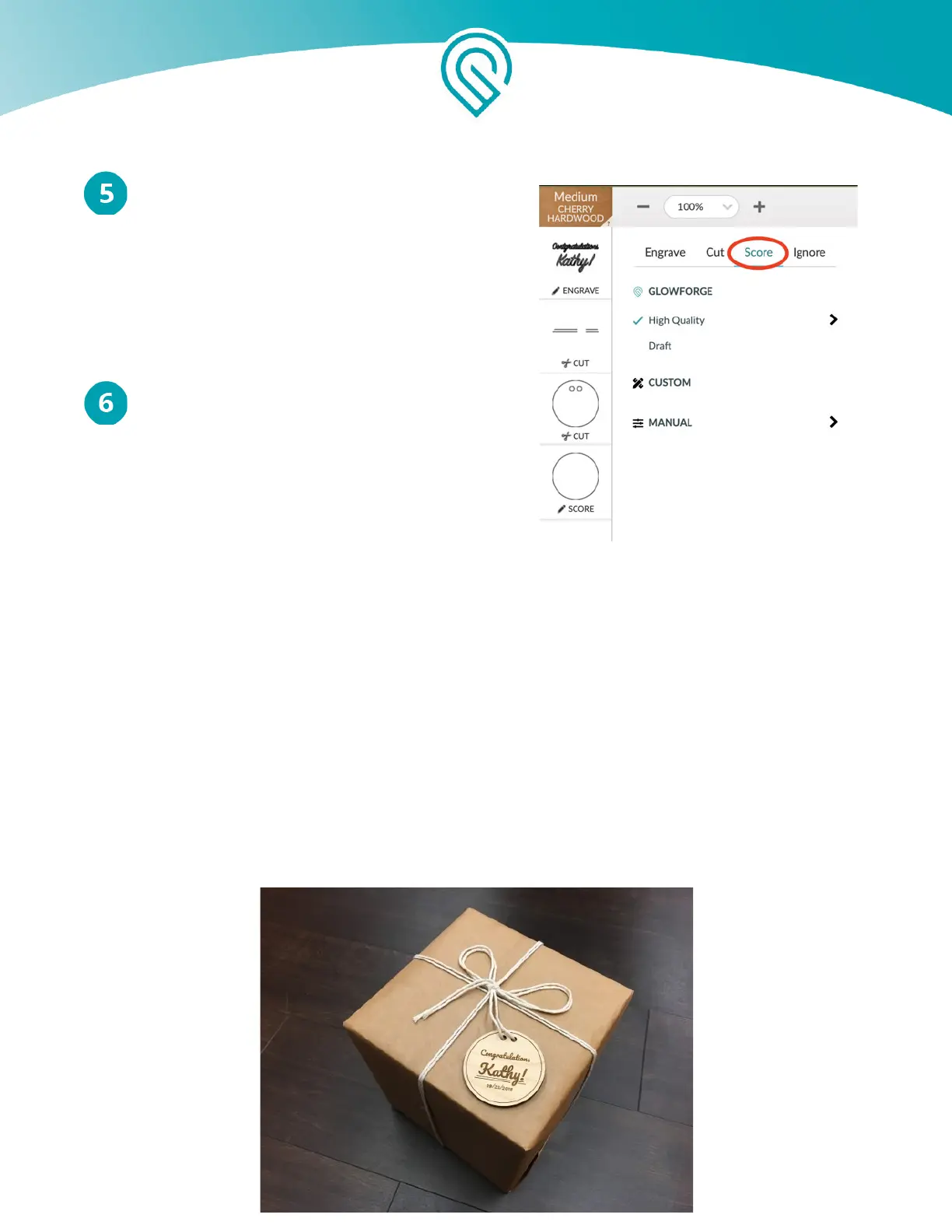
Convert to score
Click on “Score”, so it prints this circle with a score
line instead of cutting it out.
Repeat this process for the lines that you drew so
they are scored as well
Place Design on Material
Drag your whole design to place it where you want
it on your material. You can resize it if you want
to, too.
And Now... Print!
1. When you’re ready, press “Print”.
2. The Print Window will show you an animation of your upcoming print, and will also
display the estimated time for your print.
3. When the button on your Glowforge starts blinking, press it and watch the laser go
pew pew pew.
4. Remove your print, peel off the protective layer and admire your creation!
Copyright Glowforge, Inc. 2020 78



 To Next Page