9 Appendix A
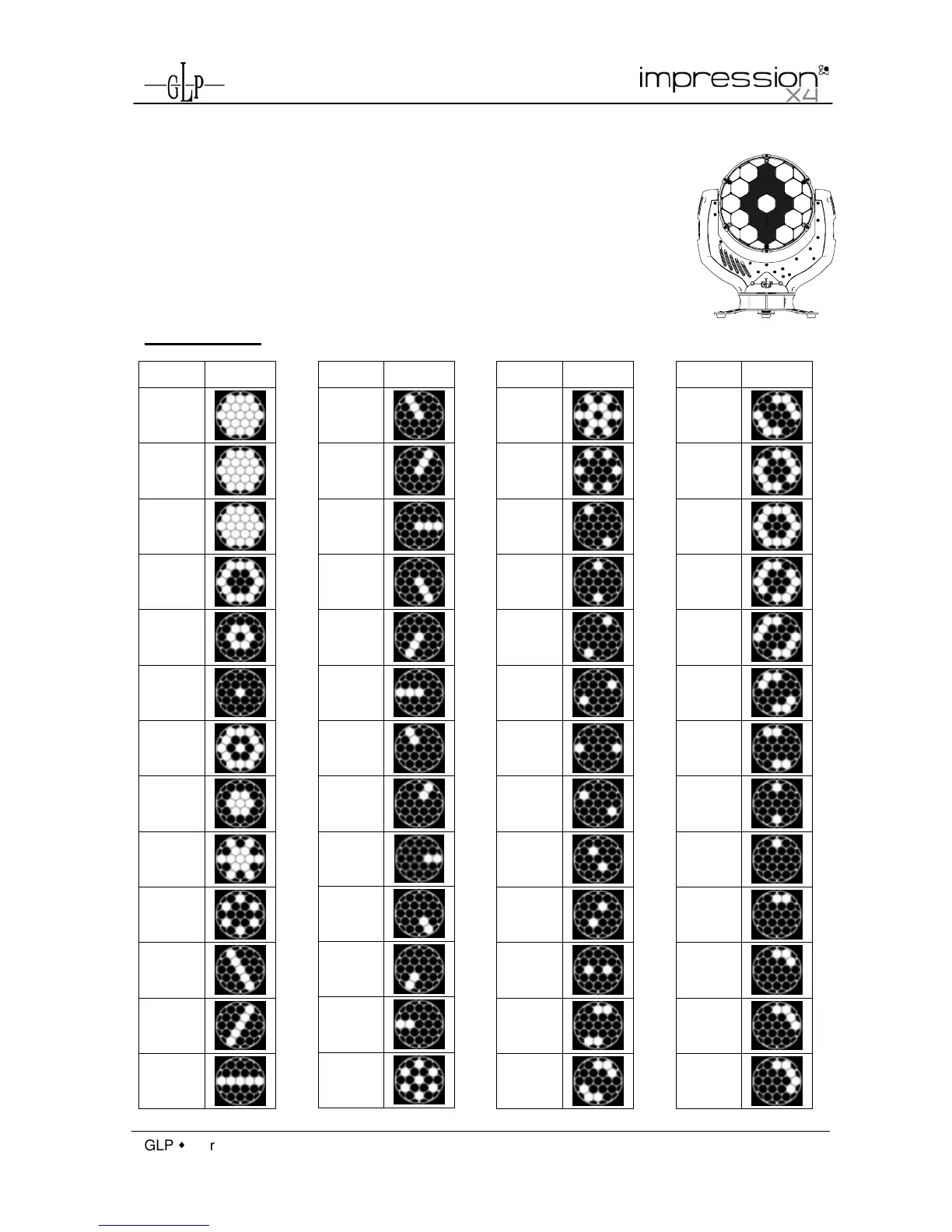
Patterns are grouped into two sets which can be activated and selected via the
DMX channel "Special". Choose the desired pattern by its corresponding DMX
value on channel "Pattern".
Orientation: Patterns are shown when looking at the front of a standing fixture;
Head faced in direction of fixtures front label: DMX Pan @ 128; Tilt @ 220; Zoom
@ 255 (letters are displayed homogenous).
Patterns Set 1
DMX Pattern



 To Next Page