EasyManua.ls Logo

GLP Streamer - User Manual

GLP Streamer
12 pages
Print Icon
To Next Page IconTo Next Page
Loading...
QUICK START
GUIDE
Question and Answer IconNeed help?

Do you have a question about the GLP Streamer and is the answer not in the manual?

Summary

Streamer Overview and Setup

Onboard Controls

Overview of the device's physical controls, including preset and intensity adjustment buttons.

Mounting Options

Illustrations showing tripod stand configurations for the Streamer device.

Streamer Application Features

Adjust Lights

Details on controlling LED levels (cool, warm, amber, master) via the Streamer application software.

Streamer Control

Instructions for accessing and managing Streamer device identification and control settings through the application.

Remote Control Setup

Explains how to enable and use remote control functionality for the Streamer via the GLP control cloud.

Getting Started and Application Usage

Controlling with Onboard Buttons

Guidance on using the physical buttons on the Streamer for preset selection and intensity adjustment.

Installing the GLP Streamer Application

Steps to download and install the GLP Streamer application software on a PC or Mac.

Using the GLP Streamer Application

Instructions for connecting the Streamer and using the 'ADJUST LIGHTS' feature in the application.

Saving Custom Presets

Process for saving custom lighting configurations as presets within the GLP Streamer application.

Allowing Remote Control

Steps to enable remote control of the Streamer by another user via the GLP control cloud.

Controlling Remotely

How to take remote control of another user's Streamer using the GLP control cloud website.

Overview

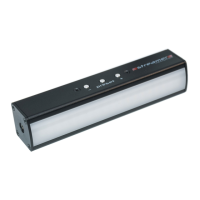
The Streamer by German Light Products is a USB-powered light designed to enhance the quality of live and recorded video streams, helping users present a professional image during online meetings. This compact device offers high-quality, adjustable warm and cool lighting to suit various online meeting scenarios or general lighting needs.

Function Description:

The Streamer is essentially a portable lighting solution that connects to a PC or Mac via USB-C. Its primary function is to provide customizable illumination, allowing users to adjust the color temperature (warm to cool) and intensity of the light. This adjustability ensures optimal lighting conditions, regardless of the ambient environment, to improve visual appearance during video calls or content creation. The device can be controlled in multiple ways: directly via onboard buttons, through dedicated Windows or Mac software, or remotely by a meeting host using the GLP control cloud. This versatile control scheme makes the Streamer adaptable to different user preferences and operational setups.

Usage Features:

Physical Setup:

The Streamer offers flexible mounting options to accommodate various setups. It can be mounted on its included tripod stand, providing a stable base for desktop use. Alternatively, it can be attached using its suction mount, which allows for placement on smooth surfaces. For even greater positioning flexibility, a supplied gooseneck can be used in conjunction with either the tripod or suction mount, enabling precise adjustment of the light's angle and height. The device connects to a computer via a supplied USB-C lead. If the PC only has USB-A ports, a USB-A to USB-C adapter is required.

Onboard Button Control (See A):

The Streamer features a simple set of onboard buttons for quick and direct control.

  • PRESET Button: This button allows users to scroll through four fixed lighting presets. Additionally, the GLP Streamer application enables the creation of four more custom presets, expanding the range of readily available lighting configurations.
  • '+' and '-' Buttons: These buttons are used to control the light intensity, allowing users to brighten or dim the illumination as needed.

GLP Streamer Application Control (Windows/Mac Software):

For more granular control and advanced features, the Streamer can be managed through its dedicated software application, available for free download from the www.streamer.rocks website.

  • Connecting to the Application: Users connect the Streamer to their PC or Mac and launch the GLP Streamer application.
  • Adjusting Lights (See G): Within the application, users navigate to the "ADJUST LIGHTS" section. Here, sliders are provided to control various lighting parameters, including "COOL LEDS LEVEL," "WARM LEDS LEVEL," "AMBER LEDS LEVEL," and "MASTER LEVEL." After adjusting the sliders to the desired values, clicking the "LICHT!" button activates these settings.
  • Saving Custom Presets: The application allows users to save their own custom lighting settings to presets 5 through 8 (presets 1-4 are fixed). To do this, users adjust the sliders to their preferred values, then click "SAVE PRESET SNAPSHOT" and select a preset slot from 5 to 8. Clicking "LICHT!" then activates and saves these values to the chosen preset. This feature is particularly useful for quickly recalling specific lighting setups for different scenarios.

Remote Control via GLP Control Cloud:

The Streamer supports remote control, making it ideal for collaborative environments or situations where a meeting host needs to manage lighting for multiple participants.

  • Allowing Remote Control (See H): To enable remote control, the Streamer owner connects their device to their PC/Mac, opens the GLP Streamer application, and navigates to "STREAMER CONTROL." The application displays an 8-digit "STREAMER DEVICE ID." This ID is then shared with the meeting host or the person who will be controlling the Streamer remotely. The last four digits of the Streamer ID number can be changed for customization, with details available in the online user manual.
  • Controlling Remotely (See I): A meeting host or remote controller accesses the Streamer Remote control cloud website (https://remote.streamer.rocks). They obtain the 8-digit Streamer ID from the attendee. In the "DEVICE ID" box on the website, they enter the provided ID and click "LICHT!" Once connected, sliders appear, allowing the remote controller to adjust the attendee's Streamer settings. Clicking "LICHT!" activates these remote adjustments. This feature streamlines lighting management in professional online meetings, ensuring consistent and optimal lighting for all participants.

Maintenance Features:

The Streamer is designed for ease of use and minimal maintenance, with a focus on durability and safety.

  • Cleaning: Users should only use a soft, dry cloth for cleaning the device. This prevents damage to the surface and internal components.
  • No User-Serviceable Parts: The Streamer contains no user-serviceable parts. Users are explicitly advised not to attempt to open or modify the device. Doing so will invalidate the product warranty, emphasizing the importance of professional handling for any potential repairs.
  • Environmental Protection: At the end of its lifetime, the Streamer should be recycled as electronic waste. This promotes environmental responsibility and proper disposal of electronic components.

Safety Guidelines:

  • Children: Keep the Streamer, all supplied items, and packaging away from children to prevent accidents.
  • Liquids: Keep the Streamer away from all liquids to avoid damage to the electronic components and ensure safe operation.

The Streamer is a comprehensive lighting tool that combines portability, versatile control options, and high-quality illumination to meet the demands of modern online communication and content creation. Its user-friendly interface, both on the device and through its software, makes it accessible to a wide range of users, from casual video callers to professional streamers.

GLP Streamer Specifications

General IconGeneral
IP RatingIP20
Warranty2 years
Light SourceLED
ColorWhite
Color Temperature6, 500 K
Power Supply90-240V, 50/60 Hz
Operating Temperature-10°C to +45°C