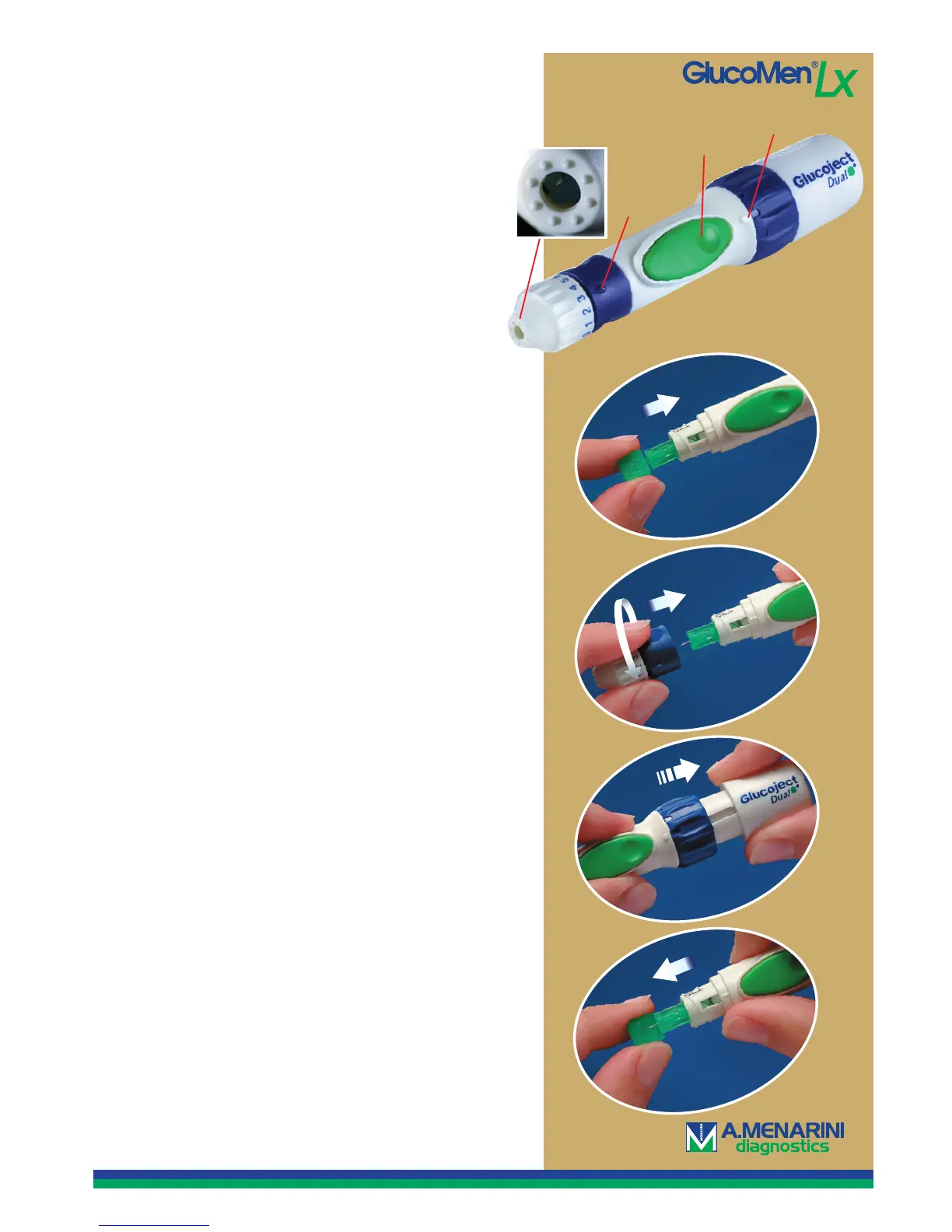
1. Unscrew the top of the device and push in a new
lancet as far as it will go.
2. Twist off the needle’s plastic protective cover and
screw the top back on again.
3. Set the desired penetration depth 0–6 (0 is the
shallowest and 6 is the deepest) and adjust the
force level (three settings) to adapt the penetration
to your skin type.
4. Grasp the back section of the lancing device and
pull it out until you hear a click. Now the device
is loaded.
5. Press the top against your fi nger and press
the trigger.
6. Remove the lancet after the test and throw it in
a container for sharp objects. Do not reuse
the lancet.
Tip! Before you pull out the lancet, put the needle
in the four-sided piece of plastic that previously pro-
tected the needle so you don’t risk hurting yourself.
Puncture
depth
Force adjustment
Painless testing.
Your new lancing device is equipped with the unique
and ingenious Comfort Zone-technology: eight small
points in a circle, which block the brain’s sensory
perception so that the testing is practically painless.
The fact that you, in addition, can adjust the force
means that you don’t have to penetrate so deeply
to get the right amount of blood.
A shallow penetration is felt considerably less than
a deep one. So try to get a shallow penetration depth
and increase the force instead.
Trigger
How to use the lancing device.
1.
2.
6.
4.
Quick Guide to GlucoMen LX
Customer support 040-32 12 70 or info@menarinidiagnostics.se
CLICK!


 To Next Page
 Loading...