Models
• GM64
Inner Shield lens Removal
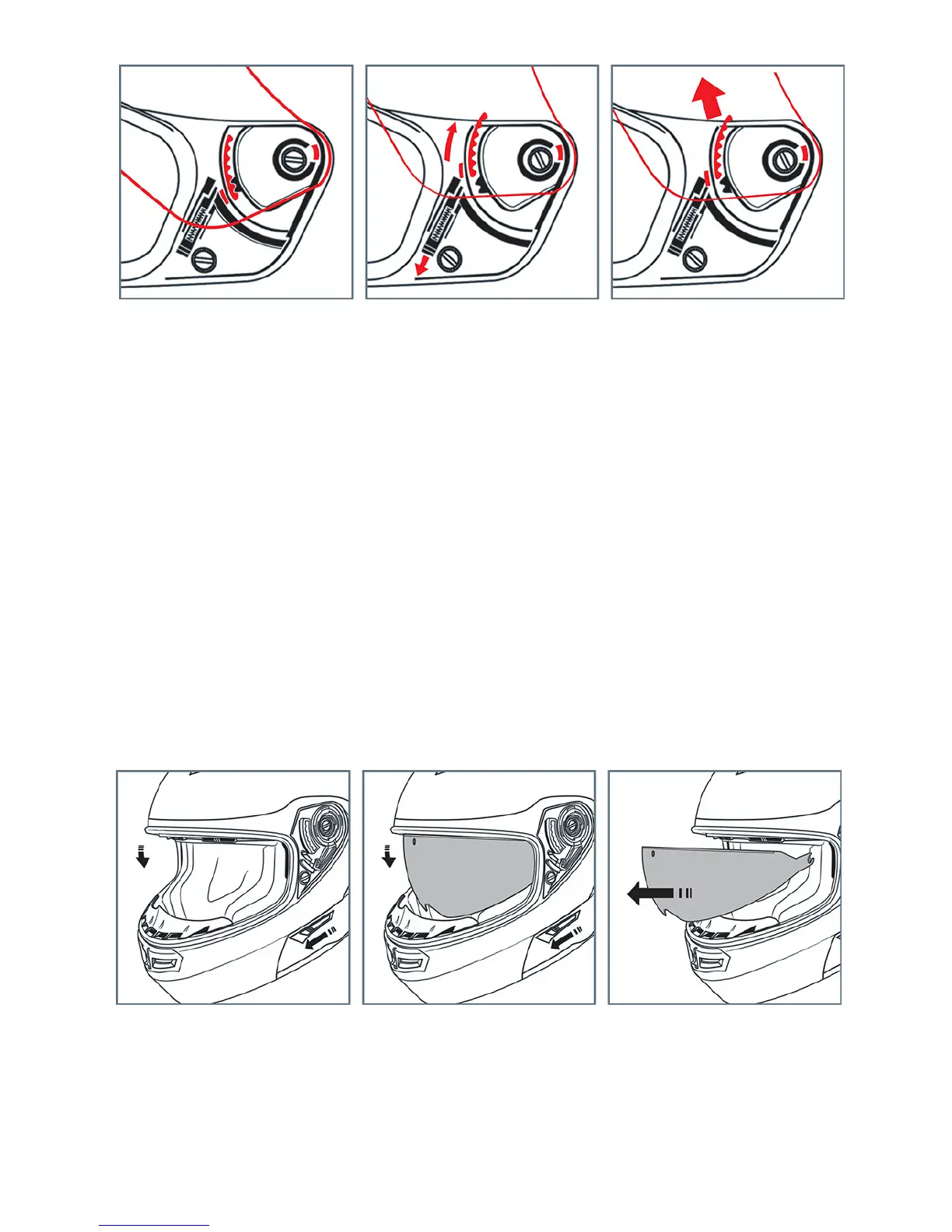
1. Lower the inner shield by pushing the slider button located on the left hand side of the
helmet completely forward.
2. With the inner shield in the down position, grasp and pull straight out from the helmets eye
port on each side of the inner shield to remove. You will feel the inner shield unsnap from
the helmet. Note: The sides of the inner shield are simply snapped into place. No tools are
needed to remove or install the inner shield.
To install the outer shield: reverse the removal process.



 To Next Page