Exterior Lamps
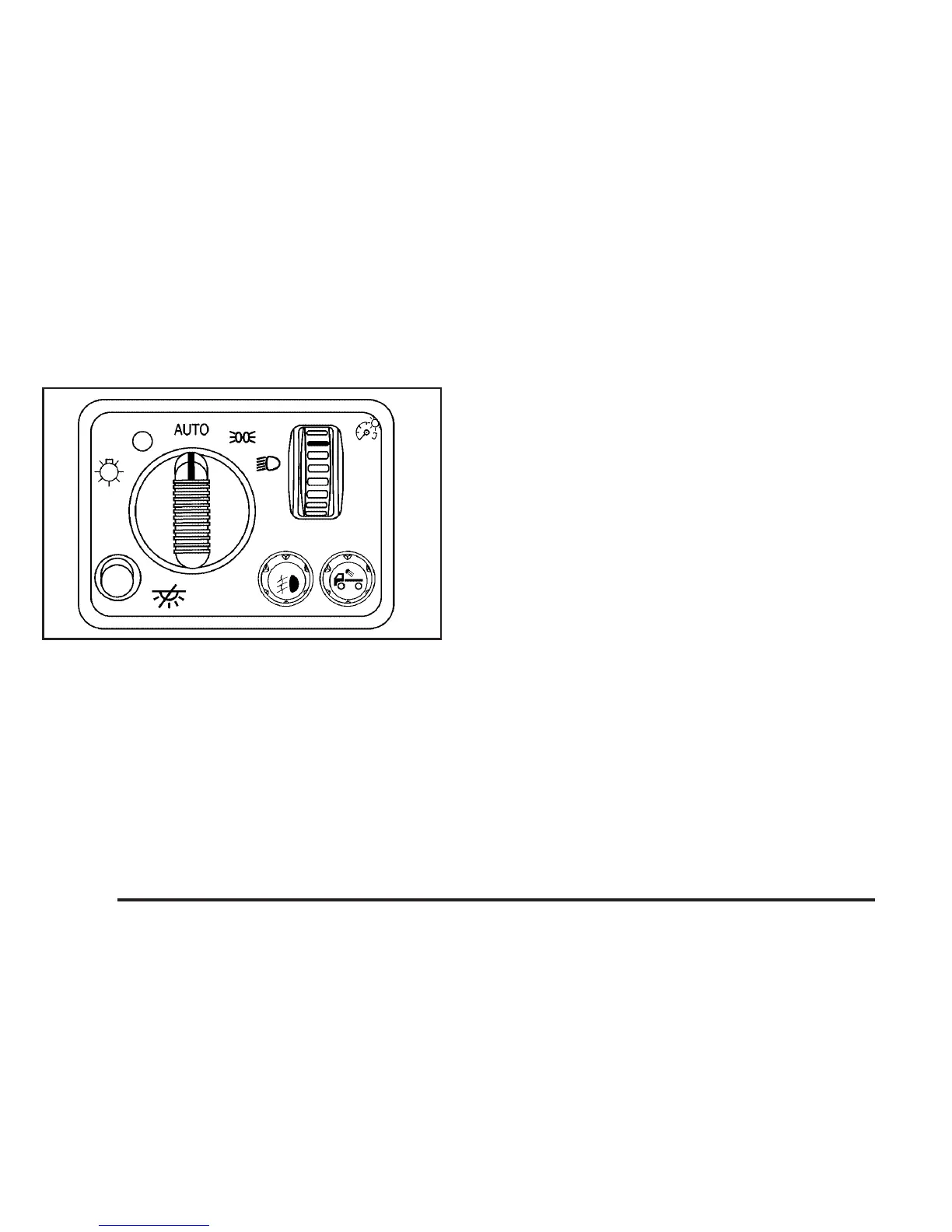
The control on the driver’s side of the instrument
panel operates the exterior lamps.
O(Exterior Lamps): Turn the knob, located to
the right of this symbol, to choose one of the
four exterior lamp positions.
9(Off): Turn the knob to this position to turn off
all exterior lamps including the Daytime Running
Lamps (DRL).
AUTO: Turn the knob to this position to
automatically turn on the headlamps at normal
brightness, together with the following:
• Sidemarker Lamps
• Taillamps
• Parking Lamps
• Instrument Panel Lights
See Automatic Headlamp System on page 168 for
more information.
;(Parking Lamps): Turn the knob to this
position to turn on the parking lamps, together with
the following:
• Sidemarker Lamps
• Taillamps
• License Plate Lamps
• Instrument Panel Lights
2(Headlamps): Turn the knob to this position to
turn on the headlamps, together with the previously
listed lamps and lights.
You can switch the headlamps from low to high
beam by pushing the turn signal/multifunction lever
toward the instrument panel.
166



 To Next Page