License Plate Lamp
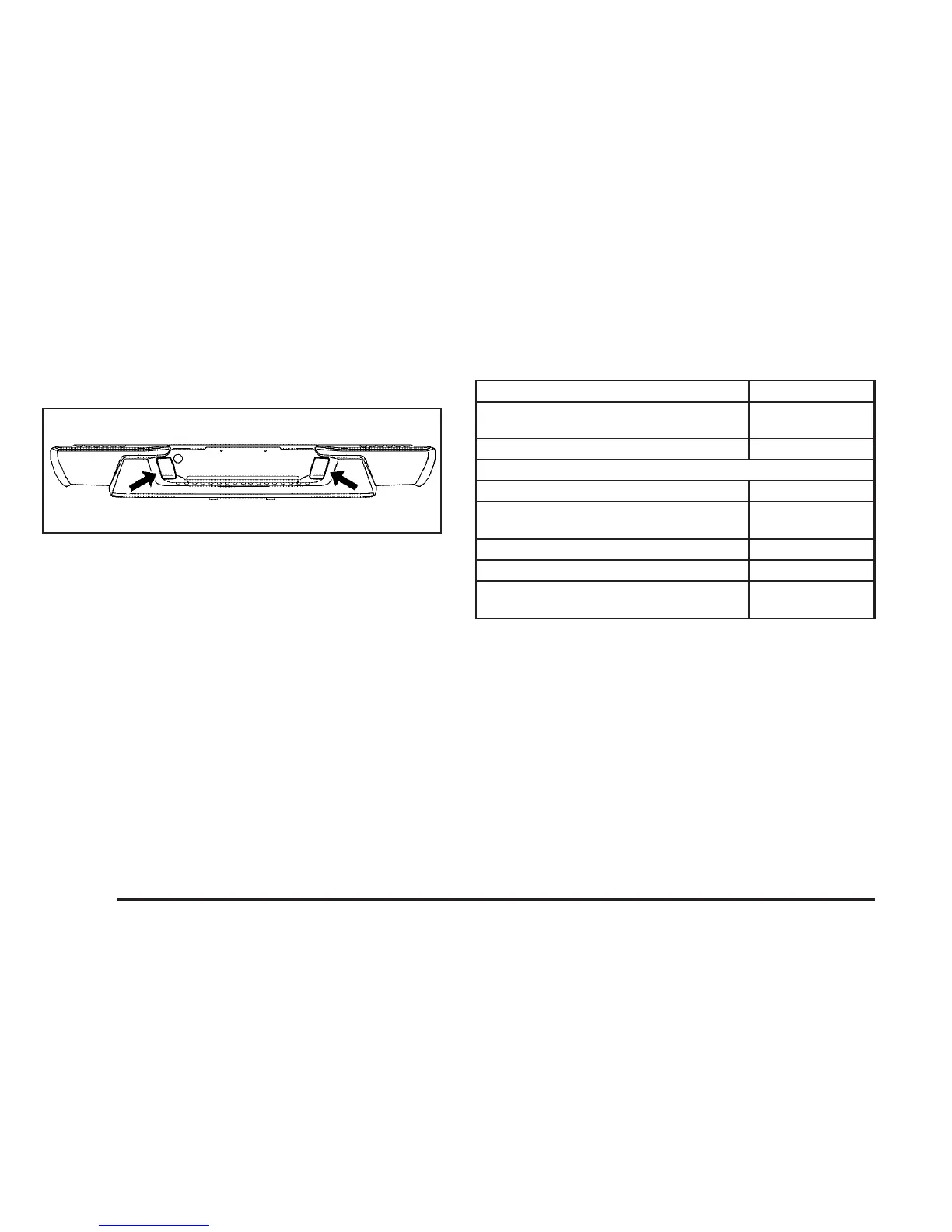
To replace one of these bulbs, do the following:
1. Reach under the rear bumper for the bulb
socket.
2. Turn the bulb socket counterclockwise and
pull the bulb socket out of the connector.
3. Pull the old bulb straight out from the bulb
socket.
4. Push the new bulb straight in until it clicks to
secure it.
5. Reverse Steps 1 through 3 to reinstall the
license plate lamp.
Replacement Bulbs
Exterior Lamp Bulb Number
Center High-Mounted
Stoplamp (CHMSL)
912
License Plate Bulb W5W
Headlamps
High-beam 9005
Low-beam/Daytime Running
Lamp (DRL)
9006
Parking/Front Turn Signal 3757KA
Parking Lamp (Inboard) 3157A
Stoplamp, Rear Turn Signal,
Taillamp, and Back-up Lamp
3057
For replacement bulbs not listed here, contact
your dealer.
366



 To Next Page