QUADRASTEER™
The QUADRASTEER™ System has a control and
diagnostic module that monitors and records current
system status and operational information.
If your vehicle is equipped with the 4 Wheel Steer
system it has the ability to steer the vehicle with all four
wheels.
Once the 4 Wheel Steer mode is selected, it is
recommended to leave the vehicle in this mode at all
times, and during all driving and weather conditions.
You can select this mode at any speed, however, if you
are turning the system will not engage until the turn
is complete.
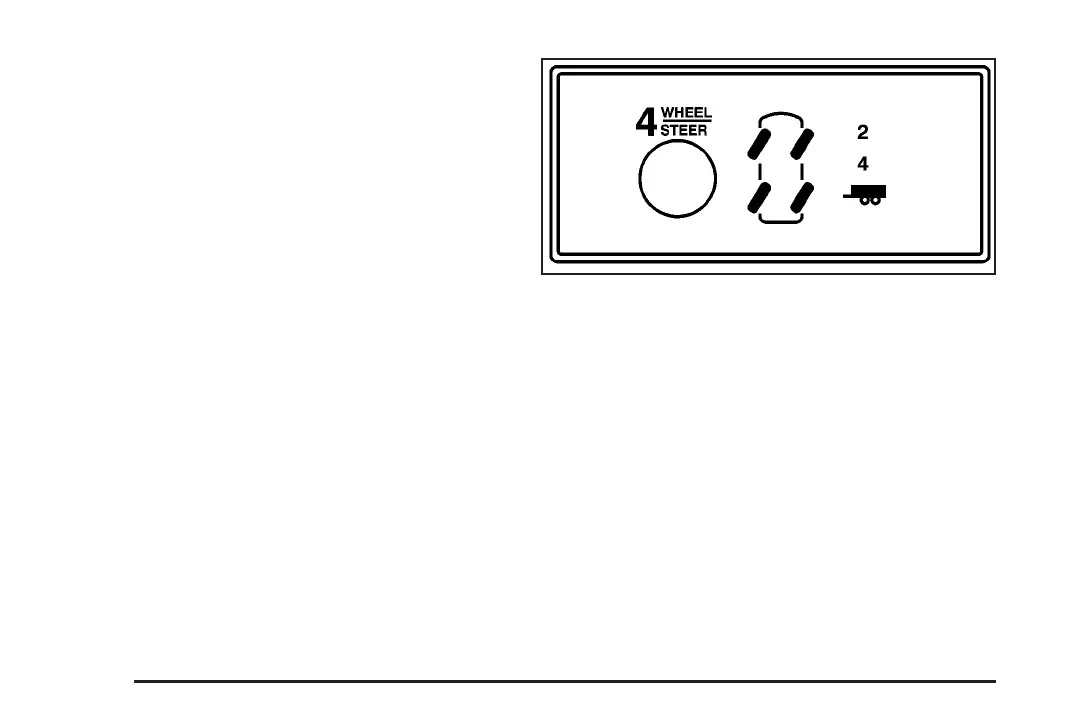
The 4 Wheel Steer system is equipped with three
different driving modes:
• Two wheel steering (2)
• Four wheel steering (4)
• Four wheel steering with a trailer mode (_)
The switch is located on the instrument panel.
2: In this mode the vehicle will operate like any other
vehicle with two wheel steering. If you want to use
2 wheel steering and your vehicle is not in this mode,
press the button until the 2 indicator, located to the right
of the 4 Wheel Steer button, lights up. If the 2 indicator
is flashing you will have to center the steering wheel
by turning it to the left or right.
Your vehicle will return to 2 (two wheel steering) when
the transmission is shifted into NEUTRAL, for
example when entering a car wash.
4-12








 To Next Page