Infotainment System 185
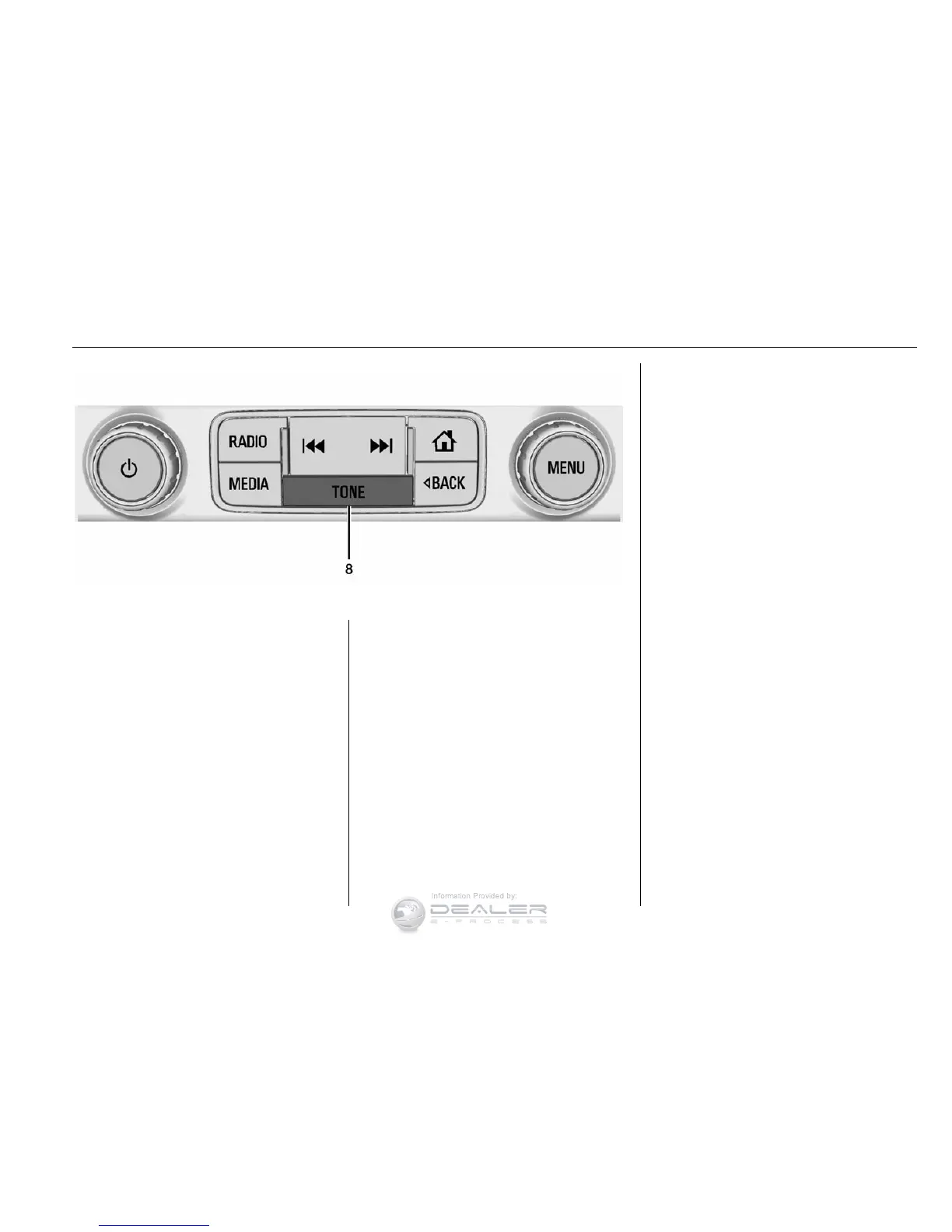
Radio with TONE
1.
q
.
Press to scroll down
through the favorite pages
for each source.
2. Favorites/Soft Keys
.
Press to select favorite
stations.
.
Press and hold to save
favorite stations.
.
Press to select a screen
button when displayed.
3.
r
.
Press to scroll up through
the favorite pages for each
source.
4. MENU
.
Press to access the menu
for the current audio
source.
.
Press to select the
highlighted menu option.
.
Turn to scroll through a list.
.
Turn to manually select a
station.
5. CD Slot (If Equipped)
6.
o BACK
.
Press to return to the
previous screen in a menu.
7.
{
.
Press to go to the Home
Page from any point in the
system. See “Home Page”
following.
8.
X (If Equipped) or TONE (If
Equipped)
.
Press
X to eject the CD (if
equipped).
.
Press TONE to open the
Tone Settings menu (if
equipped).


 To Next Page