42 Keys, Doors, and Windows
The vehicle must be in P (Park) or
N (Neutral). To extend the steps:
.
Press
j to extend both steps.
A DIC message displays.
.
Press
j again to extend to the
tire. A DIC message displays.
.
Press
j again to return to
normal operation.
Enable/Disable
To enable or disable the power
assist steps, press and hold
j for
four seconds. A DIC message
displays.
Cleaning
Clean the power assist steps
regularly. For an automatic car
wash, extend the steps while in
N (Neutral) using the center stack
switch. The steps will stow when
shifting into D (Drive).
Vehicle Security
This vehicle has theft-deterrent
features; however, they do not make
the vehicle impossible to steal.
Vehicle Alarm System
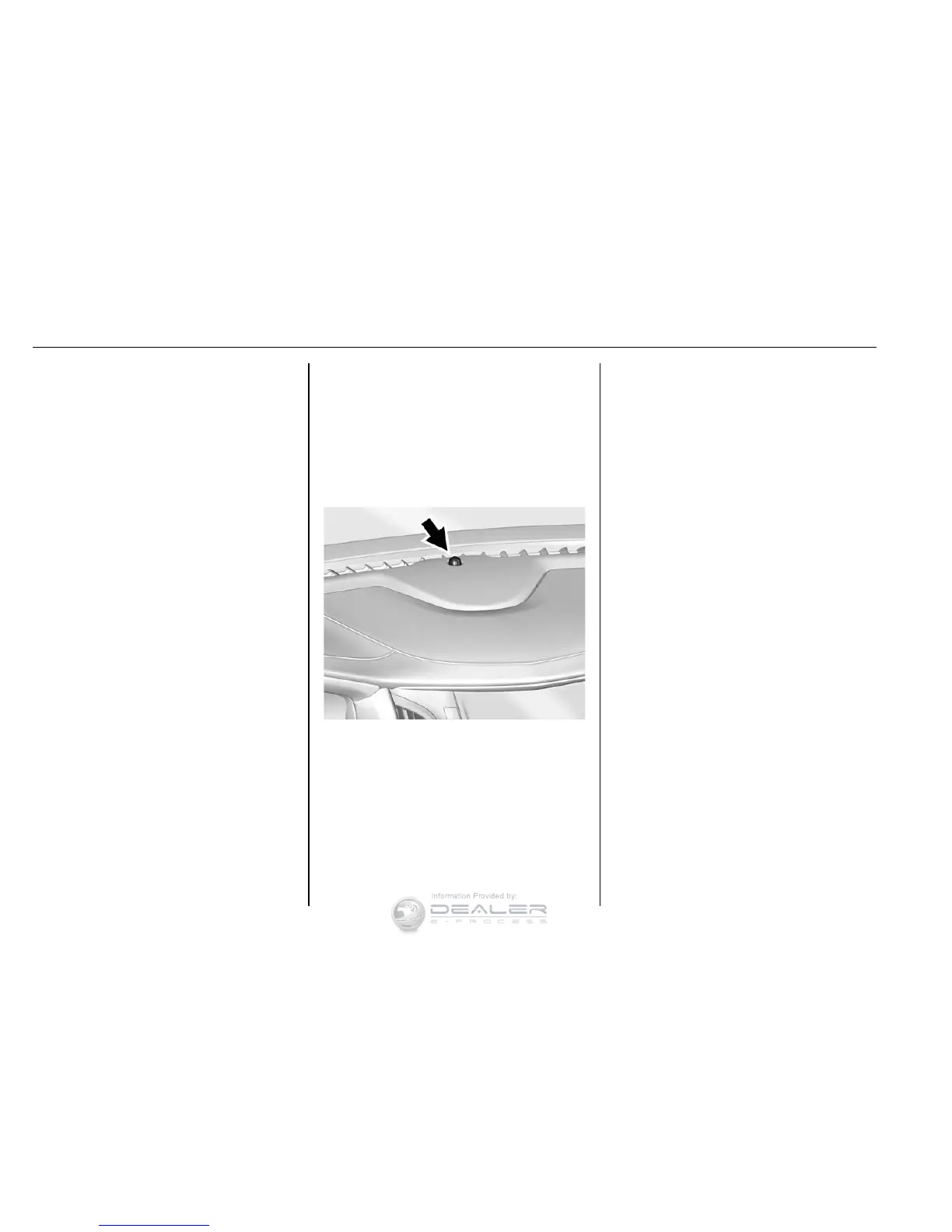
The indicator light, on the
instrument panel near the
windshield, indicates the status of
the system.
Off : Alarm system is disarmed.
On Solid : Vehicle is secured
during the delay to arm the system.
Fast Flash : Vehicle is unsecured.
A door, the liftgate or the hood
is open.
Slow Flash : Alarm system is
armed.
Arming the Alarm System
1. Turn off the vehicle.
2. Lock the vehicle in one of
three ways:
.
Use the RKE transmitter.
.
Use the Keyless Access
system.
.
With a door open, press
Q
on the interior of the door.
3. After 30 seconds, the alarm
system will arm and the
indicator light will begin to
slowly flash. Pressing
Q on the
RKE transmitter a second time
will bypass the 30-second
delay and immediately arm the
alarm system.
The vehicle alarm system will not
arm if the doors are locked with
the key.


 To Next Page