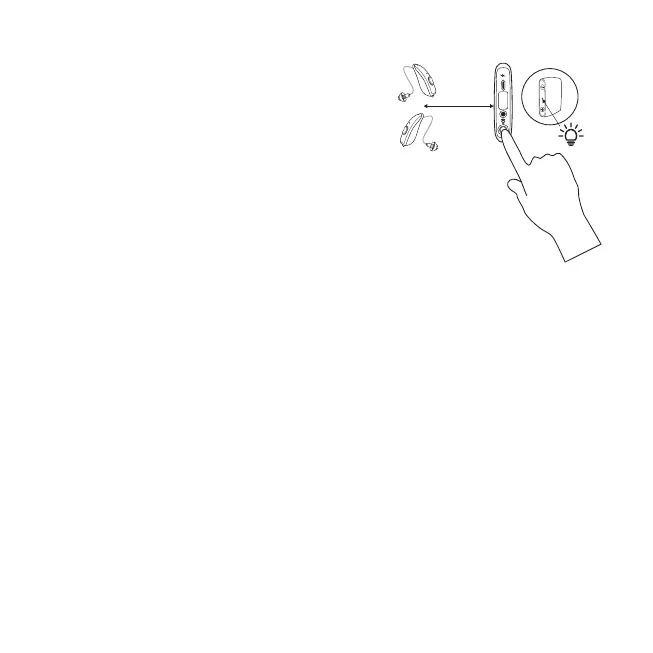
To pair the devices
1. The device and the hearing aids must be turned
ON and be within 5cm (2inches) of each other.
2. Pairing mode will be activated by pressing the
pairing button on back of the device. Press the
button until the LED starts flashing green in short
intervals.
3. The hearing aids will be paired one at the time.
4. The LED will stop flashing for 3 seconds after the
first hearing aid is paired and then automatically
continue to pair the second hearing aid.
5. After the device has been paired with your
hearing aids, when powered ON, the device will
start streaming sound to your hearing aids.
The pairing LED sequence
The TV-Streamer+ pairing option is open for 3 minutes, but streaming can start before the
pairing search has finished.
• Flashing LED = first pairing (about 12 seconds)
• LED constant ON
• Flashing LED = second pairing (about 12 seconds)
• LED constant ON
• Flashing LED = searching for more hearing aids (about 15 seconds)
• LED constant ON = streaming.
12 Using the device for the first time


 To Next Page