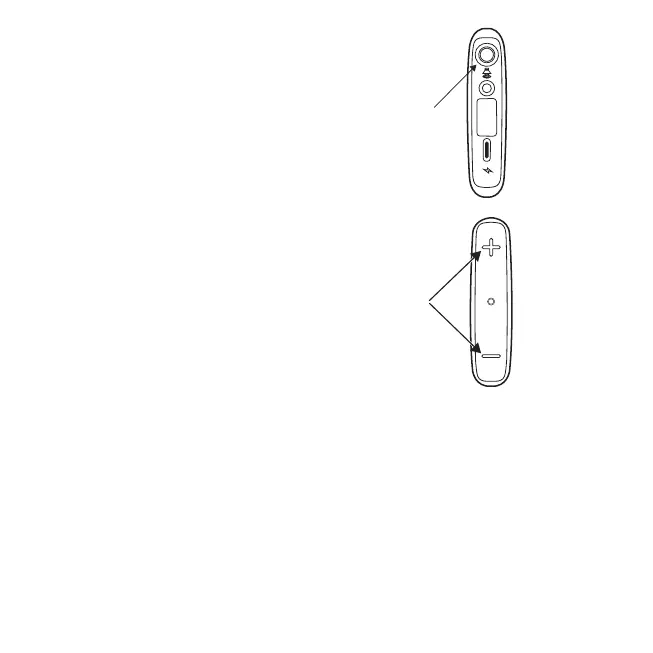
1. Delay mode will activate after pressing
the pairing/delay button for 10
seconds. The LED will flash green in
long intervals to confirm you are in the
Delay mode.
2. Press the + or - to increase or decrease
the sound delay from the TV.
3. To leave Delay mode, press and hold the pairing/delay button for 3 seconds or
reboot the TV-Streamer+ by removing and reinserting the power cable.
Placement of the device
Although you can place the TV-Streamer+ almost anywhere within the limitations of the
cable length, it is recommended to affix the TV-Streamer+ on the back panel of the TV.
Remove one of the plastic covers from the hook and loop sticky pads and place the
sticky pad on the TV-Streamer+. Remove the remaining plastic cover from the pad and
14 Using the device for the first time


 To Next Page