How to install the device
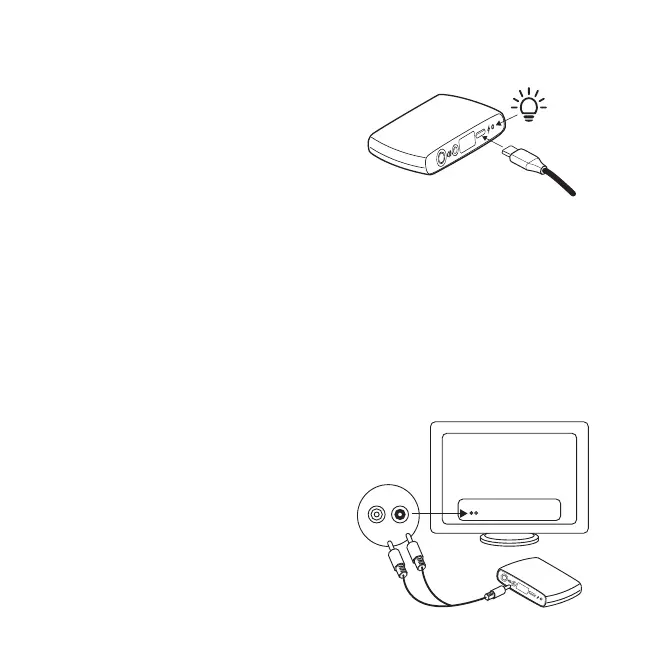
Connect the device to a power source
The device can be powered directly by the
TV USB-A socket via the supplied USB-A to
USB-C cable. The USB-A plug can
alternatively be inserted into any suitable
power source.
The USB-C plug is inserted into the device.
The LED light on the back of the device will
show white to indicate activation after the
power cable has been inserted to a power
source.
You can use either the analog audio cable or digital (optical) audio cable to supply an
audio signal into the TV-Streamer+.
Analog cable connection
For TV with analog audio: insert the 2-into-
1 audio plugs into the L and R AUDIO
sockets on your TV and the other end into
the TV-Streamer+.
How to install the device 9


 To Next Page