13EN
Operating instructions
Remote control
1
2
8
4
3
5
6
7
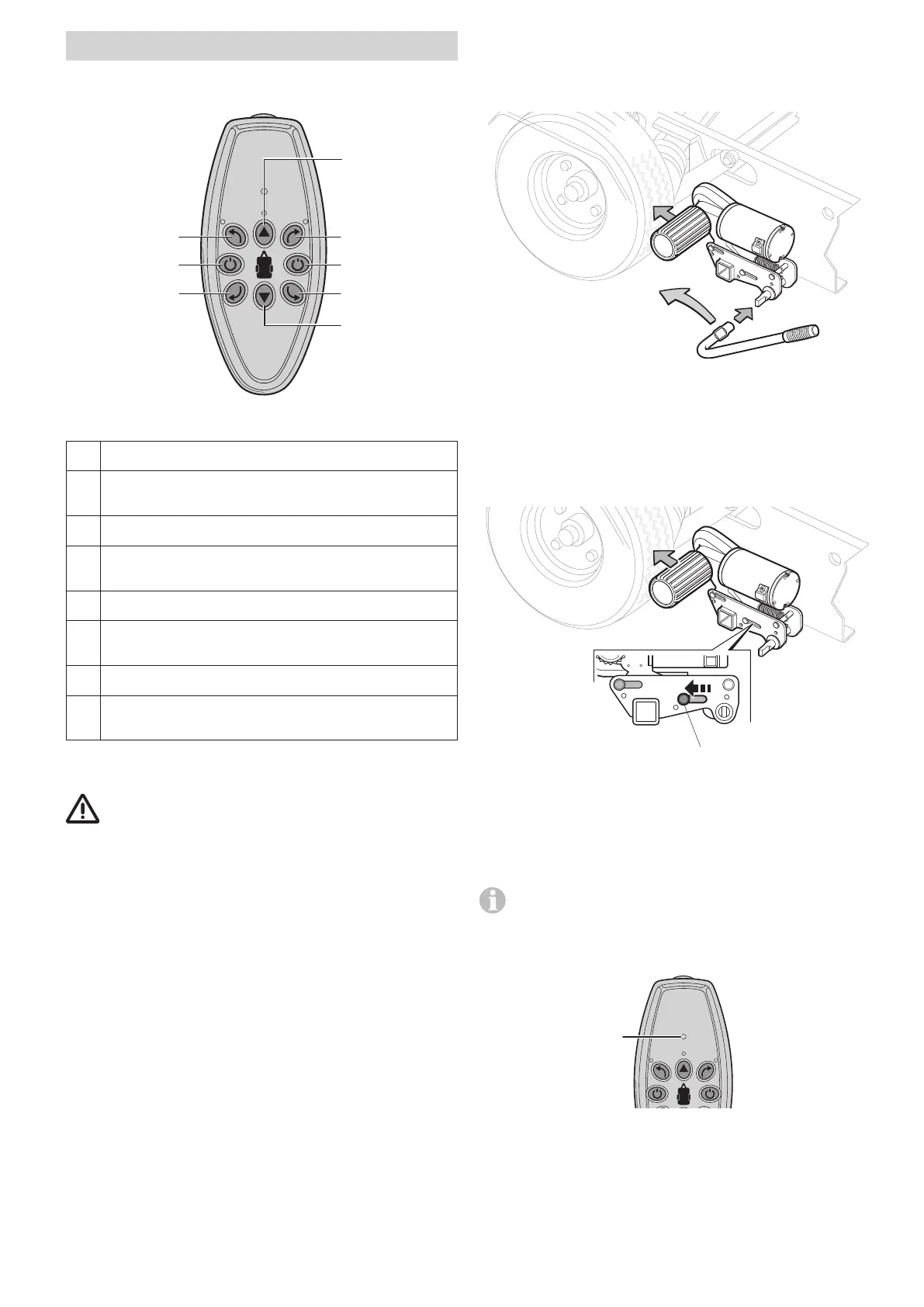
Figure 2
1 Move the caravan forward
2 Turn the caravan in a clockwise direction (via the right
axle)
3 Switch off (red) / emergency stop switch
4 Turn the caravan in an anti-clockwise direction (via the
right axle)
5 Move the caravan backward
6 Turn the caravan in a clockwise direction (via the left
axle)
7 Switch on (green)
8 Turn the caravan in an anti-clockwise direction (via the
left axle)
Starting the GO2
Follow the “Safety instructions” before using the GO2.
– Establish the power connection for the GO2 via the battery
cut-off switch.
– With the caravan uncoupled from the towing vehicle
(parking brake engaged and/or secured against rolling
away) engage the GO2.
Engaging the GO2
– Attach the engagement lever to the toggle crank
(Figure4 - 1).
1
2
Figure 4
– Turn the engagement leverin the direction of the arrow
(towards the vehicle wheel) (Figure 4 - 2) until the position
indicator is at “√” (Figure 5 - 1) in the housing. In the end
position, the drive unit engages securely and the drive
roller is pressed approx 20 mm into the tyre. This must be
checked on both sides before manoeuvring.
1
Figure 5
– Removing the engagement lever
Both drive rollers must be pressed firmly on to the tyres.
Switching on the remote control
No other remote control function must be active when
the remote control is switched on.
– Press the button (Figure 2 - 7) on the remote control until
the LEDs light up (Figure 6 - 1).
1
Figure 6


 To Next Page
 Loading...